
Email Management
How Mailsweeper respects your privacy
Explains how MailSweeper protects privacy by processing inside your Gmail, never storing or reading emails, and complying with Google API policies.
How Mailsweeper respects your privacy
Your inbox holds sensitive information, and using email cleanup tools can raise privacy concerns. Mailsweeper addresses these by working entirely within your Gmail account, without storing or reading your emails. Here's a quick look at how it safeguards your data:
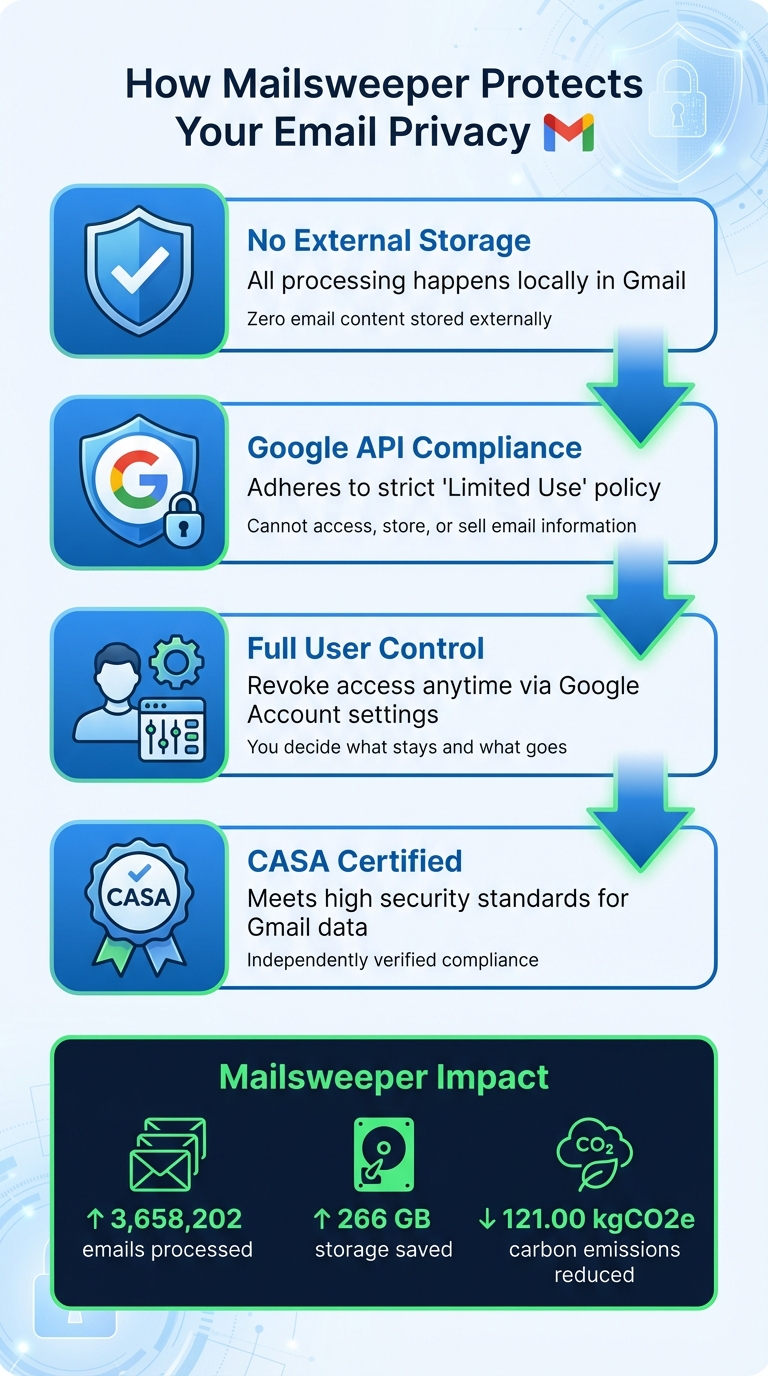
- No external storage: All processing happens locally in Gmail.
- Google API compliance: Adheres to strict data use policies, ensuring security and transparency.
- Full user control: You can revoke access anytime via Google Account settings.
- CASA certification: Meets high security standards for handling Gmail data.
Mailsweeper keeps your inbox tidy while ensuring your privacy stays intact. Let’s explore how it works and the measures it takes to protect your data.
How Mailsweeper Protects Your Email Privacy
How to protect your emails from outside eyes | Terms of Service
sbb-itb-34b9fd2
Privacy Concerns with Email Management Tools
Using email management tools often means granting them access to your inbox, which can open the door to several privacy risks. These risks primarily stem from how sensitive information is handled and protected. MailSweeper takes these concerns seriously by ensuring all processing happens locally, but it’s essential to understand the potential vulnerabilities.
One major risk is unauthorized access. Weak password policies or the absence of two-factor authentication can make it easier for hackers to breach a tool's security, potentially exposing the sensitive data in your emails. Another concern is data interception during transmission. Without proper encryption, your information could be intercepted while in transit, leaving it vulnerable.
External data storage is another common issue. Many tools store your email content on third-party servers, which introduces additional risks. As experts often point out, no method of data transmission is entirely secure. By relying on external servers, you're also depending on the security measures of hosting providers and their partners, which may not always meet your expectations.
Then there's the issue of metadata collection. These tools often gather information like your IP address, device details, browser type, and usage patterns. While this metadata might seem trivial, when combined, it can create detailed profiles of your behavior. Without strong safeguards, such data could be misused or become a target in a breach.
Another concern is losing control over your data. If a tool doesn’t allow you to delete your information or revoke access, you’re left vulnerable. In some cases, your data may be shared with third-party service providers without proper confidentiality agreements. Worse, the tool may not fully comply with platform-specific policies, such as Google's API Services User Data Policy. Without clear transparency about these practices, it’s difficult to know how your private emails are being handled or shared.
How MailSweeper Protects Your Privacy
MailSweeper keeps your email management secure by ensuring that all processing happens entirely within your Gmail account. As outlined in MailSweeper's Privacy Policy, "We do not store or share your emails with anyone. All the resources being used by this add-on fall under your email account". This principle is at the heart of how MailSweeper safeguards your privacy. Understanding the hidden cost of email storage is essential for maintaining a clean and secure digital footprint.
We Never Store or Read Your Emails
MailSweeper operates exclusively within your Gmail account. It relies on official Google APIs and strictly follows Google's "Limited Use" policy. This means MailSweeper cannot access, store, or sell any information about your emails. To back these claims, MailSweeper has achieved CASA (Cloud App Security Assessment) certification, which confirms its compliance with strict security standards for handling Google user data. As stated in MailSweeper's FAQ, "No, we do not read, store, or sell ANY information about your emails. Our application is also CASA certified".
How the Dustpan Works in Your Gmail Account
The Dustpan feature exemplifies this privacy-first approach. It creates a special label (🧹Dustpan) directly in your Gmail inbox. Based on the categories you select during setup, MailSweeper automatically tags emails with this label. You remain in full control - review the Dustpan label anytime and remove it from emails you wish to keep. Over time, emails left in the Dustpan are moved to your trash. This entire process happens within Gmail, with no external storage or processing involved. To prevent accidental deletions, MailSweeper avoids starred messages, important emails, and those in your primary inbox. This label-based system prioritizes both user control and data security.
CASA Certification and Google API Compliance
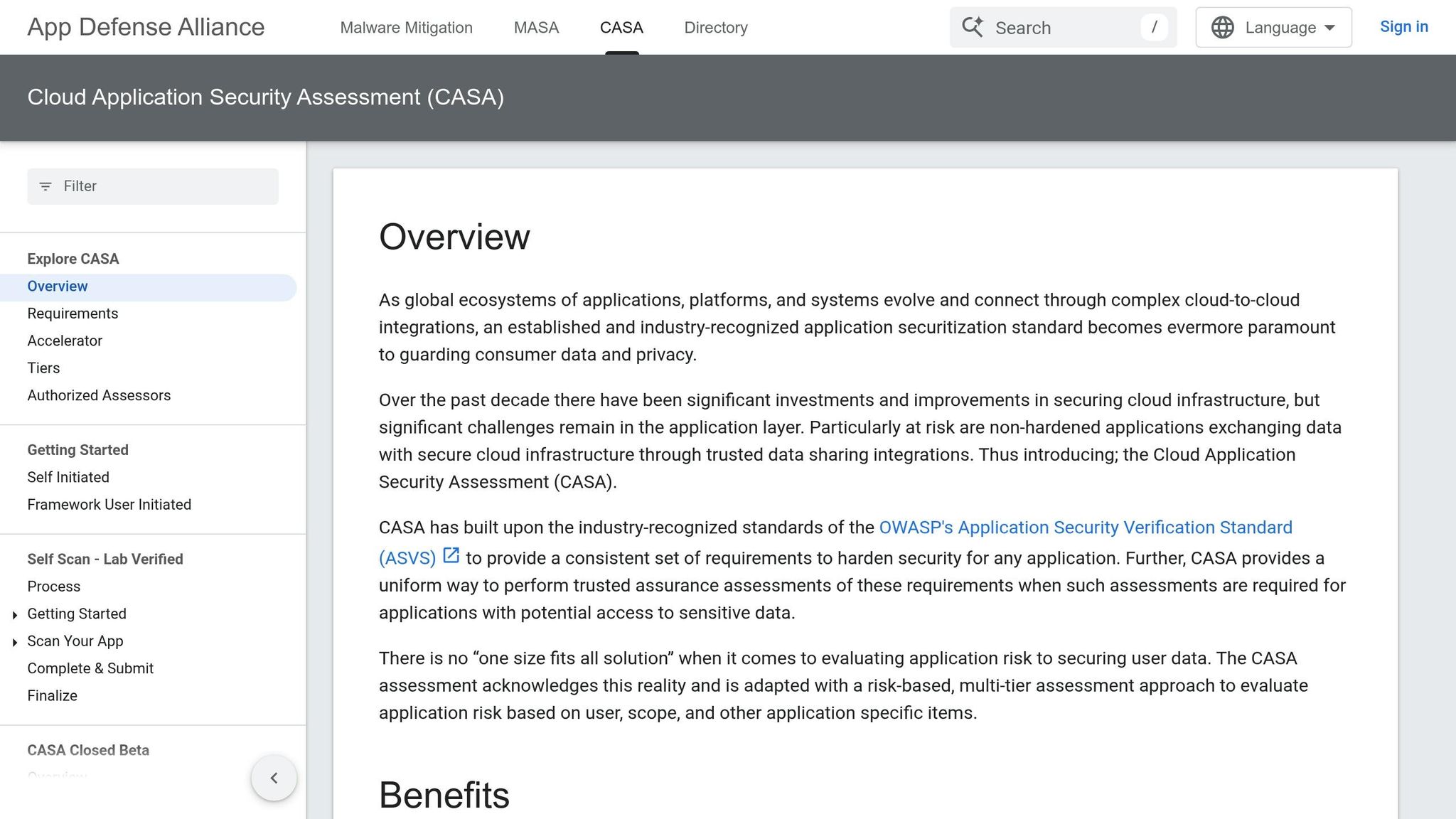
MailSweeper's CASA certification underscores its commitment to secure practices. This certification confirms compliance with recognized security standards, ensuring your data is used solely for inbox management. Your personal information is never sold to third parties or used for advertising. To date, MailSweeper has processed 3,658,202 emails, saved users 266 GB of storage, and cut carbon emissions by 121.00 kgCO2e - all without ever accessing your email content.
User Control and Transparency
MailSweeper gives you full authority over your data. Before you start using the service, you'll need to accept the Terms of Service and guidelines. This step ensures you're fully aware of what you're agreeing to.
Clear Privacy Policy and Terms of Service
MailSweeper prioritizes transparency and puts you in charge of your information. The service only collects basic details like your name, email, IP address, browser type, and usage statistics. This data is used strictly to improve the service, and you have the option to access, update, or delete it whenever you want. According to the Privacy Policy, your emails remain securely stored in your account and are never accessed without your consent.
How to Revoke Access Anytime
Your control doesn’t end after setup. If you decide to revoke MailSweeper’s access, it’s straightforward. Head over to https://myaccount.google.com/permissions, go to the Third-party apps and services section, find MailSweeper, and choose Delete all connections. This will instantly stop the service from accessing your Gmail data. The entire process is managed through your Google Account settings, ensuring you stay in charge at all times.
Conclusion
MailSweeper keeps your privacy front and center by handling everything directly within Gmail. There’s no external storage or sharing with third parties. Plus, it fully complies with the Google API Services User Data Policy and employs strong security measures to prevent unauthorized access, disclosure, or changes to your information.
You’re always in charge of your data. MailSweeper only collects what’s absolutely necessary - like your name, email, and minimal usage stats - to improve its features. Even better, you can view, update, or delete this data anytime. If you decide to stop using MailSweeper, removing its access is quick and easy through your Google Account settings.
For any questions, reach out to support@mailsweeper.co during business hours (Mon–Fri, 9:00 AM–5:00 PM EST). They’ll get back to you within 24–48 hours. With MailSweeper, your inbox stays tidy, your privacy stays intact, and you remain in full control of your email data.
FAQs
What Gmail permissions does MailSweeper need?
MailSweeper needs permission to access your Gmail account so it can read, send, and delete emails on your behalf. However, it doesn't store or access the actual content of your emails. Instead, it processes only metadata to carry out its tasks.
Does MailSweeper ever store or read my email content?
MailSweeper respects your privacy by not storing or reading the content of your emails. It strictly processes metadata and never accesses the body of your messages.
How can I undo or stop automatic cleanup in Dustpan?
To pause or reverse automatic cleanup in Dustpan, head to your settings. You can disable or tweak features like AI-powered sorting or periodic deletion. Review and adjust your preferences to ensure they match what you want.
More free Gmail tools.
Pair these together for a full inbox reset.
Bulk Unsubscribe from Gmail
See the senders flooding your inbox, ranked by volume — your shortlist for unsubscribes.
Open toolMass Delete Gmail Emails
Build a deletion plan by sender, date, label, or all-unread — with the exact Gmail search to run.
Open toolFind Large Emails in Gmail
Pick a size and we build the exact Gmail search to find your biggest emails — then open it in one click.
Open toolGmail Storage Cleanup
Move the slider to your current Gmail usage to see exactly what to delete to free space.
Open toolInbox Zero Score
Rate your inbox health on a 0–100 scale and see the weekly hours your inbox is costing you.
Open tool