
Email Management
Best Gmail Cleanup Tools
Compare top Gmail cleanup tools for decluttering, storage recovery, and subscription management—features, pricing, and best use cases to regain inbox control.
Best Gmail Cleanup Tools
Your Gmail inbox can quickly become a chaotic mess of unread emails, promotions, and newsletters. Managing this clutter manually is time-consuming and frustrating. Thankfully, several tools are designed to simplify the process, helping you organize, free up storage space, and regain control of your inbox.
Here’s a quick look at the top Gmail cleanup tools:
- MailSweeper: Uses AI to organize clutter into a "Dustpan" folder and offers a one-time payment model ($20).
- Clean Email: Automates email sorting into 33 categories and provides bulk actions; starts at $29.99/year.
- Mailstrom: Groups emails by sender or subject for quick cleanup; free trial available, then $9/month.
- Sanebox: Prioritizes emails with AI and organizes low-priority messages; pricing starts at $7/month.
- Unroll.Me: Focuses on subscription management with one-click unsubscribe; free to use.
- Cleanfox: Helps manage subscriptions and large emails with swipe-based actions; free but funded by anonymized data.
- InboxPurge: A Chrome extension for bulk deletion and privacy-focused cleanup; plans range from free to $7/month.
Quick Comparison:
| Tool | Best For | Starting Price | Key Feature |
|---|---|---|---|
| MailSweeper | Periodic auto-cleaning | $20 (one-time) | AI-powered "Dustpan" folder |
| Clean Email | Full automation & sorting | $29.99/year | Auto Clean rules, Smart Folders |
| Mailstrom | Bulk email deletion | $9/month | Grouping by sender/subject |
| Sanebox | Email prioritization | $7/month | AI-driven folder sorting |
| Unroll.Me | Subscription management | Free | One-click unsubscribe, Rollup |
| Cleanfox | Subscription & storage help | Free | Swipe-based subscription management |
| InboxPurge | Privacy-focused bulk deletion | Free/$7/month | Browser-based processing |
Each tool caters to different needs, from decluttering subscriptions to bulk deleting thousands of emails. Choose one based on your specific requirements, and say goodbye to inbox chaos.
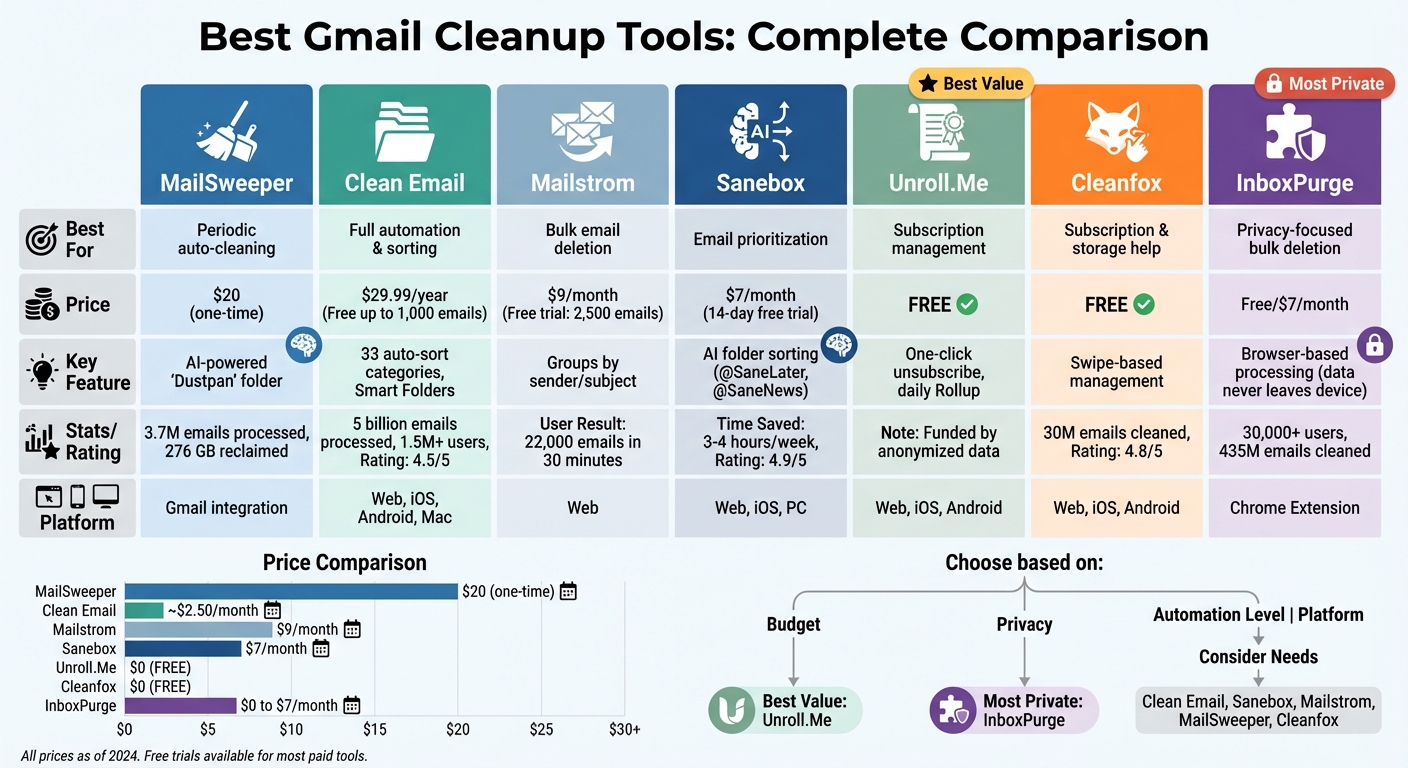
Gmail Cleanup Tools Comparison: Features, Pricing, and Best Use Cases
1. MailSweeper
AI-Powered Automation
MailSweeper takes the hassle out of managing email clutter by using AI to identify and sort unimportant emails - like notifications, old calendar invites, and promotional deals - into a "Dustpan" label. So far, it has processed over 3.7 million emails, reclaimed 276 GB of storage, and contributed to a carbon reduction of 125.32 kgCO2e. It skips over starred, important, and primary inbox emails, ensuring your key messages stay untouched. Once set up, MailSweeper automatically moves older emails from the Dustpan to the trash after 30 or 90 days. You can always review the Dustpan folder and rescue any emails before they're deleted.
Seamless Integration with Gmail
MailSweeper makes setup quick and easy. Just log in with your Google account, answer a few questions to customize your preferences, and let the tool connect via Google's secure OAuth system. It's also CASA certified, meaning it meets strict security standards to protect your email data.
Smart Storage Management
Struggling to stay within Gmail's free 15 GB storage limit? MailSweeper helps by clearing out unnecessary emails, potentially saving you from upgrading to a paid storage plan. Some users have even been able to downgrade from paid tiers back to the free plan, thanks to the space MailSweeper helps reclaim. It's a simple way to keep your inbox tidy and avoid extra costs.
One-Time Pricing
MailSweeper offers a straightforward, one-time payment model - no subscriptions required. A Personal license costs $20 for lifetime use, but Early Bird pricing is available at $16 (only a few spots left). It's an affordable way to take control of your inbox and keep it clutter-free for good.
sbb-itb-34b9fd2
2. Clean Email
AI-Powered Automation
Clean Email uses advanced algorithms to organize your Gmail into over 33 specific categories, including Social Networks, Finance, Travel, and Newsletters. Since 2014, the platform has processed more than 5 billion emails and now serves over 1.5 million users. Its Cleaning Suggestions feature analyzes email habits and community trends to recommend actions, while Auto Clean creates lasting rules for handling incoming emails. The Screener acts as a gatekeeper, isolating messages from unknown senders for easy batch review. Importantly, Clean Email prioritizes your privacy by analyzing only email headers - like sender, subject, and metadata - without accessing the actual content of your messages.
Storage Optimization Features
Clean Email simplifies storage management with filters like "Large Mail" and "Old Mail", designed to pinpoint emails that consume significant space. The Old Mail filter, for example, identifies emails older than six months and allows you to delete them in just five clicks, compared to the 30 clicks it would take manually. Users have reported bulk-deleting over 300,000 emails in a single session. The Unsubscriber tool is another time-saver, gathering all subscription emails in one place and enabling bulk unsubscriptions. This process, which typically takes around three hours manually in Gmail, can be completed in just five minutes with Clean Email.
Pricing and Affordability
Clean Email offers a free trial, allowing users to clean up to 1,000 emails and perform 25 unsubscribes without needing a credit card. For ongoing use, plans start at $29.99 per year ($2.50/month) for a single account or $49.99 per year ($4.17/month) for up to five accounts. A monthly option is also available at $9.99 per month for one account. The tool has earned a 4.5/5 rating from 3,300 user reviews, with users praising its efficiency in managing large inboxes and its strong privacy standards. A comparison table of these features follows in the next section.
3. Mailstrom
Ease of Integration with Gmail
Mailstrom connects seamlessly with Gmail using OAuth2, keeping your password private and secure. To get started, simply click the Gmail button to authenticate. Since it’s a web-based tool, there’s no need to download anything - it works right in your browser. Plus, all your data is safeguarded with strong encryption methods. This secure setup ensures a smooth and worry-free experience for managing your inbox.
Storage Optimization Features
Mailstrom takes Gmail management to the next level by grouping emails based on sender, subject, or mailing list. This clever design makes it easy to delete, archive, or move thousands of messages in one go. Tech columnist Walt Mossberg shared his experience of clearing out around 22,000 emails in just 30 minutes. New York Times journalist Jenna Wortham also praised the tool, saying:
One evening, I efficiently removed approximately 500 emails from Yelp, Twitter, Instagram and Kickstarter in a series of satisfying clicks.
Another user, Quinn, highlighted its effectiveness:
Mailstrom helped me eliminate over 100k emails since I started using it, and I have not found a better tool for an email hoarder like myself.
Mailstrom also includes handy features like a one-click "Block" option to stop unwanted senders and an Unsubscribe function to quickly remove yourself from mailing lists. After clearing out large amounts of emails, don’t forget to empty your Gmail Trash and Spam folders to reflect the updated storage space.
Pricing and Affordability
Mailstrom offers a free trial that allows you to clean up to 2,500 emails without any commitment. After the trial, subscriptions start at $9 per month. The platform emphasizes its focus on giving users greater control over bulk email management. With its efficient interface and reasonable pricing, it’s a practical choice for anyone looking to get their inbox under control.
4. Sanebox
AI-Powered Email Sorting
Sanebox takes the hassle out of email management by using machine learning to analyze email headers - like sender, subject, and date - and automatically sorting messages based on their importance. It organizes low-priority emails into specialized folders such as @SaneLater for non-urgent messages, @SaneNews for newsletters, and @SaneBlackHole for unwanted senders. The system adapts to your habits, learning from your actions when you drag and drop emails between folders. For example, moving an email from @SaneLater to your inbox teaches Sanebox to treat future emails from that sender as high-priority.
The results speak for themselves: users save an average of 3–4 hours every week, reduce daily distractions by 70%, and handle their inboxes three times faster, cutting email-related tasks by 40% overall. Author and investor Nir Eyal highlights the efficiency Sanebox provides:
SaneBox does the hard part for me, before I even open my inbox. I can quickly scan what's important and stay on task.
The tool also includes a Daily Digest feature, summarizing unimportant emails that have been moved out of your inbox. This lets you archive or delete them in bulk, saving even more time. Additionally, the SaneReminders feature tracks sent emails and alerts you if a recipient hasn’t responded within a set timeframe.
Gmail Integration Made Simple
Sanebox integrates seamlessly with Gmail, operating at the server level via IMAP. This means there’s no software to download or install. Setup is incredibly straightforward - just sign up, grant access through OAuth (keeping your password secure), and you're ready to go in under five minutes. The tool is Google Verified and undergoes annual security assessments as part of Google’s Restricted Scopes verification process. Plus, your settings sync effortlessly across devices, whether you’re using iOS, Android, or a desktop.
Tools for Storage Management
If your inbox is cluttered with old or oversized emails, Sanebox’s Email Deep Clean tool can help. It identifies unnecessary emails, allowing you to free up storage in minutes. Some users have reported reclaiming up to 50% of their storage space. For persistent unwanted senders, the @SaneBlackHole folder is a game-changer - dragging an email into this folder ensures all future messages from that sender are automatically trashed after seven days. This eliminates the need to manually unsubscribe from mailing lists.
Cost and Customer Satisfaction
Sanebox offers a 14-day free trial with no credit card required. After the trial, you can choose from three pricing plans based on the number of email accounts and features you need. Discounts of 25% are available for educational, non-profit, and government organizations. With a customer satisfaction rating of 4.9/5 from over 1,000 reviews, it’s clear that users find the service worthwhile. Gayle Wilkinson, Founder & Managing Partner at VITALIZE, shares her experience:
I'm saving more than 7 hours per week with SaneBox. Now that I'm not drowning in emails, I can finally focus on the big picture.
5. Unroll.Me
Ease of Integration with Gmail
Unroll.Me connects to your Gmail account in just a few minutes using secure OAuth 2.0 authentication. This ensures that the tool never sees or stores your password. Once connected, it scans your inbox and lists all your active subscriptions. The setup is simple - just grant the necessary permissions, and you’re ready to start organizing your subscriptions.
The tool uses a folder-based system to streamline your inbox. When you block a subscription, those emails are redirected to an "Unroll.Me/Unsubscribed" folder. Meanwhile, emails you add to your Rollup are stored in a dedicated "Unroll.Me" folder. This approach keeps your main inbox free of clutter while still retaining access to your emails.
Storage Optimization Features
Unroll.Me doesn’t just help you connect quickly - it also simplifies email organization. It categorizes your subscriptions into three options: Block, Rollup, or Keep. The Rollup feature consolidates selected emails into a single daily digest, delivered at a time you choose - morning, afternoon, or evening. Instead of being bombarded with newsletters throughout the day, you get one neatly organized email summarizing them all.
The tool also offers a one-click unsubscribe option, making it easy to stop receiving unwanted emails. For those managing multiple subscriptions, the mobile app supports bulk actions, saving you even more time. It’s worth noting that Unroll.Me works based on your input, giving you full control over your subscriptions. Whether it’s the Rollup feature, the unsubscribe tool, or its categorization options, Unroll.Me provides a straightforward way to manage email overload.
Considering that professionals often receive over 100 emails daily - many of which are automated newsletters and updates - Unroll.Me is a handy solution to keep your inbox manageable. To stay on top of things, it’s a good idea to review your subscription settings regularly.
Pricing and Affordability
Unroll.Me is completely free to use. The service generates revenue by selling anonymized data from commercial emails, like newsletters and promotional messages, for market research purposes. If you’re dealing with highly sensitive information, it’s important to consider this data-sharing model before signing up. That said, it’s an excellent tool for managing general marketing emails and subscriptions, though it may not be ideal for handling confidential business communications. Keep reading to discover more tools for decluttering your Gmail inbox.
6. Cleanfox
AI-Powered Automation
Cleanfox takes email management to a whole new level with its smart grouping system. It automatically organizes newsletters and subscriptions, making it easier to handle them in bulk. By analyzing your engagement habits - like tracking which emails you never open and calculating open rates - it helps pinpoint subscriptions that are just taking up space.
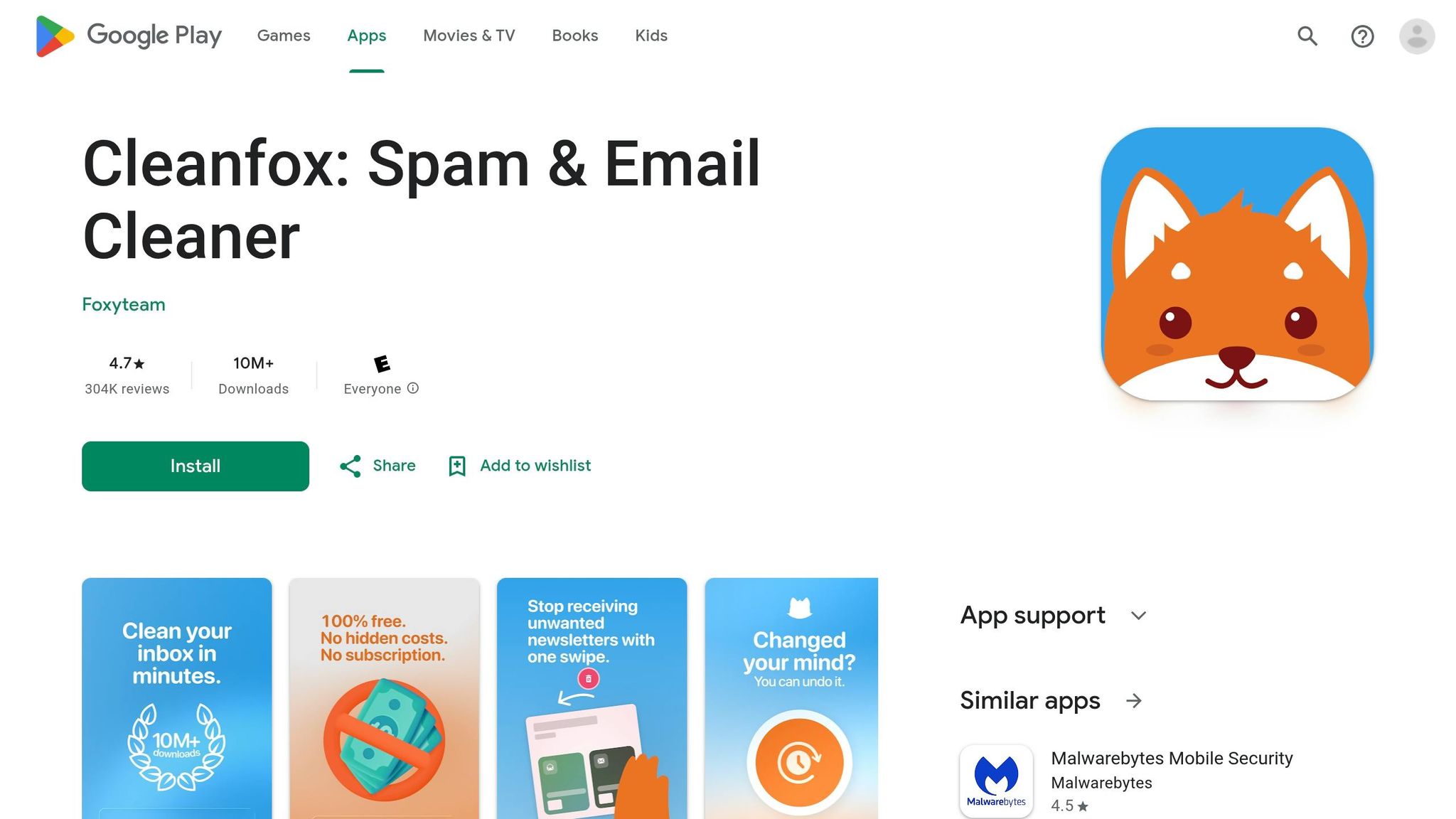
The app also provides detailed statistics on senders, highlighting the ones that consume the most storage. Managing emails is as simple as swiping: swipe left to unsubscribe and delete, swipe up to delete older emails while keeping the subscription, or swipe right to keep everything. For inboxes that are overflowing, the List view groups actions together, speeding up the cleanup process. Plus, Cleanfox lets you manage attachments efficiently - identify, download, or delete large files to clear space.
Once sorted, Cleanfox integrates seamlessly with your Gmail account.
Ease of Integration with Gmail
Connecting Cleanfox to Gmail is hassle-free and secure, thanks to OAuth authentication, which ensures your password stays private. Setup is straightforward: grant permissions, and the app scans your inbox to identify all your subscriptions.
Accidentally delete something? No problem. The reverse button lets you undo actions instantly. Deleted emails go to your Gmail trash, which empties automatically after a few days. If you want to see the space savings right away, you can manually clear the trash folder.
Storage Optimization Features
Cleanfox excels at reclaiming storage space. With over 30 million emails cleaned and 10 million downloads worldwide, its impact is undeniable [41,42]. One user even shared that they cleared 4 GB of space by deleting more than 60,000 emails in under 20 minutes.
The app identifies "inbox fillers", helping you target the emails that take up the most room. Its one-click unsubscribe feature simplifies managing mailing lists, letting you opt out of multiple subscriptions at once to keep your inbox clutter-free in the future [42,44].
Pricing and Affordability
Cleanfox offers all these features without costing a dime. It’s completely free - no ads, no premium plans. The app is funded by NielsenIQ, which uses anonymized data from newsletters and transactions to create e-commerce market reports. It’s GDPR-compliant, meaning your personal email content isn’t sold, and you won’t be targeted with ads.
Users have given Cleanfox high praise, with a 4.8 out of 5 rating on the App Store from 25,000 reviews. As a bonus, every time you refer a friend, Cleanfox helps plant a tree in Zambia.
7. InboxPurge
Ease of Integration with Gmail
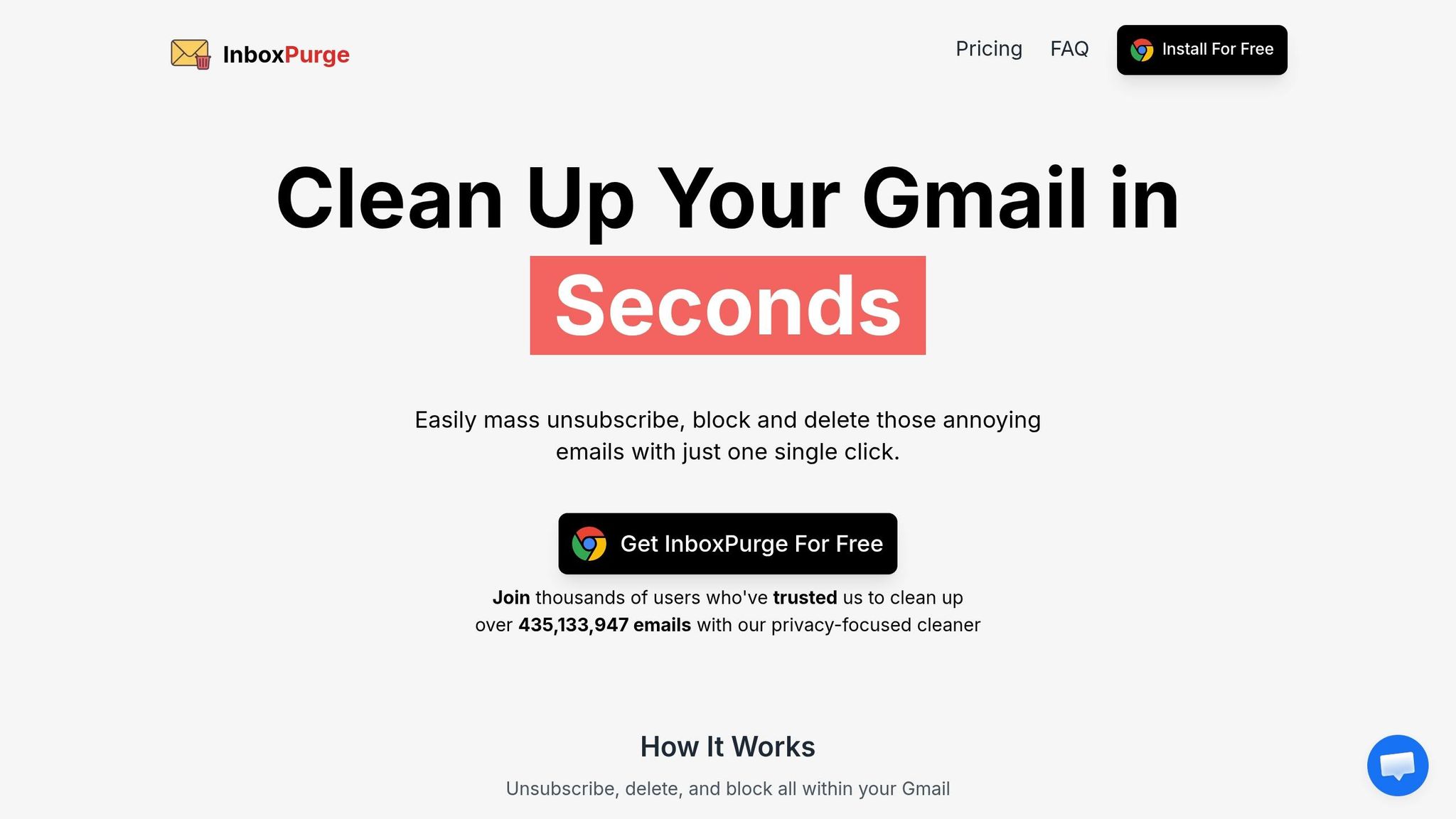
InboxPurge is another solid option for keeping your Gmail tidy. This Chrome extension integrates directly into your Gmail interface, adding a convenient sidebar for managing your inbox [46, 47]. There's no need to download extra software - just install the extension, and you're ready to go. By leveraging the Gmail API, InboxPurge ensures that your emails stay on your device, enhancing both security and privacy [46, 47].
The tool has passed Google's rigorous OAuth verification process, meeting its high standards for security and privacy. Getting started is simple: install the extension, grant the necessary permissions, and begin organizing your inbox. With over 30,000 users and more than 435 million emails cleaned, InboxPurge has established itself as a reliable solution for Gmail cleanup [46, 47].
Storage Optimization Features
InboxPurge makes decluttering your inbox a breeze with its Quick Clean filters, which automatically categorize emails by type. Its Super Delete feature takes it a step further, allowing you to delete emails in bulk based on specific criteria like sender or size (e.g., size:5MB or has:attachment larger:10MB). One satisfied user, Chris Walker, shared their experience:
Excellent tool. Went from 11,500 emails and countless subscriptions to ZERO [46, 47].
Keep in mind that after deleting emails, you'll need to empty your Gmail trash to reclaim storage space fully. Deleted items remain in your trash and count toward your storage limit for 30 days.
Pricing and Affordability
InboxPurge offers flexible pricing plans to cater to different needs. The Free Forever plan provides 20 cleanup credits each month at no cost, making it ideal for light users. For those who need a quick, one-time cleanup, the Quick Cleanup plan costs $5 and includes 7 days of unlimited access without requiring a subscription.
If you’re looking for ongoing inbox maintenance, the Pro Monthly plan is available for $7 per month. Alternatively, the Pro Yearly plan offers better savings at $48 per year (equivalent to $4 per month), giving you a 43% discount compared to monthly billing. All paid plans come with a 14-day money-back guarantee and allow you to manage unlimited Gmail accounts.
As the team at InboxPurge emphasizes:
With InboxPurge, your emails never leave your browser. This means your data isn't sold or shared with third parties.
The Easiest Way to Clean Up Your Gmail Inbox (Sanebox Tutorial)
Tool Comparison Table
The table below highlights key features of various tools designed for Gmail cleanup and storage optimization.
Clean Email stands out with its automation features like Auto Clean rules and Smart Folders, which help group similar emails for bulk actions. It offers a free tier for up to 1,000 emails before requiring a subscription. On the other hand, Mailstrom allows users to clean up to 2,500 emails for free, with subscriptions starting at $9/month.
For those focused on storage management, Sanebox uses AI to prioritize emails in real time, moving less important messages into folders like "SaneLater." It starts at $7/month after a 14-day free trial. Unroll.Me simplifies subscription management with features like one-click unsubscribe and daily digests. Similarly, Cleanfox focuses on managing subscriptions but has faced criticism for selling user data for market research and analytics.
Lastly, InboxPurge prioritizes privacy by ensuring that emails remain on your browser without being sent to external servers. The table below provides a clear breakdown of each tool's features, pricing, and platform compatibility.
| Tool | Best For | Starting Price | Key Advantage | Platform |
|---|---|---|---|---|
| MailSweeper | Automated periodic cleaning | $20 one-time | AI-powered Dustpan for automatic email categorization; one-time payment | Gmail integration |
| Clean Email | Full automation & organization | Free (up to 1,000 emails) | Auto Clean rules and Smart Folders for bulk actions | Web, iOS, Android, Mac |
| Mailstrom | Privacy-focused bulk actions | Free (up to 2,500 messages) | Manual bundling with secure browser-based processing | Web |
| Sanebox | Real-time prioritization | $7/month | AI-driven folder sorting for automatic organization | Web, iOS, PC |
| Unroll.Me | Subscription management | Free | One-click unsubscribe and daily digest consolidation | Web, iOS, Android |
| Cleanfox | Subscription management | Free | Swipe-based interface for quick subscription cleanup | Web, iOS, Android |
| InboxPurge | Privacy & bulk deletion | Free | Browser-based processing; emails never leave your device | Chrome Extension |
Conclusion
Using smart email automation can help you take back control of your inbox. A well-organized inbox not only improves productivity but also clears mental space and ensures important messages don’t slip through the cracks. Tasks like sorting, archiving, and deleting unwanted emails, which used to take hours, can now be handled in just minutes - freeing you to focus on what really matters.
Choosing the right tool depends on your specific challenges. If you’re dealing with years of email buildup, look for a tool that specializes in deep cleaning. For ongoing upkeep, automation features can help prevent clutter from piling up again. Be sure to prioritize privacy by selecting tools that either process metadata only or keep your data securely on your device.
A clutter-free inbox doesn’t just save time - it supports the broader goal of managing Gmail more effectively. Start by pinpointing your biggest issue, whether it’s endless subscriptions, a massive backlog, or daily clutter. Then, choose a tool that solves that problem. Set up automated rules for repetitive emails and plan regular cleanups to maintain order. The effort you put into managing your inbox pays off every time you log in.
FAQs
Is it safe to connect a cleanup tool to my Gmail?
Connecting a cleanup tool to Gmail can be safe, provided you choose one from a trustworthy provider that values your privacy and security. Gmail already has strong security features, but it’s crucial to check the tool’s privacy policies and security measures to confirm your data will be managed carefully.
Will deleting emails instantly free up Gmail storage?
When you delete emails in Gmail, it’s important to remember that the storage space isn’t immediately freed up. The emails remain in the Trash and Spam folders, taking up space. To fully reclaim that storage, make sure to empty both folders. Only then will the deletion process be complete.
How do I choose the right cleanup tool for my inbox?
To pick the best cleanup tool for your inbox, think about a few key factors: the size of your inbox, your budget, and how much automation you need. If you’re okay with a hands-on approach, manual methods like Gmail search commands can get the job done, though they can be quite time-consuming. On the other hand, AI-powered tools like MailSweeper can handle tasks like sorting, bulk email management, and unsubscribing quickly, which can save you a lot of effort.
Make sure to also consider privacy when selecting a tool. Many services offer free trials, so take advantage of those to see which one matches your workflow and personal preferences.
More free Gmail tools.
Pair these together for a full inbox reset.
Bulk Unsubscribe from Gmail
See the senders flooding your inbox, ranked by volume — your shortlist for unsubscribes.
Open toolMass Delete Gmail Emails
Build a deletion plan by sender, date, label, or all-unread — with the exact Gmail search to run.
Open toolFind Large Emails in Gmail
Pick a size and we build the exact Gmail search to find your biggest emails — then open it in one click.
Open toolGmail Storage Cleanup
Move the slider to your current Gmail usage to see exactly what to delete to free space.
Open toolInbox Zero Score
Rate your inbox health on a 0–100 scale and see the weekly hours your inbox is costing you.
Open tool