
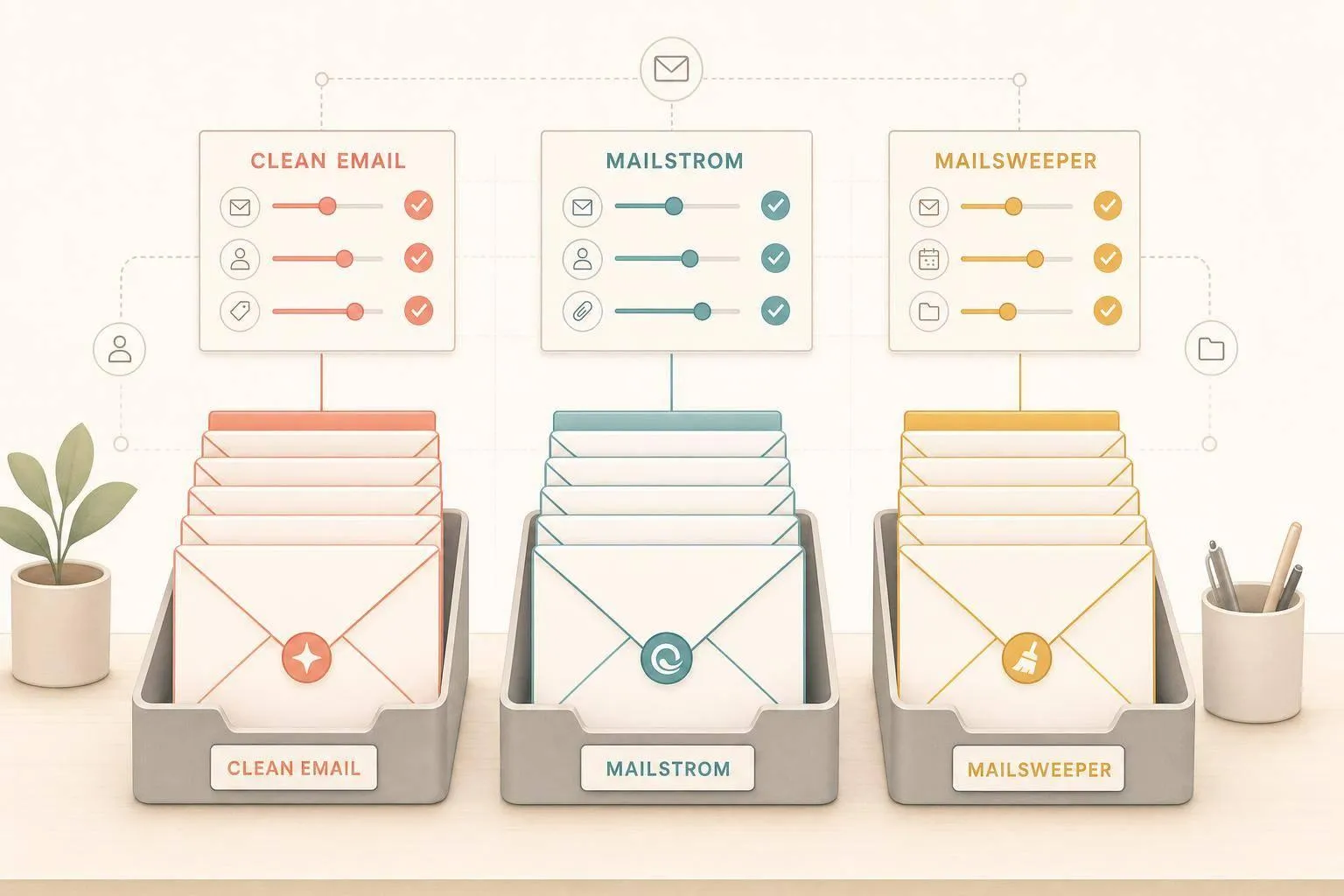
If you want the short answer: Mailstrom is best for huge backlogs, Clean Email is best for multi-account rule-based cleanup, and MailSweeper is best for Gmail users who want cleanup to run with little work.
I’d look at three things first:
- How much old email you need to clear
- Whether you use only Gmail or more than one provider
- Whether you want manual control or cleanup that runs on a schedule
This matters because many people get 120+ emails a day, and old promos, newsletters, and social alerts can quickly eat up Gmail space fast. In this comparison, I’d focus on features, price in U.S. dollars, and privacy.
Quick Comparison
| Tool | Best for | Email support | Automation | Pricing |
|---|---|---|---|---|
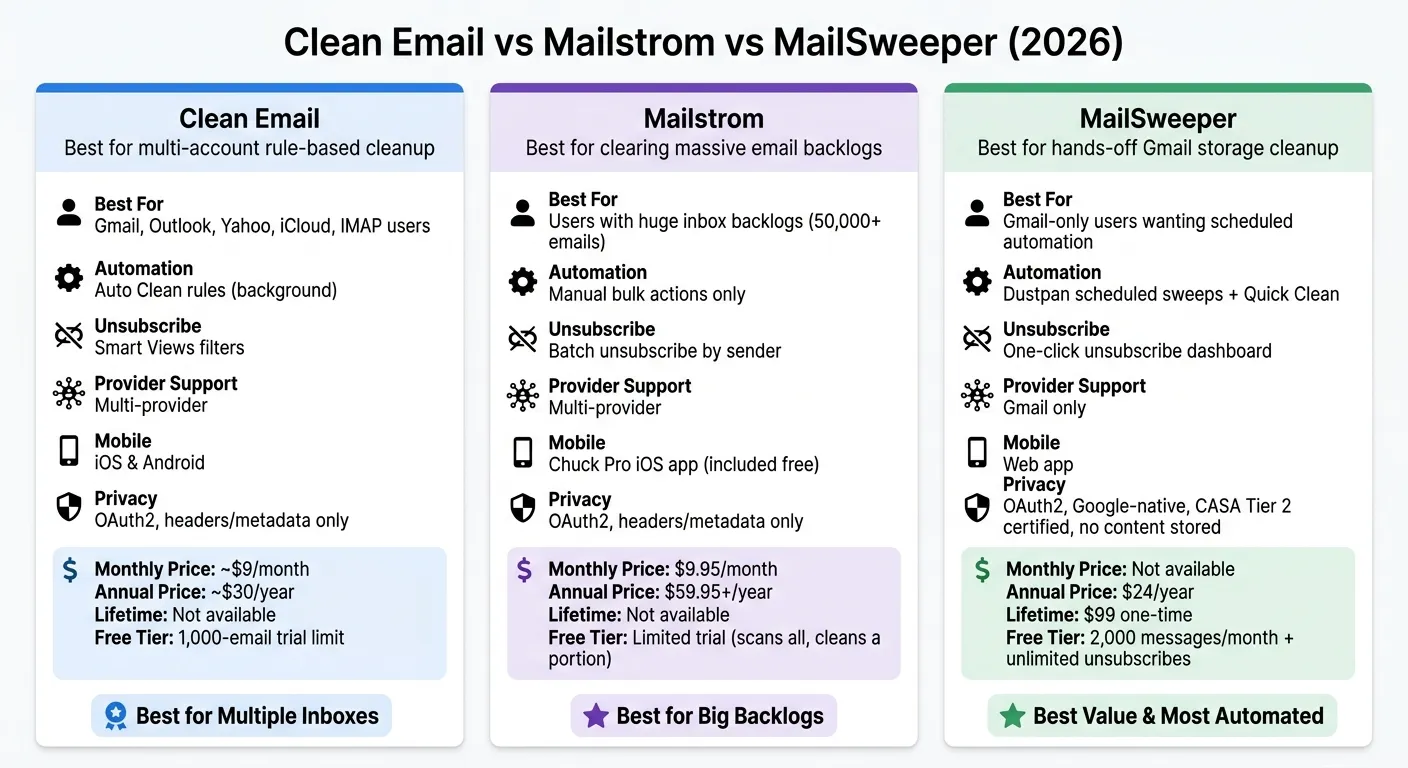
| Clean Email | People with Gmail, Outlook, Yahoo, iCloud, or IMAP accounts | Multi-provider | Auto Clean rules | About $9/month or $30/year |
| Mailstrom | People clearing very large inbox backlogs | Multi-provider | Mostly manual | $9.95/month or $59.95+/year |
| MailSweeper | Gmail users who want cleanup on a schedule | Gmail only | Quick Clean + Dustpan sweeps | $24/year or $99 lifetime |
Here’s the simple takeaway:
- Choose Clean Email if you want rules and support for more than one inbox.
- Choose Mailstrom if you want to sort and remove big batches by sender, subject, or date.
- Choose MailSweeper if you want Gmail storage cleanup and scheduled cleanup with less hands-on work.
That gives you the main answer up front, so the rest of the article can help you match the tool to your inbox.
sbb-itb-34b9fd2
Clean Email, Mailstrom, and MailSweeper: a quick overview
Here’s the short version of how each tool approaches inbox cleanup.
At a glance, one leans on rules, one is built for bulk action, and one is made for hands-off cleanup.
Clean Email: smart views and cleanup rules
Clean Email uses rule-based cleanup to sort incoming mail into Smart Views, such as "Shopping", and lets you set up Auto Clean rules that run in the background. It works with Gmail, Outlook, Yahoo, iCloud, and IMAP accounts, which makes it a solid pick for people managing more than one inbox and wanting a more structured system. It also includes a Screener feature that holds messages from new senders until you approve them.
Mailstrom: bulk cleanup by sender, subject, and time
Mailstrom is built for clearing large backlogs. It groups email by sender, subject, or time so you can archive or delete entire bundles at once - in minutes rather than hours [1]. If your inbox feels like a packed garage, this is the tool that helps you sort big piles fast.
The tradeoff is simple: Mailstrom gives you manual control. It’s meant for people who want to review large batches before doing anything, not for those who want to hand the job over to automation. Mailstrom subscribers also get Chuck Pro - a full iOS email client with on-device AI - included at no extra cost [1].
MailSweeper: automatic Gmail cleaner with AI-powered cleanup
MailSweeper is a Gmail-only tool built for hands-off maintenance. It uses AI-powered cleanup to remove old promotions, social clutter, and forgotten newsletters while protecting starred, important, and primary inbox mail. Quick Clean clears the first backlog when you connect your account and shows exactly how much storage you got back.
After that, Dustpan handles scheduled cleanups, labels new clutter, and moves it to trash after your review window. MailSweeper is Google CASA certified, which means it works through your Google account and never reads or stores your email content [4]. It also offers free utility tools, including a storage cleanup estimator and a bulk unsubscribe finder, at mailsweeper.co/tools with no account required [4].
Next, we’ll compare features, pricing, and privacy side by side.
Feature, pricing, and privacy comparison
Now that the basics are clear, here’s the side-by-side view on features, price, and privacy.
Feature comparison: cleanup, unsubscribe, automation, and provider support
The biggest gaps between these tools show up in automation, bulk cleanup speed, and cost. If your main goal is freeing up Gmail storage, that difference matters a lot. Clean Email and Mailstrom help with that to a point, but MailSweeper is built around it.
Clean Email runs Auto Clean rules in the background, which makes it more of a set-it-and-monitor-it tool. Mailstrom is better suited to people dealing with a huge backlog and who don’t mind doing manual bulk actions. MailSweeper mixes storage analytics with scheduled cleanup for Gmail, so it leans more toward hands-off maintenance.
| Feature | Clean Email | Mailstrom | MailSweeper |
|---|---|---|---|
| Bulk delete / archive | Yes | Yes | Yes |
| Unsubscribe handling | Smart Views | Batch unsubscribe by sender | One-click unsubscribe dashboard |
| Automated cleanup | Auto Clean rules | Manual bulk actions; no set-and-forget automation | Dustpan scheduled sweeps |
| Gmail storage recovery | Partial | Partial | Core feature |
| AI-assisted sorting | Cleaning suggestions and smart filtering | On-device AI in Chuck Pro (iOS) | Storage analytics and pattern-based cleanup |
| Provider support | Gmail, Outlook, Yahoo, iCloud, IMAP | Gmail, Outlook, Yahoo, iCloud, IMAP | Gmail only |
| Mobile app | Native iOS and Android | Chuck Pro (iOS) included | Web app |
There’s also an important detail with unsubscribing. Clean Email says some unsubscribe actions work as filters, not direct opt-out requests [3]. MailSweeper, by contrast, gives you one dashboard that groups mailing lists by volume and lets you remove them with a single click [4].
Pricing in U.S. dollars
Price matters because the cheapest tool isn’t always the best choice for a messy inbox.
| Tool | Monthly (USD) | Annual (USD) | Lifetime (USD) | Free Tier / Trial |
|---|---|---|---|---|
| MailSweeper | - | $24 | $99 | 2,000 messages/mo + unlimited unsubscribes |
| Clean Email | ~$9 | ~$30 | None | 1,000-email trial limit |
| Mailstrom | $9.95 | $59.95+ | None | Limited trial (scans all, cleans a portion) |
On pure annual cost, MailSweeper is the lowest-priced option. Clean Email and Mailstrom both cost more, and their free access is more restricted.
Privacy and security comparison
For Gmail cleanup, the way a tool gets access to your account and handles data matters just as much as price.
All three tools use OAuth2 for account access, so none of them require your password [2]. Clean Email and Mailstrom process mail in the cloud and look at headers and metadata instead of full message content [1][2]. MailSweeper runs inside your Google account, is Google CASA Tier 2 verified, and does not store message content [2][4].
| Privacy signal | Clean Email | Mailstrom | MailSweeper |
|---|---|---|---|
| Account access | OAuth2 | OAuth2 | OAuth2 (Google-native) |
| Content access | Headers and metadata only | Headers and metadata only | No content stored |
| AI processing | Cloud | Cloud / on-device in Chuck Pro | Google-native |
| Third-party security audit | Not publicly noted | Not publicly noted | CASA Tier 2 verified |
| Data monetization | None | None | None |
For Gmail users who care most about outside verification, CASA Tier 2 is the clearest security signal in this comparison. And if you want on-device AI on mobile, Mailstrom’s Chuck Pro bundle is the one to check out.
Which email cleaner fits your inbox problem
Pick based on the mess in your inbox, not a long feature checklist. The table above helps, but your inbox type should make the call.
Best for large Gmail backlogs and storage cleanup
Mailstrom can archive 50,000+ emails in minutes [1]. That makes it a strong option when your inbox is packed and you want to clear space fast.
Mailstrom works best as a heavy-duty cleanup tool. If your main goal is to free up Gmail storage and keep it from filling right back up, MailSweeper has a better angle for that job. It handles the first round of cleanup, then keeps things in check with scheduled maintenance.
So if you're trying to reclaim storage now and avoid the same mess later, that mix is likely the better fit.
Once you've dealt with the backlog, the next thing to look at is account coverage.
Best for multi-account users and Gmail-only users
If you use Gmail along with Outlook, Yahoo, or IMAP accounts, Clean Email and Mailstrom make more sense [1][2].
MailSweeper is Gmail-only. That narrows its use, but it also means a tighter connection inside Google. For people who live in Gmail and don't need support for other inboxes, that's a plus.
After that, the big question is simple: do you want to clean up once, or have the cleanup keep running on its own?
Best for set-and-forget cleanup
Mailstrom is better for periodic bulk cleanups than for cleanup that runs in the background all the time. Clean Email is the better pick if you want automated rules that keep working after the first pass [2].
MailSweeper makes sense for people who want scheduled cleanup and a short review window before clutter gets trashed.
The conclusion can now turn these inbox types into a final pick.
Conclusion: which email cleaner should you use
Your pick comes down to three main needs: cleaning up multiple inboxes, wiping out a huge email backlog, or keeping Gmail tidy on autopilot.
Clean Email makes the most sense for people with multiple accounts who want rule-based cleanup. Mailstrom is a better fit if your main goal is to clear a giant backlog fast. MailSweeper works best for Gmail users who want automatic storage cleanup without much effort.
If Gmail is your only inbox, MailSweeper is the most hands-off choice. Its scheduled sweeps make it close to a set-and-forget Gmail cleaner, and it offers a $99 one-time lifetime plan.
If privacy is at the top of your list, MailSweeper stands out most clearly. Its Google CASA certification and no-content storage approach are the biggest points of separation.
For a deeper MailSweeper vs. Mailstrom breakdown, see the MailSweeper vs. Mailstrom head-to-head. To try the free tools, visit mailsweeper.co/tools.
FAQs
Can an email cleaner delete important Gmail messages by mistake?
It can happen. But trusted email cleaners usually build in a few safety checks to lower the risk.
MailSweeper, for example, sends clutter to a review folder instead of deleting it on the spot. That gives you time to look things over and pull back anything important before it’s gone for good.
Most tools also leave starred messages, marked-important emails, and Primary inbox messages alone.
If you want a little more peace of mind, start small. Run the cleaner on a small batch first so you can see how the rules behave before you clean up more of your inbox.
How much Gmail space can an email cleaner realistically free up?
An email cleaner can free up gigabytes of storage by finding and deleting large, old messages that pile up over time.
That matters even more with Gmail because its 15 GB limit is shared across Gmail, Google Drive, and Google Photos. So when you remove thousands of bulk emails or bulky attachments, you can win back a lot of space and, in some cases, avoid paying for a Google One upgrade.
What should I choose if I want cleanup to keep running automatically?
If you want inbox cleanup to happen automatically in the background, MailSweeper is a good fit. It’s built as a set-it-and-forget-it tool that uses AI to learn your habits and deal with clutter, like deleting old emails or moving low-priority messages to a review folder.
After a one-time setup of your cleanup rules, it keeps working in the background with little to no input.
