
Email can drain your focus fast: workers spend 3+ hours a day checking email, and many get around 121 messages a day. I see Inbox Zero as a way to cut stress, protect focus, and stop email from spilling into my off-hours.
Here’s the short version:
- Inbox Zero does not mean perfect zero all day. It means I use a system instead of letting email run my day.
- Too much email adds mental strain. A packed inbox can feel like a list of unfinished tasks.
- Constant checking hurts concentration. One interruption can cost about 16 minutes of refocus time.
- Simple habits help most: decide on each email once, check email at set times, and cut junk at the source.
- Automation can help keep clutter down: tools like MailSweeper sort low-priority messages so less junk sits in the main inbox.
What I take from this is simple: less inbox clutter means less mental noise. When I stop using my inbox like a to-do list, it gets easier to think, work, and log off without that “I’m still behind” feeling.
How I Achieved Inbox Zero - Every Single Day
sbb-itb-34b9fd2
The Problem: How Email Overload Affects Stress, Focus, and Balance
Email overload can turn a normal part of work into a daily grind. According to a 2023 Adobe survey, workers spend more than 3 hours a day checking email [1], and professionals receive an average of 121 work emails every day [2]. That kind of volume piles up fast.
When your inbox starts running the day, the effects usually show up in three places: fatigue, distraction, and work spilling into personal time.
Decision fatigue builds with every message
Every email asks you to make a call: reply, archive, delete, or ignore. Do that over and over for hours, and it wears you down.
A lot of those choices involve low-value messages, like newsletters, promotions, and automated alerts. Sorting through them adds cognitive load, the mental effort needed to sort and hold information, which pulls attention away from higher-priority work [3][4]. And once that mental drag sets in, everything else feels slower.
Constant checking breaks focus and extends the workday
Inbox habits also chop up your attention. Each time you check email, you interrupt your own concentration [1][4]. The average employee spends roughly 28% of the workday - about 2.6 hours - handling email [2].
That lost focus doesn’t always stay inside work hours. Poor inbox habits can push email into evenings and weekends, cutting into recovery time [4][2]. When your inbox follows you past the end of the day, it gets a lot harder to recharge.
A crowded inbox reinforces the feeling of being behind
A packed inbox doesn’t just look messy. It looks like unfinished work. Seeing a high unread count can spike stress the moment you open your inbox [1]. Even messages that don’t matter much can add to the feeling that something urgent is hiding in the pile [3][4].
That pressure tends to drop when incoming email is filtered, scheduled, and handled using Inbox Zero habits in fewer passes.
The Solution: Inbox Zero Habits That Cut Digital Clutter
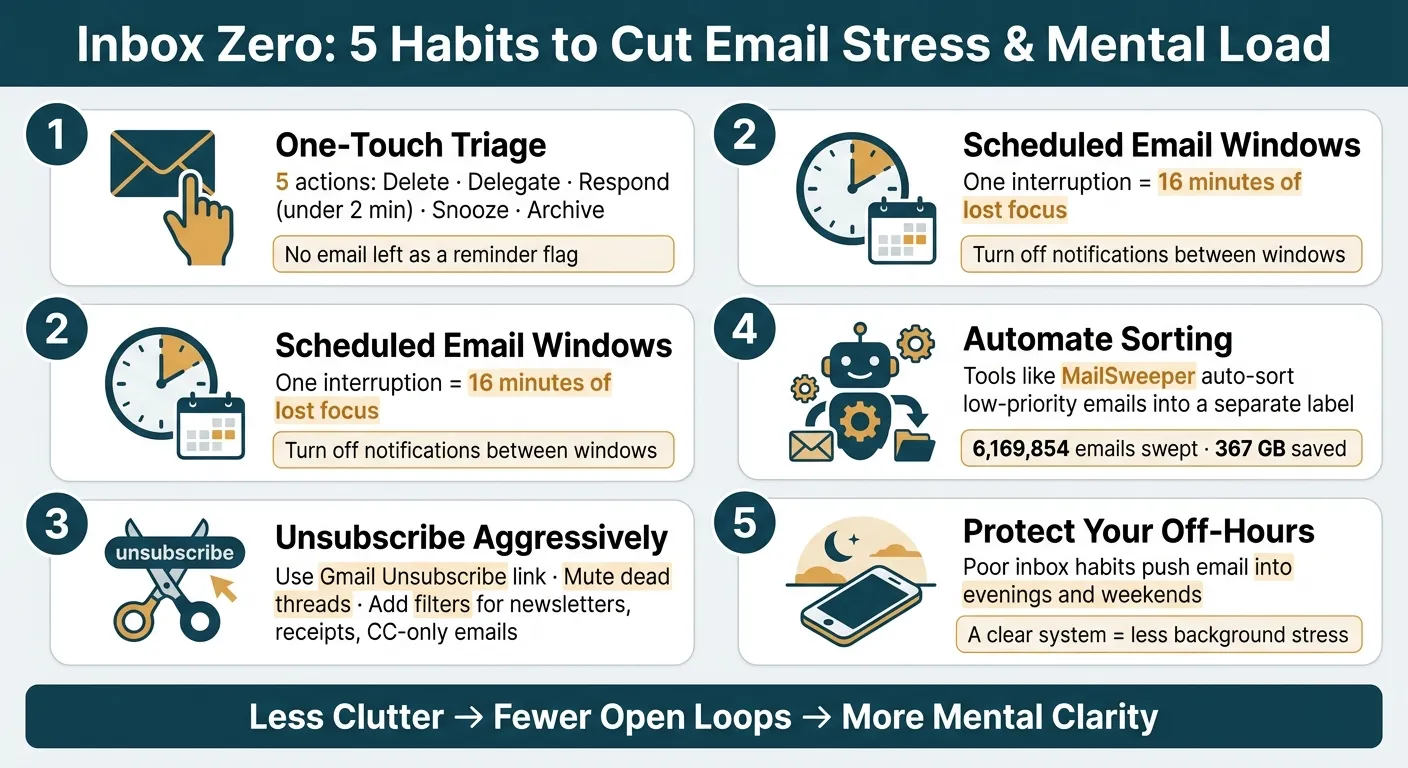
Use a handful of habits on a steady basis, and email stops feeling like a pile of daily mess. That change matters because every unread message is one less open loop sitting in your head.
Use a one-touch triage method
The main idea is simple: make a final call the second you open an email.
Your five options are delete it, delegate it to the right person, respond if it takes less than two minutes, snooze it until you can deal with it, or archive it for later. The trouble starts when you leave emails sitting in your inbox as little reminder flags. At that point, they turn into open loops - unfinished tasks your brain keeps tracking in the background. Fewer open loops means less low-grade stress.
Once every message gets a decision, the next move is to cut down how often you go back into the inbox.
Check email in scheduled windows, not all day
It takes an average of 16 minutes to fully refocus on deep work after a single email interruption [6]. That time loss adds up fast, and before you know it, the whole day feels chopped into pieces.
A better approach is to set a few fixed windows for email and open your inbox only during those times. Turn off email notifications between those windows. If something is urgent, it can come through another channel. This helps protect your focus during deep work, study sessions, or client work that needs your full attention. Fewer inbox checks also means fewer interruptions and less mental strain.
Reduce future clutter by unsubscribing and muting alerts
Inbox Zero is not just about clearing what's already in front of you. It's also about slowing the flood coming in. In Gmail, you can use the Unsubscribe link next to the sender's name or at the bottom of the message to stop future clutter [1]. Unsubscribe from newsletters you never read anymore.
For group threads that keep lighting up after your part is done, use Gmail's Mute feature. It hides future replies from your inbox without deleting the conversation history [1]. Add a few simple filters on top of that - for example, send newsletters, receipts, and CC-only emails into labeled folders on autopilot - and your main inbox will show only the messages that need action now [6][1].
When clutter keeps coming back, automation can take care of the repeat cleanup.
Using MailSweeper to Keep Inbox Zero Going
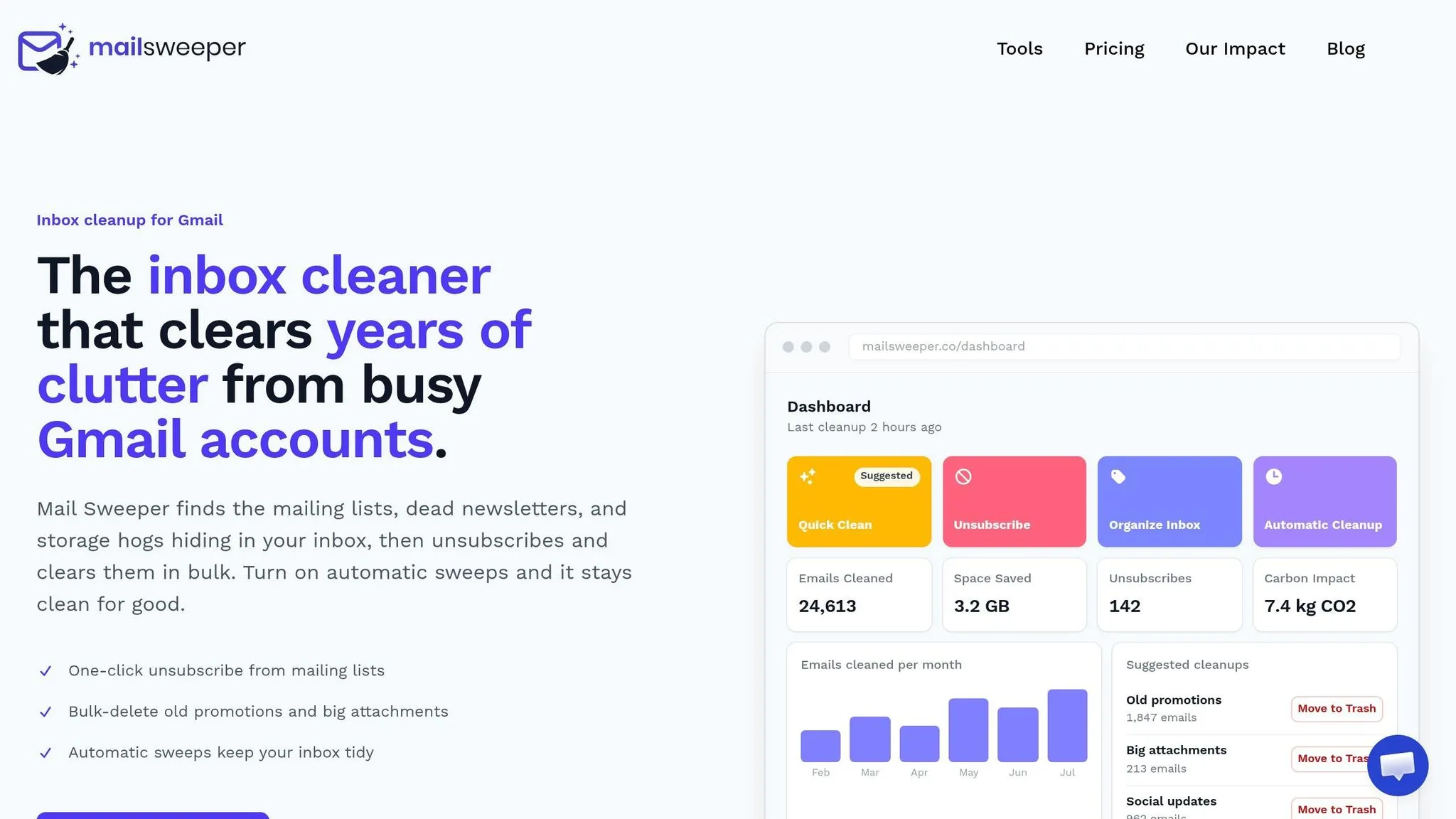
Inbox Zero habits help you clear your inbox. Automation helps you keep it that way.
That second part matters more than most people expect. Clearing clutter once feels good. Keeping new clutter from piling back up is the hard part. Without some kind of system running in the background, the mess tends to creep right back in. MailSweeper is built for that upkeep, and its Dustpan label does the quiet cleanup work for you.
How The Dustpan cuts clutter without deletion anxiety
When you connect MailSweeper to Gmail, it adds a label called The Dustpan. From there, AI spots low-priority messages like promotions, social updates, and newsletters, then moves them into The Dustpan on its own.
Just as important, it leaves the stuff you care about alone. Your Primary inbox, any email marked as important, and starred messages are never touched. You can set a 30- or 90-day window, and once Dustpan emails hit that age, they’re swept to trash automatically [5].
Worried something useful might get swept up by mistake? That’s easy to fix. Remove the label, and the email is rescued. So you get cleanup without that awful "What if I need this later?" feeling. The result is fewer open loops and less background stress.
Why automation lowers mental load and storage pressure
Every time you sort an email by hand, you make a tiny choice. One message doesn’t feel like much. A few dozen in a day is a different story.
That’s where automation helps. It takes repetitive sorting off your plate, which cuts down on mental drag. It also chips away at storage bloat. MailSweeper users have collectively swept over 6,169,854 emails and saved 367 GB of storage space [5].
Manual cleanup vs. a structured system with MailSweeper
Manual cleanup can work for a while. But it’s usually a short-term fix. A structured system does more than clear clutter once. It helps stop clutter from coming back, while cutting the day-to-day effort of managing it.
With less inbox junk to sort, scan, and second-guess, the mental friction drops. That’s what makes Inbox Zero stick.
Conclusion: A Cleaner Inbox Can Support a Calmer Mind
Once these habits become part of your day, email stops feeling like a constant drag. Email overload is more than a small hassle. It quietly eats away at focus, adds to decision fatigue, and leaves that nagging feeling that you're always behind. The good news? You do not need perfect inbox habits to fix it.
The upside is pretty simple: less clutter means less mental noise. Inbox Zero works because it swaps inbox chaos for a clear system. And Inbox Zero is not about keeping your inbox at a literal zero. It's about spending less time in it.
Key points to take away
The habits that help most are simple: triage each message once, check email during set windows instead of all day, and cut future clutter at the source by unsubscribing aggressively. You can also pair those habits with automation like MailSweeper's Dustpan, which gathers unimportant emails and clears them on a set schedule.
The result is less clutter, fewer open loops, and more headspace for work that matters. That's what makes Inbox Zero worth sticking with.
FAQs
How do I start Inbox Zero without feeling overwhelmed?
Start small. Don’t try to clean out your whole inbox in one shot.
A better move is to aim for just one day with an empty inbox. That small win builds momentum fast. Then, as you go through messages, use the Delete, Delegate, Defer, Do method:
- Delete emails you don’t need
- Delegate anything someone else should handle
- Defer messages that need attention later
- Do tasks you can finish right away
You can also use MailSweeper to sort the low-priority stuff for you. It can send unimportant emails to the Dustpan label automatically, while keeping important, starred, and primary emails separate. That way, your main inbox stays focused on what matters most.
What if I’m afraid I’ll miss something important?
That concern makes sense. MailSweeper has built-in safeguards to help avoid mistakes. By default, it does not move or delete emails that are starred, marked important, or sitting in your primary inbox.
Lower-priority messages go to the Dustpan instead. They stay there until a cleanup runs, which gives you a buffer before anything happens. You can check the folder at any time and move messages back if you need to.
How long does it take for Inbox Zero to reduce stress?
Inbox Zero can bring fast relief. How long it takes depends on how many emails you're dealing with, but one user said they cleared thousands in a few hours and felt years of anxiety lift.
You don't have to do it all in one shot. Small, steady steps work too. Spending 10 minutes on email or deleting 100 messages a day can help you feel more in control and less stressed.
