
Email Management
Best gmail plugins for productivity
Gmail plugins that turn a chaotic inbox into a productivity hub by automating cleanup, scheduling, tracking, and task management.
Best gmail plugins for productivity
If managing your Gmail inbox feels overwhelming, you're not alone. On average, workers in the U.S. spend 2.6 hours daily on emails - nearly a quarter of their workday. However, Gmail plugins can streamline this process, helping you save time and work more efficiently. Here's a breakdown of the top Gmail plugins that can turn your inbox into a productivity hub:
- MailSweeper: Uses AI to filter low-priority emails into a separate folder and auto-deletes them after a set time.
- Boomerang: Offers email scheduling, snooze features, follow-up reminders, and AI tools for better timing and response predictions.
- Sortd: Transforms your inbox into a Kanban board, letting you visually manage tasks and emails.
- Todoist: Converts emails into actionable tasks with due dates, priorities, and project assignments.
- Grammarly: Enhances email writing by improving clarity, tone, and grammar with AI-powered suggestions.
- Gmelius: Combines email management, team collaboration, and automation directly within Gmail.
- Right Inbox: Adds features like email reminders, templates, follow-ups, and tracking.
- Streak: Turns Gmail into a CRM, ideal for managing workflows like sales pipelines or project tracking.
Each tool offers unique features, from AI-powered automation to visual task management. Whether you need help organizing your inbox, tracking emails, or managing tasks, these plugins can simplify your workflow. Below is a quick comparison to help you choose the right one.
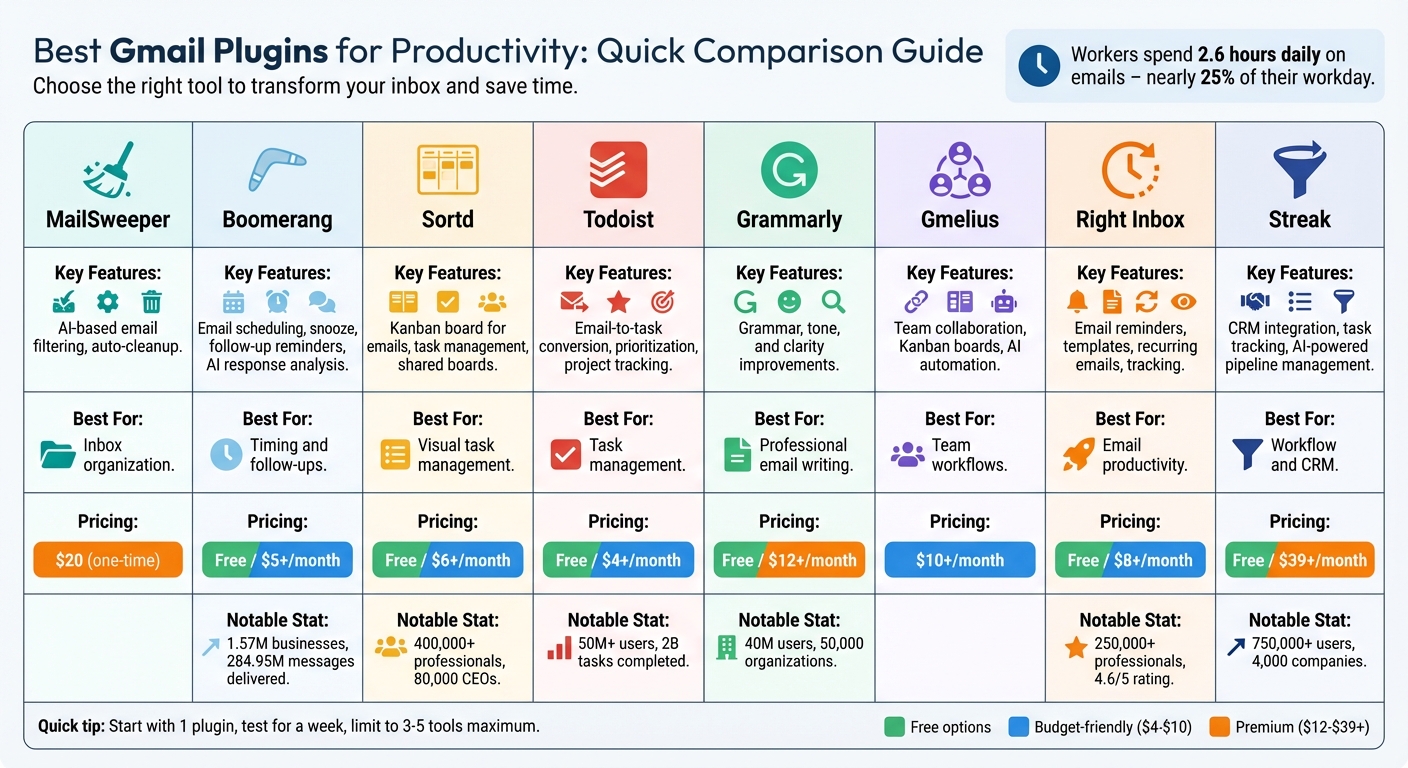
Gmail Productivity Plugins Comparison: Features, Pricing & Best Use Cases
I Tried 27 Gmail Extensions… Here Are the 5 Best You Should Try!
sbb-itb-34b9fd2
Quick Comparison
| Plugin | Key Features | Best For | Pricing (Starting At) |
|---|---|---|---|
| MailSweeper | AI-based email filtering, auto-cleanup | Inbox organization | $20 (one-time) |
| Boomerang | Email scheduling, snooze, follow-up reminders, AI response analysis | Timing and follow-ups | Free/$5+/month |
| Sortd | Kanban board for emails, task management, shared boards | Visual task management | Free/$6+/month |
| Todoist | Email-to-task conversion, prioritization, project tracking | Task management | Free/$4+/month |
| Grammarly | Grammar, tone, and clarity improvements | Professional email writing | Free/$12+/month |
| Gmelius | Team collaboration, Kanban boards, AI automation | Team workflows | $10+/month |
| Right Inbox | Email reminders, templates, recurring emails, tracking | Email productivity | Free/$8+/month |
| Streak | CRM integration, task tracking, AI-powered pipeline management | Workflow and CRM | Free/$39+/month |
Choose the plugin that aligns with your needs - whether it's cleaning up your inbox, managing tasks, or improving email communication. Start with one tool, test it for a week, and see how it impacts your productivity.
1. MailSweeper
MailSweeper uses AI to automatically sort low-priority emails into a special label called "The Dustpan." This label gathers messages that don’t belong in your primary inbox while leaving important or starred emails untouched.
Email Organization and Cleanup
One standout feature of MailSweeper is its automated cleanup system. Emails in "The Dustpan" are periodically deleted after 30 or 90 days, depending on your settings. This not only keeps your inbox tidy but also helps cut down on email storage costs. With this system in place, MailSweeper simplifies email management, making it easier to focus on what truly matters.
Smart AI Automation
MailSweeper’s AI learns your email habits to filter out less important messages while safeguarding anything you’ve marked as important or starred. The service operates under a one-time payment model - like the $20 Personal plan - which provides lifetime access. Fully CASA-certified and seamlessly integrated with your Google account, MailSweeper ensures your digital clutter is handled securely and efficiently. By keeping your inbox streamlined, it helps you stay productive every day with the top tools for email productivity.
2. Boomerang for Gmail
If you're looking to take control of your Gmail inbox, Boomerang offers tools to manage when and how you deal with emails. With scheduling and automation features, it helps you decide when emails show up in your inbox and when they get sent out. Trusted by 1.57 million businesses and responsible for delivering 284.95 million messages, Boomerang has become a go-to tool for boosting email productivity.
Task and Workflow Management Features
Boomerang's Snooze feature lets you temporarily remove non-urgent emails from your inbox. You can set them to reappear at a specific time, like "next Monday" or "in 2 hours", ensuring you only see them when you’re ready. For handling multiple emails at once, the Bulk Boomerang option lets you reschedule several messages in one go. Need context for snoozed emails? You can attach private notes to these messages, so they come back with all the details you need.
Another standout tool is Inbox Pause, which stops new emails from landing in your inbox until you're ready to deal with them. This can be a game-changer during focused work sessions. You can even set up exceptions for certain domains or keywords, ensuring urgent emails still make it through. For outgoing messages, the Follow-up Reminders feature ensures you never lose track of important conversations. If a recipient doesn’t reply within a timeframe you choose, the email pops back into your inbox as a reminder. Together, these tools create a smarter, more efficient email workflow.
AI-Powered and Automation Tools
Boomerang also brings AI into the mix to make email management even smarter. Its Respondable feature analyzes your email drafts - like subject line length, word count, and reading level - to predict how likely you are to get a response. Timing is crucial, too; Boomerang’s data shows that emails sent between 6:00 AM and 7:00 AM are 30% more likely to be read. To help with this, it offers scheduling tools to send emails at those optimal times.
Another handy feature is the Magic Live Calendar, which embeds your real-time calendar directly into your emails. This makes scheduling meetings a breeze, as recipients can book a time without leaving their inbox. On iOS, Boomerang goes even further with an AI voice assistant. This assistant can reschedule meetings, locate emails, and even pause your inbox - all through voice commands.
Integration with Other Productivity Apps
Boomerang doesn't just stop at email management; it also integrates with other tools to simplify your workflow. It works seamlessly with Google Calendar, Zoom, and Google Meet, allowing you to turn emails into calendar events and automatically add meeting links. The Bookable Schedule tool is another standout. It lets you set your availability once and share it across different calendars and domains, making it easier than ever to coordinate meetings.
3. Sortd for Gmail
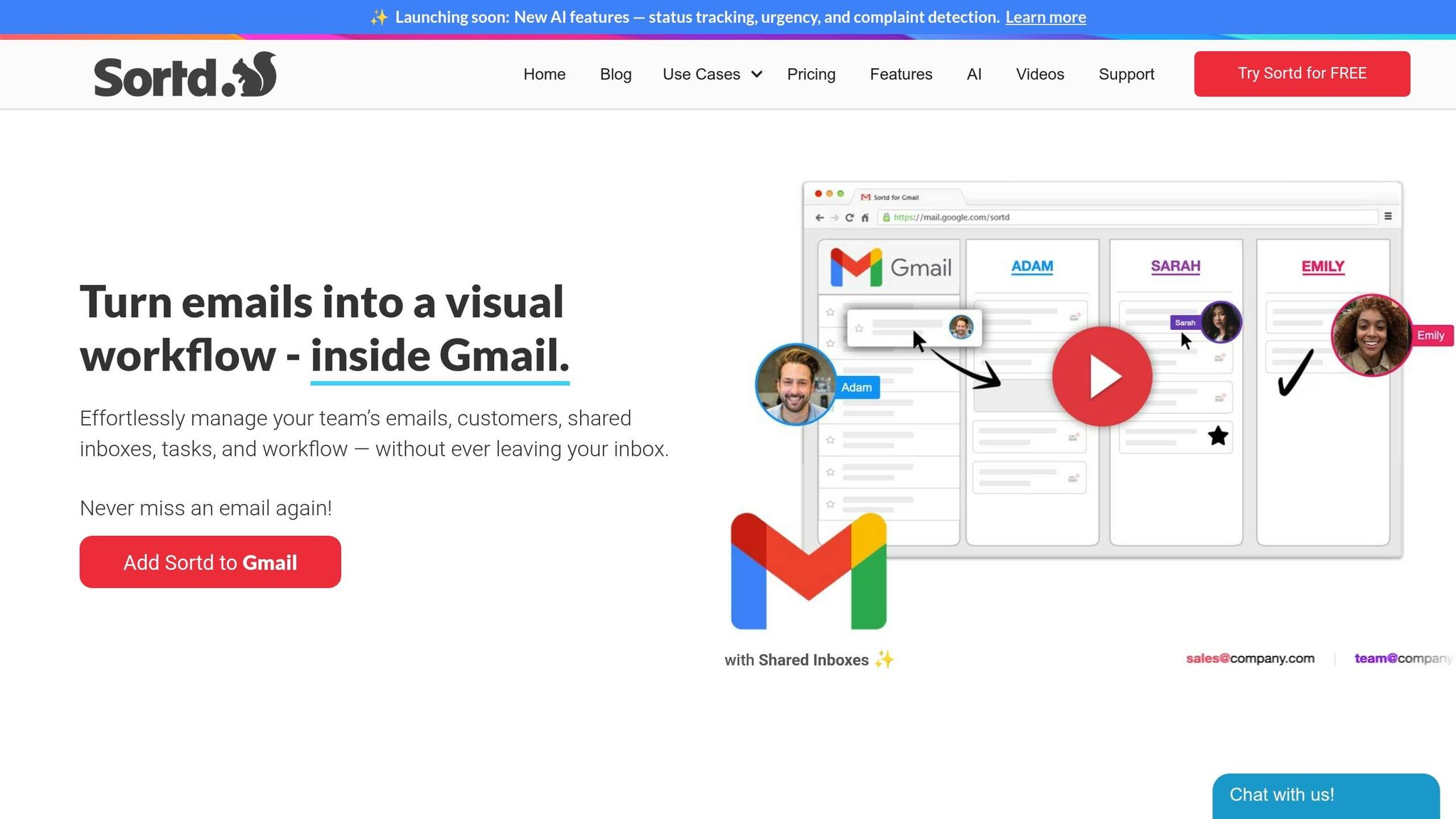
Sortd brings a fresh twist to email management by turning your Gmail inbox into a Trello-style Kanban board. Picture this: you can drag emails into columns labeled "To-Do", "Follow-up", or "Done", making it much easier to keep track of tasks visually.
Email Organization and Cleaning Capabilities
Sortd has some clever tools to help declutter your inbox. For instance, you can rename confusing subject lines - like changing "Re: Re: Checking in" to something clear like "Send Q3 proposal to Client X." You can also group related email threads by simply dragging them together. Need to highlight something urgent? Use color-coding to mark it, and if an email can wait, the snooze feature temporarily hides it until you're ready to handle it.
Task and Workflow Management Features
With Sortd, emails can quickly become actionable tasks within Gmail. The Day Planner feature helps you align your daily to-dos with your calendar, keeping priorities in check. Teams can collaborate seamlessly using shared boards and in-thread chats, complete with @mentions for direct communication. Impressively, over 400,000 professionals and 80,000 CEOs use Sortd, with many saying they’ve managed to get "caught up" on overloaded inboxes within just a week.
AI-Powered and Automation Tools
Sortd also leverages AI to streamline your workflow. It can detect the status and urgency of emails, flag complaints, and even provide real-time read notifications. Plus, it sends automated follow-up reminders, ensuring you never lose track of important conversations.
Integration with Other Productivity Apps
Sortd works seamlessly with Zapier, letting you connect it to over 3,000 apps like Google Sheets, HubSpot, and Trello. For example, you can automatically turn form responses into tasks. It also syncs with Google Workspace for managing file attachments and deadlines. And whether you're on iOS or Android, you can access your boards on the go. Up next, let’s dive into another tool to boost your Gmail productivity.
4. Todoist for Gmail
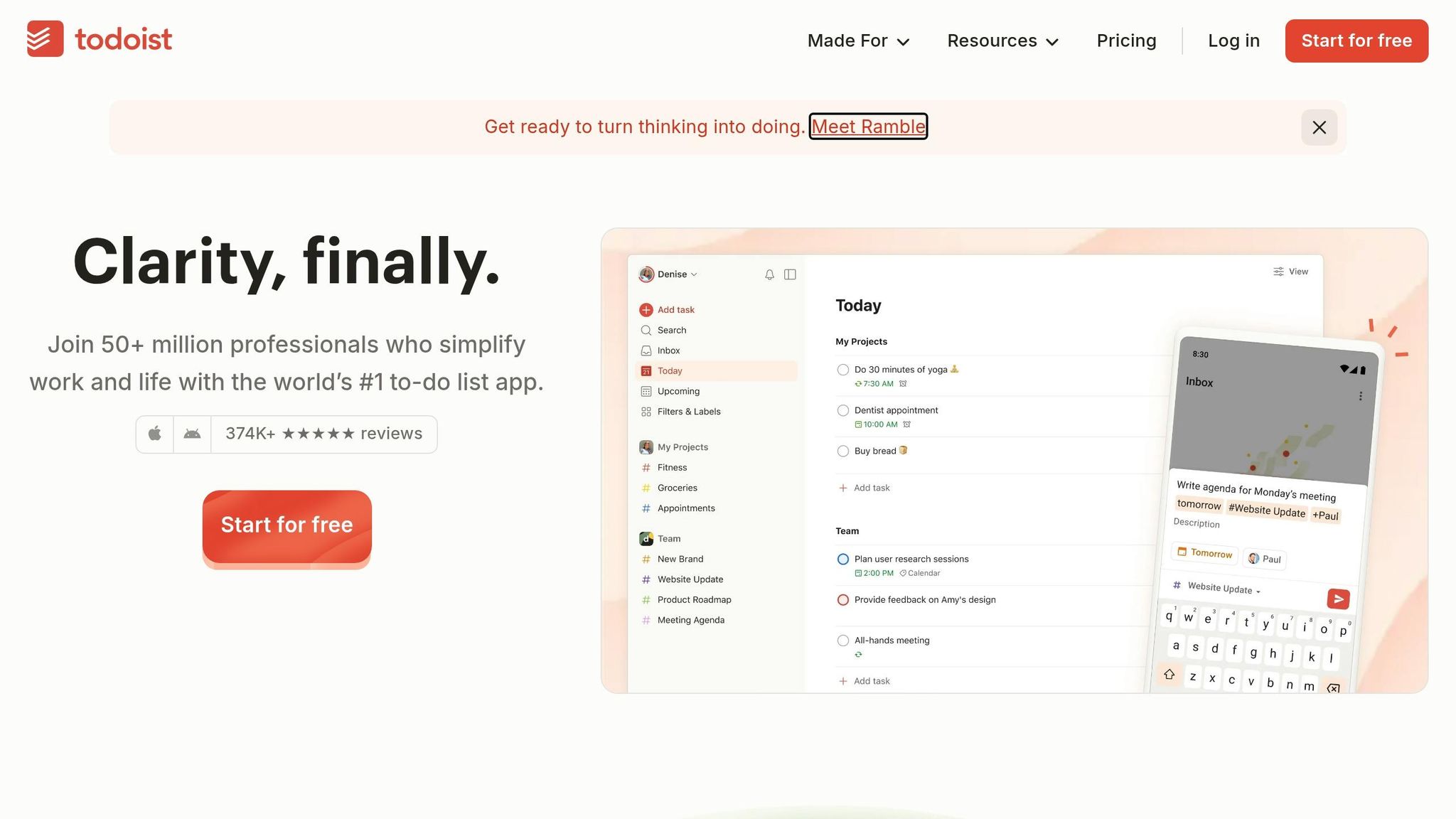
Todoist for Gmail brings task management straight into your inbox, helping professionals streamline their workflow. With over 50 million users and 2 billion tasks completed, this integration transforms Gmail into a productivity powerhouse.
Task and Workflow Management Features
This plugin simplifies turning emails into actionable tasks with just two clicks. Each task includes a link back to the original email and allows you to set due dates, times, durations, and priority levels (P1–P4). You can also assign tasks to specific projects, making it easier to stay organized. Todoist for Gmail works across the Gmail web app, iOS, and Android, offering flexibility no matter where you are. Once tasks are created, you can view them as lists, Kanban boards, or in a calendar layout, giving you multiple ways to manage your workload. With over 896,000 installs on the Google Workspace Marketplace, this tool has become a go-to for professionals looking to stay on top of their tasks.
AI-Powered and Automation Tools
Todoist Assist leverages AI to make email management smarter. Its "Email Assist" feature extracts actionable tasks from lengthy email threads. Clemens A., Founder & Principal Software Developer, shared his experience:
"Email Assist pulled out the actual action item and all relevant information from an incredibly bureaucratic government email. This is the right way to use AI in products. 👌"
Integration with Other Productivity Apps
Todoist connects with over 8,000 apps through Zapier, enabling powerful automations. For instance, you can automatically create tasks from starred emails, apply specific labels, or trigger actions based on custom search filters. The plugin also syncs with Google Calendar, keeping your tasks and deadlines in harmony. For teams juggling multiple tools, Todoist integrates with platforms like Google Sheets, Trello, and Slack, creating a unified workflow. These integrations make Gmail not just an email tool but a central hub for productivity.
5. Grammarly for Gmail
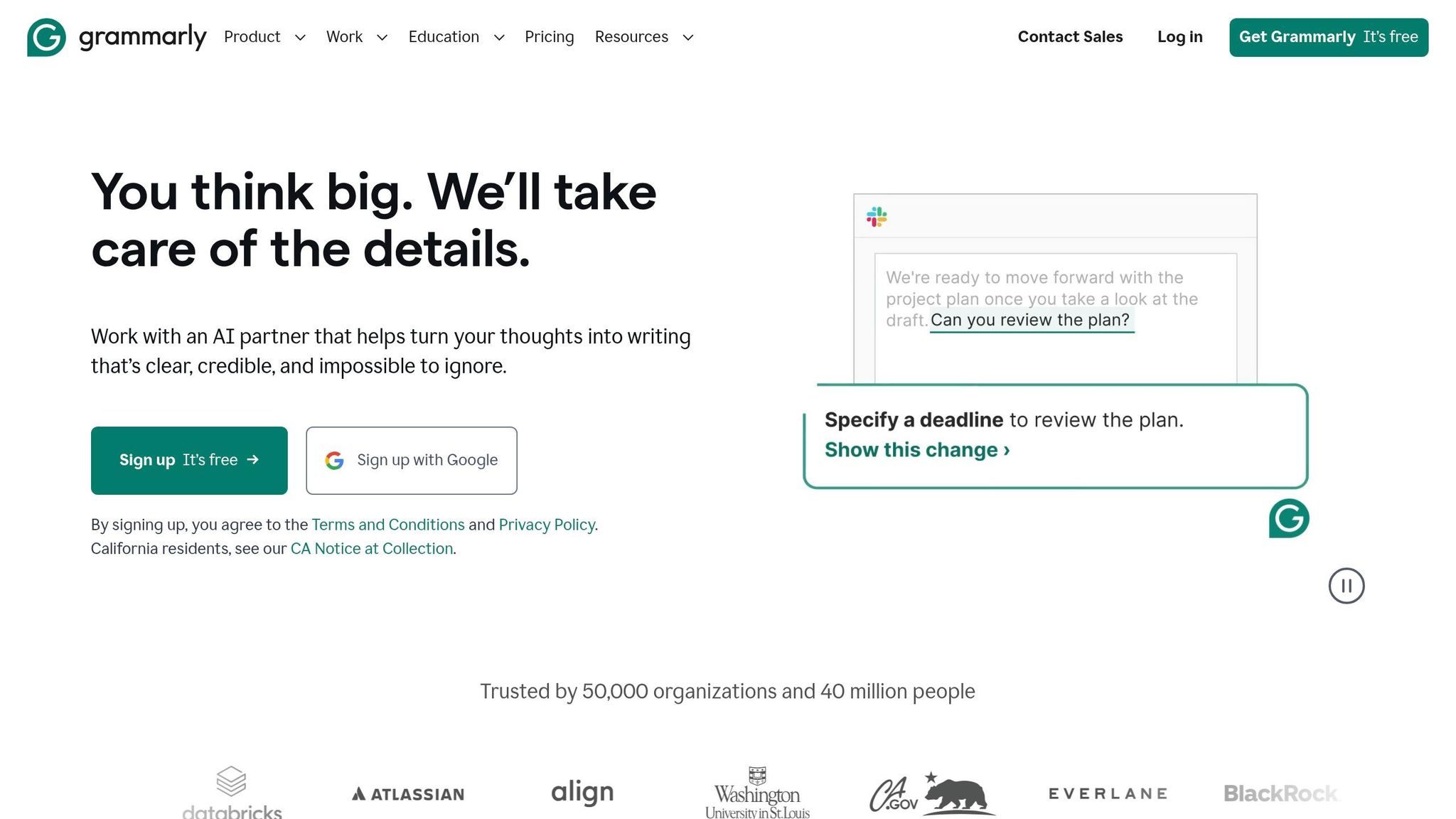
Grammarly for Gmail takes the hassle out of email writing by using AI to enhance clarity, tone, and professionalism. With over 40 million users and 50,000 organizations relying on it, it’s a go-to tool for anyone looking to improve their communication.
AI Tools That Simplify Writing
Grammarly's AI doesn’t just catch spelling, grammar, and punctuation errors - it goes further. It analyzes tone, rewrites paragraphs for better readability, and even generates first drafts from simple prompts to help you tackle writer's block. Architect Newton Kiwia described its impact on his workflow:
"Grammarly is embedded everywhere I write–texting, documents, email, social media–and it has saved me the time and energy I need to focus on other things."
This kind of efficiency isn’t just personal - it scales. For example, in 2025, Databricks reported saving $1.4 million annually after adopting Grammarly across its teams. Their editorial department alone reduced editing times by 50%.
Seamless Integration with Productivity Tools
Grammarly doesn’t stop at emails. It integrates with over 1 million apps and websites, including Slack, Salesforce, Jira, and Microsoft Office. In late 2025, it introduced "App Actions", which let users perform tasks in third-party apps like Asana, HubSpot, and Calendly directly within their writing workflow. Whether you’re using Chrome, Firefox, Edge, Safari, or mobile apps for Android and iOS, Grammarly ensures a smooth experience.
With a 4.5/5 rating on the Chrome Web Store, users consistently highlight its cross-platform functionality. The free version offers basic writing suggestions and 100 monthly AI prompts, while the Pro plan, starting at $12/month, unlocks advanced features like full-paragraph rewrites and access to 2,000+ AI prompts.
6. Gmelius for Gmail
Gmelius combines email organization, team collaboration, and AI automation - all directly within Gmail. Here's a closer look at its standout features for managing emails, tasks, and workflows.
Email Organization and Cleaning Capabilities
Gmelius simplifies inbox management with Meli AI Sorting, which automatically categorizes emails into actionable labels and archives specific categories to save time. The FYI Tags feature helps you focus on direct communications by flagging CC/BCC emails.
For team collaboration, Shared Gmail Labels synchronize conversations in real-time, keeping project and client information centralized within Gmail. This eliminates the confusion of forwarded threads and ensures everyone is on the same page.
Task and Workflow Management Features
Gmelius includes Kanban boards that turn emails into task cards with statuses like Open, Pending, and Closed. You can assign tasks, set deadlines, and use @mentions for added context - all without leaving Gmail. For example, in 2025, the French Red Cross coordinated 40,000 staff and volunteers using 8,000 shared inboxes powered by Gmelius.
Email Notes let you collaborate privately with teammates alongside email threads, using @mentions to keep discussions organized without forwarding messages. To help teams meet response deadlines, SLA Management provides automated alerts when replies are delayed, ensuring service level goals are met.
AI-Powered or Automation Tools
The Meli AI Executive Assistant can draft responses in your tone, summarize email threads, and suggest next steps. AI Follow-ups monitor sent messages and automatically generate follow-up drafts if there’s no reply within two days. The AI Dispatching Assistant routes incoming emails to the right team member based on workload and expertise, reducing inbox clutter.
Gmelius also allows users to set up automation rules with "If This - Then That" logic. For instance, you can configure it to send Slack notifications for urgent emails or auto-assign messages containing financial details. With these tools, Gmelius aims to save users up to an hour a day, addressing the fact that knowledge workers spend over 30% of their time managing email.
Integration with Other Productivity Apps
Gmelius offers seamless two-way sync with Slack and Trello, ensuring Gmail threads are updated in real-time. It also integrates with popular tools like Salesforce, HubSpot, Zoom, and Google Calendar. Pricing starts at $10 per user per month (billed annually), with the Meli AI plan at $19 per user per month and advanced Growth plan features priced between $24–$25 per user per month.
7. Right Inbox for Gmail
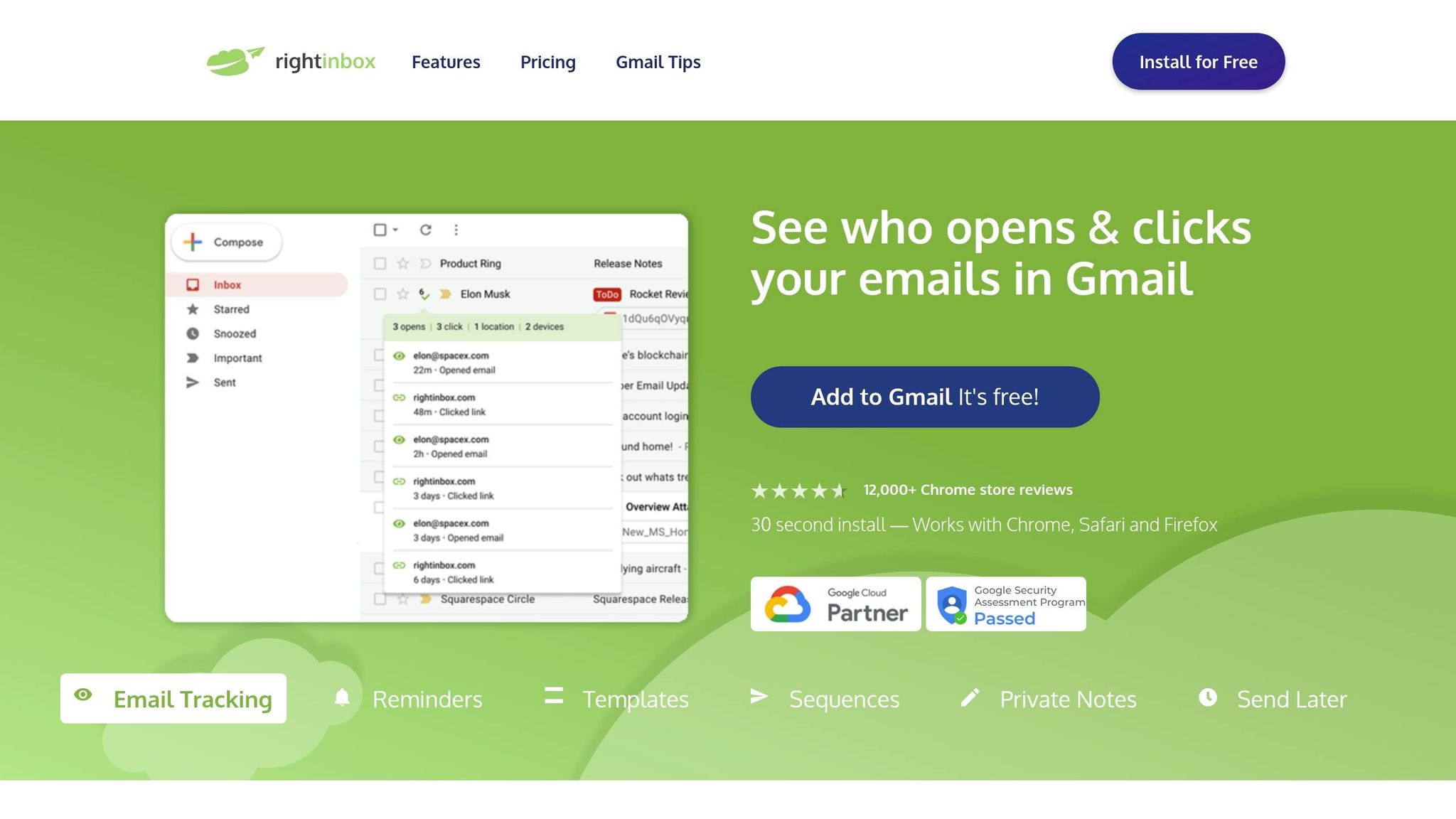
Right Inbox packs 11 productivity features directly into Gmail, making it a favorite for over 250,000 professionals. It’s designed to save time, addressing the 11 hours professionals typically spend managing emails each week.
Email Organization and Cleaning Features
- Inbox Pause: Temporarily stop incoming emails to focus on important tasks.
- Private Notes: Add notes to email threads for personal reference without cluttering the conversation.
- Email Reminders: Set reminders to revisit specific emails at a later time.
- Multiple Signatures: Quickly switch between pre-set email signatures for different contexts.
Task and Workflow Management Tools
- Email Templates: Save commonly used responses and reuse them as needed.
- Send Later: Schedule emails to send at the most effective times.
- Sequences and Follow-ups: Automate follow-up emails and cancel them if a reply is received.
- Recurring Emails: Schedule routine emails to send automatically at regular intervals.
AI and Automation Features
- Mail Merge: Personalize bulk emails for better engagement.
- Email Tracking: Get real-time notifications when recipients open your emails or click links.
- Link Previews: Add visual previews for links shared in your emails.
- GIPHY Integration: Add animated GIFs to emails for a more engaging touch.
Seamless Integration with Other Tools
Right Inbox turns Gmail into a productivity hub, reducing the need to jump between apps. It also syncs with popular CRM platforms in just one click, ensuring your sales and recruitment data stays up to date. These features make it a standout choice for streamlining email workflows.
Pricing and Reviews
Plans range from free (limited to 5 messages or credits per month) to $7.95 for Personal and $14.95 for Professional. With over 12,400 reviews, it holds an impressive 4.6/5 rating on the Chrome Web Store.
8. Streak for Gmail
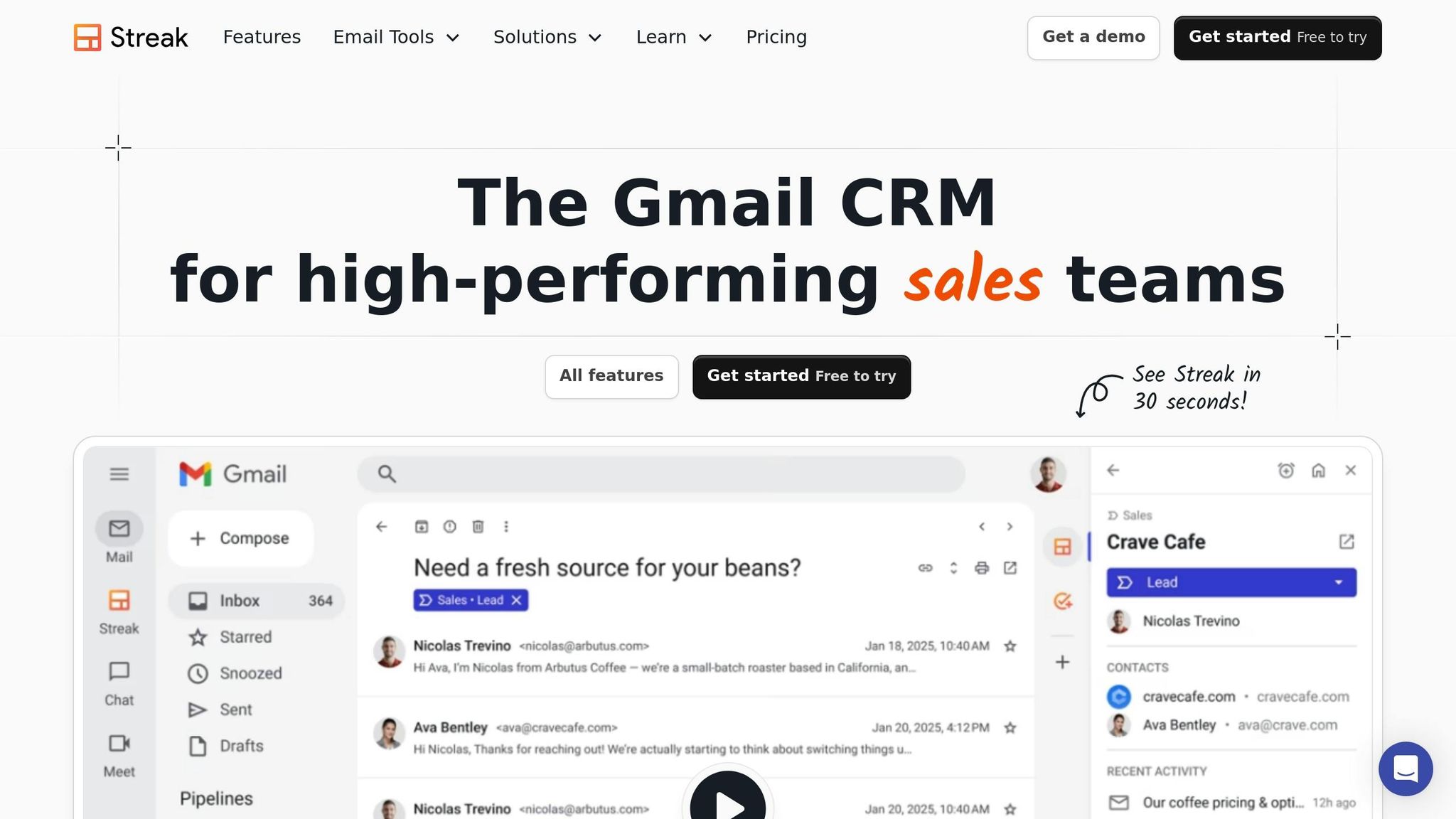
Streak transforms your Gmail inbox into a fully functional CRM, making it easier to manage workflows without switching platforms. By organizing related emails, files, notes, and tasks into customizable boxes, Streak helps streamline processes like sales pipelines, recruitment, and support tickets - all within Gmail. With over 750,000 users across 4,000 companies, it’s a trusted tool for professionals looking to boost productivity.
Task and Workflow Management Features
Streak's customizable pipelines let you track deals, candidates, or projects at every stage. The Magic Columns feature automatically updates real-time data for each deal, cutting down on manual data entry and keeping everything up to date. You can assign tasks, set reminders, and share email access with team members, complete with internal comments for seamless communication. Real estate broker Clayton B. shares his experience:
"Masterful integration with Google's core productivity products (Gmail, G-Cal, G-Contacts, G-Meet, etc.). I wanted a CRM that increased efficiencies AND reduced redundancies... Streak achieves all of this."
Streak also integrates AI tools to make managing workflows even easier.
AI-Powered and Automation Tools
The Streak AI Co-pilot simplifies tasks with automation features right in your inbox. It can summarize conversations, draft email replies tailored to your style, and even create meeting agendas using your calendar and notes. The Deal Q&A tool allows you to ask natural language questions to quickly retrieve deal insights or history. Need a new pipeline? Just describe your requirements, and the AI handles the setup. While every user gets 3 free advanced feature credits, the Pro+ and Enterprise plans (ranging from $39 to $89 per user per month) unlock the complete AI feature set.
Integration with Other Productivity Apps
Streak connects with over 9,000 apps through Zapier and offers direct integrations with tools like Slack for instant deal alerts, LinkedIn for lead capture, and Google Sheets for custom reports. It also works seamlessly with Google Workspace apps, including Google Calendar, Contacts, and Meet. Longtime user Ben Burling shares:
"I have used streak for over 5 years, it's embedded in my teams day to day, it's so flexible and we can create awesome interactions with other apps using zapier."
Setting up a custom pipeline and importing data takes less than 15 minutes.
With a 4.5/5 rating on the Chrome Web Store, Streak is praised for turning Gmail into a powerful organizational tool while keeping its intuitive interface intact.
Conclusion
After reviewing various tools, it's evident that the right Gmail plugin can completely reshape how you manage emails. These plugins can transform your inbox into a productivity powerhouse, integrating features like AI writing assistance, CRM pipelines, and smart filters to help you stay focused and efficient.
The key is to identify your biggest email challenge. For instance, if follow-ups often slip through the cracks, try a tracking or scheduling tool. If your inbox feels chaotic, look into cleanup and filtering plugins. Dana Rudenko, Head of Product Marketing at Snov.io, sheds light on this approach:
"What if a user's inbox can become their outreach hub, complete with engagement tracking? With this idea in mind, we've created a free Email Tracker for Gmail – helping our users stay organized and never miss out on an opportunity."
Experiment with features like Kanban boards, AI-powered drafting, or read receipts to see what aligns best with your workflow.
Be cautious about overloading Gmail with too many plugins. Limit yourself to 3–5 essential tools to avoid slowing down performance. Start small - choose one plugin, test it for a week, and evaluate its impact on your productivity. This step-by-step approach will help you identify which tools genuinely enhance your efficiency and which ones are unnecessary.
With a streamlined inbox, you can reclaim time and work smarter, not harder.
FAQs
Which Gmail plugin should I start with for my biggest inbox problem?
To address your most pressing inbox challenges, consider using a plugin designed to simplify your email workflow.
- Mailtrack helps you keep tabs on email opens, making it easier to prioritize follow-ups.
- Gmelius streamlines cluttered inboxes with automation tools and task management features.
- Right Inbox is perfect for scheduling emails, offering reminders and automation options.
Pick the tool that aligns with your specific needs to stay organized and work more efficiently.
Are Gmail plugins safe to use with my account and data?
Gmail plugins can be a secure way to enhance your email experience, provided you download them from reliable sources like the Chrome Web Store or Google Workspace Marketplace. To stay safe, choose plugins with strong reviews, frequent updates, and transparent permission requests. Popular options, including tools for email tracking, scheduling, or grammar checking, are commonly used to improve productivity. Just make sure to carefully review the permissions they request and avoid sharing sensitive information to maintain your security.
How many Gmail plugins can I install without slowing Gmail down?
There’s no set limit to how many Gmail plugins you can install without affecting performance. Most tools that rely on APIs operate quietly in the background and won’t slow Gmail down. However, piling on too many browser extensions might impact your browser’s speed. To keep things running smoothly, stick to the ones that genuinely boost your productivity.
More free Gmail tools.
Pair these together for a full inbox reset.
Bulk Unsubscribe from Gmail
See the senders flooding your inbox, ranked by volume — your shortlist for unsubscribes.
Open toolMass Delete Gmail Emails
Build a deletion plan by sender, date, label, or all-unread — with the exact Gmail search to run.
Open toolFind Large Emails in Gmail
Pick a size and we build the exact Gmail search to find your biggest emails — then open it in one click.
Open toolGmail Storage Cleanup
Move the slider to your current Gmail usage to see exactly what to delete to free space.
Open toolInbox Zero Score
Rate your inbox health on a 0–100 scale and see the weekly hours your inbox is costing you.
Open tool