
Email Management
AI Email Cleanup Tools: 2025 Roundup
Compare AI email cleanup tools that declutter Gmail, free storage, reduce carbon emissions, and provide one-time pricing to avoid subscriptions.

AI Email Cleanup Tools: 2025 Roundup
Tired of managing endless emails? AI email cleanup tools are here to help. These tools go beyond basic spam filters, using advanced algorithms to organize, declutter, and even reduce the environmental impact of your inbox.
Here’s what you need to know:
- The average professional spends 14 hours per week on email management.
- Tools like MailSweeper analyze your habits, sort unimportant emails, and free up storage space.
- With over 245 GB of storage saved and 111.61 kgCO₂e reduced, MailSweeper is a standout option.
- It offers a one-time payment (starting at $16) for lifetime access, avoiding recurring fees.
If you’re juggling a full inbox or paying for extra storage, these tools can save time, money, and effort. Ready to reclaim control over your emails? Let’s dive into how these tools work and why MailSweeper leads the pack.
Benefits of AI-Powered Email Cleanup
How AI Identifies and Manages Unimportant Emails
AI tools are designed to analyze your email habits - looking at sender details, message types, and how you interact with emails - to identify messages that might not need your attention. Think newsletters, social media notifications, calendar invites, or shopping offers. These tools help streamline your inbox by flagging these as "non-essential."
What’s great is that you can customize what counts as "unimportant." At the same time, the system ensures that critical messages, like those you’ve starred or marked as important, stay untouched. To avoid mistakes, AI tools often move flagged emails to a temporary "Dustpan" label. Here, they sit for 30 to 90 days, giving you the chance to recover anything wrongly categorized. After that, they’re sent to the trash. This careful process doesn’t just declutter your inbox - it creates a smoother, more efficient email experience.
Time and Cost Savings
Cleaning up your inbox isn’t just about organization - it can save you money too. For example, Gmail’s free plan caps storage at 15 GB. By deleting unnecessary emails, AI tools help you stay well below that limit, avoiding the need to fix Gmail storage full issues by paying for extra space.
Take MailSweeper as an example. It’s already processed over 3.3 million emails, freeing up 245 GB of storage space for its users. Plus, it offers a one-time payment option, so you don’t have to worry about ongoing subscription fees. Pricing starts at $13 for Very Early Bird access, $16 for Early Bird, and $20 for the standard Personal plan - giving you lifetime access without any recurring costs.
Reducing Digital Clutter and Environmental Impact
A cleaner inbox doesn’t just benefit you - it’s better for the planet too. Every stored email uses energy, whether it’s powering servers or cooling data centers. This constant energy use adds up, contributing to a significant carbon footprint. By cutting down on unnecessary emails, you’re also reducing the energy demand tied to your digital storage.
MailSweeper even tracks the environmental impact of its cleanup efforts. So far, it has reduced carbon emissions by 111.61 kgCO₂e. This means you’re not just organizing your inbox or saving on storage - you’re also playing a role in reducing the environmental toll of digital clutter. It’s a win-win: personal convenience paired with a step toward sustainability.
MailSweeper: Features and How It Works
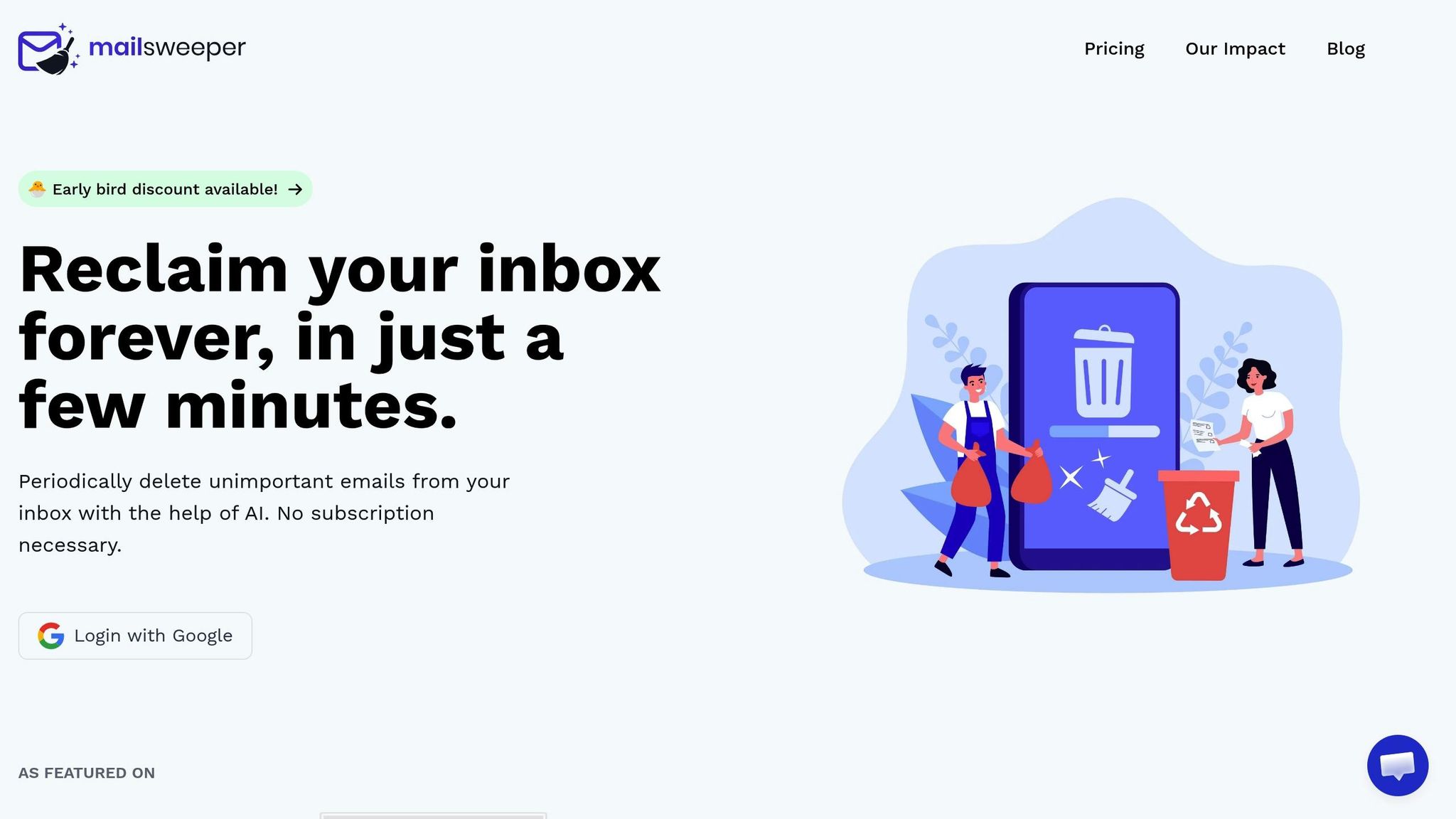
The Dustpan: Automated Email Sorting and Cleanup
MailSweeper introduces a smart way to declutter your Gmail inbox with a feature called "The Dustpan." Once installed, this tool creates a special label in your inbox where it automatically collects less important emails - think old newsletters, promotional offers, and notifications. Setup is easy: sign in with Google, adjust your preferences, and let the Dustpan start cleaning up right away.
To ensure you don’t lose anything important, MailSweeper skips emails in your primary inbox, as well as those that are starred or marked as important. If you want to keep any emails it flags, simply remove the Dustpan label before the next scheduled cleanup.
You can customize preferences, like when emails get deleted. So far, MailSweeper has handled an impressive 3,382,267 emails, freeing up 245 GB of storage space for users.
This automated sorting streamlines your inbox management while ensuring seamless Gmail integration.
Privacy and Gmail Integration
MailSweeper’s integration with Gmail isn’t just efficient - it’s secure. The tool connects directly to your Gmail account and carries CASA certification, meaning it adheres to strict security and privacy standards. Importantly, MailSweeper does not read, store, or sell any of your email data.
Everything happens within your Gmail account. The tool adds the Dustpan label and performs cleanup tasks based on your preferences. You’re always in control: review flagged emails, tweak settings, or manually override its decisions whenever you like.
One-Time Payment Model and Lifetime Access
MailSweeper stands out by offering a one-time payment model instead of the usual monthly subscription fees. Here’s the pricing breakdown: $13 for Very Early Bird (sold out), $16 for Early Bird (just 3 spots left), and $20 for the Personal plan.
At $20, the lifetime fee is a steal compared to typical email tools that charge $5 per month. It’s especially appealing if you’re looking to avoid upgrading to paid Gmail storage plans, which start at $1.99 per month for extra space.
MailSweeper Pricing and Plans
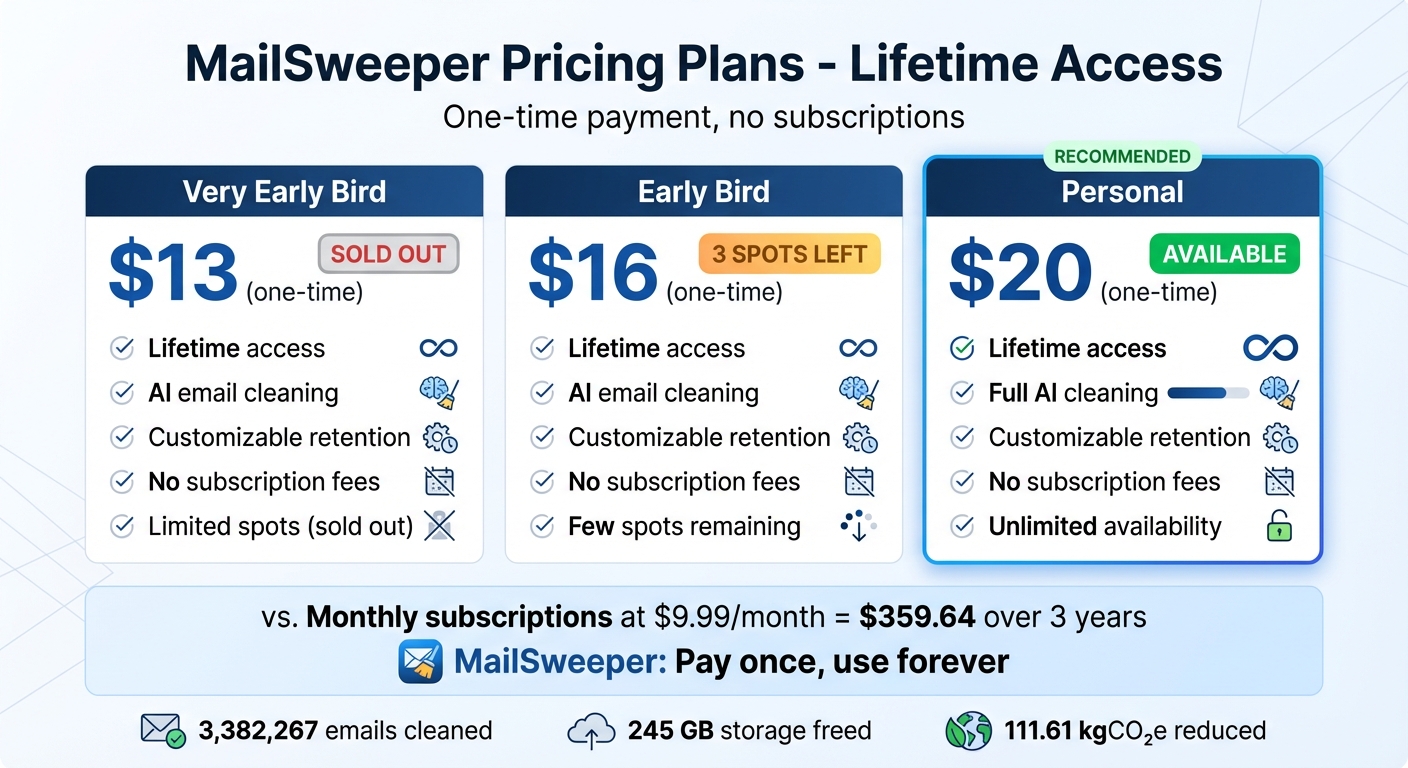
MailSweeper Pricing Plans Comparison - One-Time Payment Email Cleanup Tool
Pricing Table
MailSweeper takes a different approach compared to most email productivity tools. Instead of locking users into monthly or yearly subscriptions, it offers lifetime access through a single payment - no recurring charges, no hidden fees.
Here's the pricing breakdown:
| Plan Name | Price | Description | Key Features |
|---|---|---|---|
| Very Early Bird | $13/once | Lifetime access, limited spots | AI cleaning, customizable retention, no subscription |
| Early Bird | $16/once | Lifetime access, few spots left | AI cleaning, customizable retention, no subscription |
| Personal | $20/once | Lifetime access | Full AI cleaning, customizable, no subscription |
The Very Early Bird plan at $13 has already sold out, while the Early Bird plan at $16 is still available but with limited spots. The standard Personal plan, priced at $20, is fully available with no restrictions.
This pricing structure highlights MailSweeper's focus on simplicity and long-term affordability. By opting for a one-time payment, you can avoid recurring costs like monthly storage upgrades, all while keeping your inbox within the free 15 GB limit. It’s a practical solution for anyone tired of ongoing subscription fees.
sbb-itb-34b9fd2
How to Choose the Right AI Email Cleanup Tool
Key Factors to Consider
When selecting an AI email cleanup tool, think about your main priorities: reducing storage, automating clutter management, ensuring privacy, cost-effectiveness, or customization options. For instance, if you're paying for Google One storage or constantly deleting emails to stay within Gmail's free 15 GB limit, focusing on storage reduction is a no-brainer. On the other hand, if you're drowning in newsletters and promotional emails, look for tools with strong unsubscribe features and automated sorting.
Privacy and security should never be overlooked. Tools like MailSweeper adhere to strict data protection standards and certifications, such as CASA. Always check a tool's privacy policy to see how your data is handled and safeguarded.
Cost is another big factor. A one-time payment of $20 is far more budget-friendly than a recurring subscription. For perspective, a $9.99 monthly subscription adds up to about $359.64 over three years - nearly 18 times the cost of a one-time fee. If you're paying $1.99 monthly for 100 GB of Google One storage, a tool like MailSweeper could pay for itself in just 10 months by helping you stay within Gmail's free 15 GB limit.
Customization is also key. Look for options that let you decide which emails to clean, set retention periods (like 30 or 90 days), and protect important messages from accidental deletion. This kind of flexibility ensures you can manage emails effectively without constant manual effort.
By keeping these factors in mind, you'll have a solid framework for evaluating any email cleanup tool - and it's clear why MailSweeper stands out.
Why MailSweeper Is a Top Choice
MailSweeper checks all the boxes by combining powerful features with ease of use. Its standout Dustpan feature automatically gathers unimportant emails and moves them to the trash based on your preferences. So far, MailSweeper has cleaned up 3,382,267 emails, freed up 245 GB of storage, and helped reduce carbon emissions by 111.61 kgCO₂e.
MailSweeper also eliminates the hassle of subscriptions. With a one-time payment model (Early Bird pricing at $16 or the Personal plan at $20), you gain lifetime access - avoiding ongoing monthly charges. Plus, its seamless Gmail integration adds the Dustpan label directly to your inbox, letting you manage everything within Gmail's familiar interface. No need to learn a new platform or workflow.
Conclusion
Taking charge of your inbox doesn’t have to be a struggle. With the right tools, like AI-powered cleanup solutions, you can skip the hassle of manually sorting through endless emails. These tools not only save you time but also free up storage space in ways that traditional methods just can’t match.
MailSweeper stands out with its smart Dustpan feature, which automatically gathers unimportant emails while keeping your starred, primary, and essential messages safe. With millions of emails processed, it has helped users reclaim storage space and even reduce the digital footprint of their inboxes.
What’s more, MailSweeper offers a one-time payment model - no recurring subscription fees. This means long-term savings compared to the ongoing costs of email management services or storage upgrades.
If you’re tired of repetitive email cleanup, paying for extra storage, or dealing with digital clutter, MailSweeper is the solution. It’s CASA-certified for privacy, works seamlessly with Gmail, and takes minimal effort to maintain. Let the tool handle the hard work, so you can focus on what really matters.
Ready to regain control of your inbox? MailSweeper makes it easy, cost-effective, and automatic - helping you start 2025 with a cleaner, more organized email experience.
FAQs
How does MailSweeper help lower the environmental impact of my emails?
MailSweeper helps shrink the carbon footprint of your emails by clearing out unnecessary messages automatically. By reducing the storage demand on servers, it cuts down energy use and lowers carbon emissions. While it may seem like a small step, these changes can collectively make a big difference over time.
What is the 'Dustpan' feature in MailSweeper and how does it simplify email management?
The Dustpan feature in MailSweeper makes tidying up your Gmail inbox a breeze. Once MailSweeper is installed, it adds a 'Dustpan' label to your inbox. Any email that isn’t in your primary inbox, or isn’t marked as important or starred, is automatically sent to this label.
As time goes on, the Dustpan gathers these less critical emails. MailSweeper then steps in to periodically delete older messages - usually after 30 or 90 days, based on your settings. This not only helps free up storage but also keeps your inbox organized and saves you the hassle of manual cleanup.
Why is a one-time payment better than a subscription for email cleanup?
A one-time payment model, like MailSweeper's $20 lifetime fee, can be a game-changer for managing email clutter. Why? It wipes out the hassle of ongoing costs, giving you permanent access to top-notch email cleanup tools without the need to budget for monthly or yearly renewals.
Not only does this save you money over time, but it also offers peace of mind. You get to enjoy a tidy, organized inbox without the stress of recurring payments hanging over your head.
More free Gmail tools.
Pair these together for a full inbox reset.
Bulk Unsubscribe from Gmail
See the senders flooding your inbox, ranked by volume — your shortlist for unsubscribes.
Open toolMass Delete Gmail Emails
Build a deletion plan by sender, date, label, or all-unread — with the exact Gmail search to run.
Open toolFind Large Emails in Gmail
Pick a size and we build the exact Gmail search to find your biggest emails — then open it in one click.
Open toolGmail Storage Cleanup
Move the slider to your current Gmail usage to see exactly what to delete to free space.
Open toolInbox Zero Score
Rate your inbox health on a 0–100 scale and see the weekly hours your inbox is costing you.
Open tool