
Email Management
MailSweeper vs. Gmail Filters: Auto-Delete Comparison
Compare MailSweeper's AI Dustpan and Gmail's manual filters for auto-deletion, setup effort, cost, and storage savings.
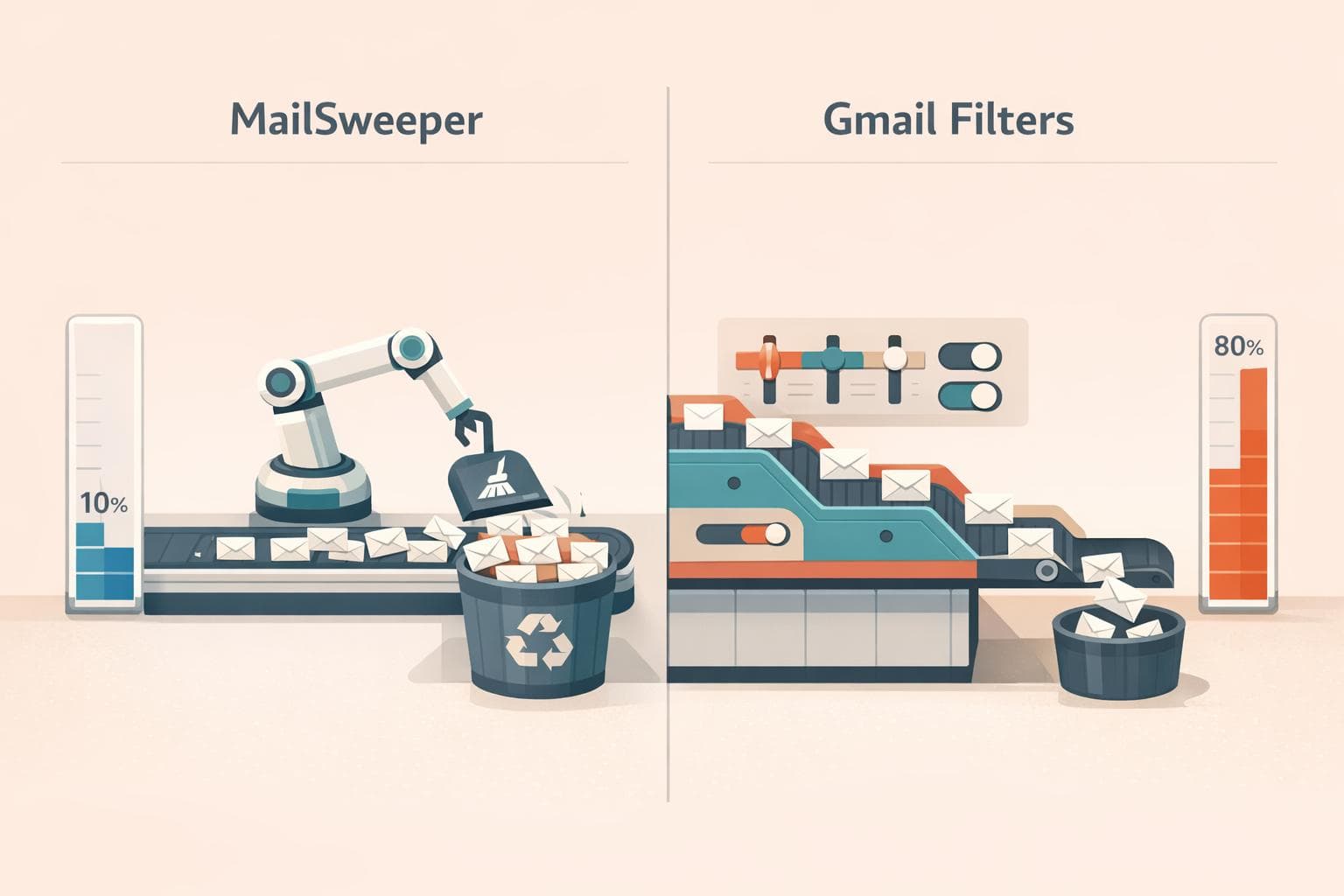
MailSweeper vs. Gmail Filters: Auto-Delete Comparison
Tired of a cluttered inbox? MailSweeper and Gmail Filters offer two ways to manage email overload. Here's the difference:
- MailSweeper: Uses AI to sort unimportant emails into a "Dustpan" folder and deletes them automatically after 30 or 90 days. One-time cost: $16–$20.
- Gmail Filters: Lets you manually create rules to sort or delete emails based on sender, keywords, or size. Free, but requires ongoing manual setup.
Key Takeaways:
- MailSweeper is fully automated, ideal for saving time and staying under Gmail's 15 GB storage limit.
- Gmail Filters are free but require manual effort and don't offer time-based auto-deletion.
Quick Comparison:
| Feature | MailSweeper | Gmail Filters |
|---|---|---|
| Sorting Method | AI-driven | Manual rule-based |
| Auto-Deletion | After 30 or 90 days | Immediate, no timeframes |
| Cost | $16–$20 (one-time) | Free |
| Setup Effort | Minimal | High |
| Protects Important Emails | Yes | Not guaranteed |
If you prefer automation and storage savings, MailSweeper is a better fit. For those who like manual control, Gmail Filters are a no-cost option but require more effort.
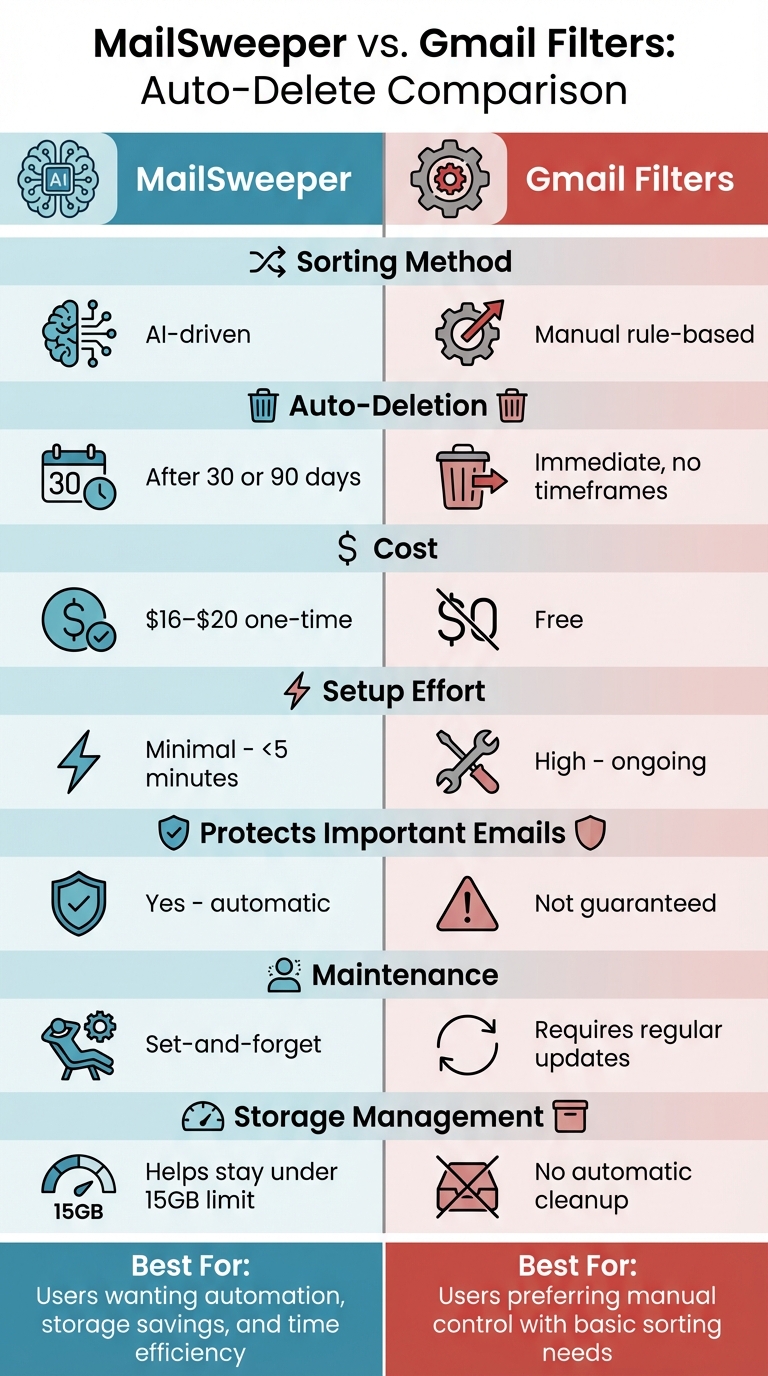
MailSweeper vs Gmail Filters: Feature Comparison Chart
How to Have Gmail Delete Emails Older Than a Certain Date
What Are MailSweeper and Gmail Filters?
Let’s break down how these tools help streamline your inbox.
What is MailSweeper?
MailSweeper uses AI to sift through your Gmail inbox and identify emails you probably don’t need. It automatically moves these messages - like notifications and calendar invites - to a Gmail label called Dustpan, which is created when you install the tool. Emails in your primary inbox or messages you’ve starred or marked as important are left untouched.
Here’s how it works: MailSweeper periodically cleans out the Dustpan label, deleting emails permanently after either 30 or 90 days (you choose the timeframe). This means you can rely on a hands-off approach to inbox management. Plus, it’s CASA-certified and doesn’t access your private email data.
Now, let’s see how Gmail’s built-in filters compare.
What Are Gmail's Built-in Filters?
Gmail filters, on the other hand, are a manual way to manage your inbox. They let you create specific rules for incoming emails. For example, you can set filters based on criteria like the sender’s address, keywords in the subject line, or even the size of attachments. Once a filter is set, Gmail automatically applies actions - such as labeling, archiving, marking as read, or deleting emails - that match your rules.
Filters rely on search operators like from: (to target specific senders) or larger:10M (to find emails larger than 10 megabytes). For instance, using from:newsletter@store.com will catch every email from that sender, while larger:10M helps you spot oversized emails.
Gmail filters are included for free with every Gmail account, but they do require manual setup. If you need to manage emails from multiple senders, you’ll either need to create separate filters for each or use advanced search operators to group them together.
Feature Comparison: MailSweeper vs. Gmail Filters
Automation and AI Capabilities
MailSweeper takes the hassle out of managing cluttered inboxes with its AI-driven approach. It automatically identifies non-essential emails - like promotional offers or notifications - and moves them to its Dustpan feature. No need for you to set up complex rules; the system learns as it goes, adapting to what you consider clutter.
Gmail filters, on the other hand, require manual setup. You’ll need to create rules using search operators, which can get tedious if you're managing emails from multiple sources. Combining advanced operators can help streamline the process, but it still demands ongoing effort to fine-tune.
Now, let’s look at the Dustpan and how it stacks up against Gmail’s labeling system.
The Dustpan vs. Gmail Labels
MailSweeper's Dustpan acts as a temporary holding zone for emails flagged as unimportant. Think of it as a safety net: you can review these emails before they’re permanently deleted. If something important ends up there, you can quickly remove the Dustpan label to save it. Crucially, emails in your primary inbox - or those marked as starred or important - are automatically kept out of the Dustpan.
Gmail labels, by contrast, are static. Once a label is applied via a filter, it sticks until you manually change it. Labels are great for organizing your inbox, but they lack the review step MailSweeper offers. If you want emails to be deleted automatically, you’ll need to create a separate filter with a “delete” action, which applies immediately upon arrival - no middle ground for reviewing.
Beyond sorting and deletion, the ability to customize plays a key role in keeping your inbox under control.
Customization Options
MailSweeper gives you flexibility over how long emails stay in the Dustpan before they’re deleted - typically 30 or 90 days. Setup is quick, with a few simple questions guiding you through customization. By default, important emails are safeguarded, so you don’t have to worry about losing something critical.
Gmail filters, in contrast, offer detailed control over sorting criteria. You can create rules based on sender, keywords in the subject line, attachment size, and more. However, Gmail lacks a built-in feature for time-based deletion. If you want old emails to be removed automatically, you’ll need to either delete them manually or use scripts, which can be complex to set up.
| Feature | MailSweeper | Gmail Filters |
|---|---|---|
| Categorization | AI-powered intelligent sorting | Manual rule-based sorting |
| Deletion Method | Periodic automatic sweeping from the Dustpan | Immediate action upon receipt or manual bulk delete |
| Timeframes | Customizable (30 or 90 days) | No native "delete after X days" filter |
| User Effort | Set-and-forget after initial setup | Requires ongoing manual rule creation |
| Safety | Protects starred/important emails by default | Rules apply strictly to defined criteria, regardless of importance |
sbb-itb-34b9fd2
Performance and Usability
Setup and Daily Use
Getting started with MailSweeper is quick and easy. Just sign in using your Google account, follow a short installation process, and you're good to go. Once it's up and running, MailSweeper requires no daily upkeep or manual input.
On the other hand, Gmail filters demand manual effort. You need to create individual rules for every type of email you want to manage. This includes specifying senders, keywords, or categories one by one - a tedious task, especially for those with cluttered inboxes.
Email Sorting Accuracy
MailSweeper stands out with its automated precision. During the initial setup, the AI learns your preferences and works seamlessly with Gmail's existing markers. For instance, it protects starred, important, or primary emails by default. In one review, MailSweeper reliably sorted promotions and newsletters into the Dustpan while ensuring important emails stayed untouched. This saved users hours of manual sorting and helped free up storage without any sorting mistakes.
In contrast, Gmail filters rely on static rules. This approach can miss subtle variations in email patterns or, worse, mistakenly flag legitimate messages as unimportant.
Ongoing Maintenance Requirements
MailSweeper is designed to be a "set-it-and-forget-it" solution. Once you've completed the initial setup, the only occasional task is removing the Dustpan label from emails you decide to keep before they’re automatically swept away. Beyond that, the AI takes care of everything, adjusting to changes in your inbox effortlessly.
Gmail filters, however, require regular tweaking. Since they aren't dynamic, you’ll need to update them frequently to account for new email patterns. This difference highlights how MailSweeper offers a hands-off experience compared to the manual upkeep Gmail filters demand.
Cost and Value
MailSweeper's One-Time Payment
MailSweeper stands out for its one-time payment model, offering lifetime access without any recurring fees. Pricing is simple: $13 for the Very Early Bird option (already sold out), $16 for the Early Bird option (limited availability), or $20 for the standard Personal plan. Once you pay, that's it - no monthly subscriptions to worry about. Plus, MailSweeper helps users stay within Gmail's free 15 GB storage limit by automatically deleting unnecessary emails. This can even allow users to downgrade from paid Google One plans back to the free tier, saving even more money.
Gmail's Free Filters and Storage Costs
Gmail does include free built-in filters, which can help you organize emails. However, these filters don’t automatically delete unimportant messages to free up space. If your inbox exceeds Gmail’s 15 GB free storage limit, you’ll likely need to pay for a Google One storage plan, which comes with a recurring monthly fee. While Gmail's filters are free to use, they don’t address storage issues, potentially leading to ongoing costs for additional storage. This is where MailSweeper offers a clear advantage, combining upfront savings with long-term convenience.
Time Savings and Digital Footprint
MailSweeper isn't just about saving money - it also saves you time. By automating email cleanup, it spares you from hours of sorting through newsletters, promotions, and other clutter. There's no need to constantly tweak filter rules or manually decide what to delete. On top of that, MailSweeper has helped reduce 111.61 kgCO₂e in carbon emissions by clearing unnecessary data from servers. This means it not only simplifies your digital life but also reduces your environmental impact automatically.
Which Option is Right for You?
Main Differences
If you're deciding between MailSweeper and Gmail Filters, the choice boils down to automation versus manual control. MailSweeper simplifies inbox cleanup with its AI-powered Dustpan feature, automatically deleting unwanted emails. Gmail Filters, on the other hand, rely on you to manually set rules for sorting emails by sender or keyword - but they don't delete emails automatically. MailSweeper is quick to set up, taking less than five minutes, while Gmail Filters demand ongoing adjustments to keep up with new clutter. Pricing is another factor: MailSweeper requires a one-time payment of $16–$20 for lifetime access, while Gmail Filters are free. However, if your inbox exceeds Gmail's 15 GB limit, you may end up paying for extra storage.
Who Should Use MailSweeper?
MailSweeper is perfect for anyone looking for a hands-off solution to declutter their inbox and avoid paying for additional Gmail storage. If you're approaching the 15 GB limit or already paying for storage, MailSweeper can help you reclaim space and potentially return to the free tier. It's especially helpful for users who receive a flood of notifications, outdated calendar invites, or promotional emails that accumulate over time. Plus, for those concerned about privacy, MailSweeper's CASA certification ensures your email data remains private - it doesn’t read, store, or sell your information.
When Gmail Filters Work
Gmail Filters are a good fit for users with simpler needs, like organizing emails from specific senders or applying labels. If you don't mind manually creating and updating rules, Gmail Filters can help keep your inbox somewhat organized. However, they fall short for bulk cleanup and won't help you manage storage since they don't delete emails automatically. Use Gmail Filters for basic sorting tasks, but be aware of the maintenance they require and their limitations in handling large-scale clutter or avoiding storage fees.
FAQs
How does MailSweeper ensure important emails are not deleted?
MailSweeper helps keep your inbox tidy by focusing only on emails you don’t need. It automatically skips over messages marked as important or starred, ensuring those crucial emails stay untouched. This way, only less important emails are collected and periodically deleted, giving you a clutter-free inbox without the worry of losing something essential.
What makes MailSweeper better than Gmail's built-in filters for managing emails?
MailSweeper takes inbox management to the next level with AI-powered automation that goes far beyond Gmail's basic filters. Its standout feature, Dustpan, automatically gathers less important emails, leaving your starred or primary messages untouched. You can even set it to delete these older, cluttering emails on a schedule you choose - like every 30 or 90 days.
What makes MailSweeper different? Unlike Gmail's rigid, rule-based filters, it learns from your habits. It smartly identifies and handles clutter without needing constant tweaks. And here's the kicker: MailSweeper is a one-time purchase, so you skip the hassle of monthly subscriptions while keeping your inbox clean and stress-free.
Can MailSweeper help me save on Gmail storage costs?
MailSweeper can help cut down your Gmail storage costs by handling unimportant emails for you. Its Dustpan feature scans and gathers emails that are less critical - excluding anything in your primary inbox or emails you've marked as important or starred. Based on your settings, these emails are automatically deleted after a set period, like 30 or 90 days. This not only clears up storage but also keeps your inbox tidy.
More free Gmail tools.
Pair these together for a full inbox reset.
Bulk Unsubscribe from Gmail
See the senders flooding your inbox, ranked by volume — your shortlist for unsubscribes.
Open toolMass Delete Gmail Emails
Build a deletion plan by sender, date, label, or all-unread — with the exact Gmail search to run.
Open toolFind Large Emails in Gmail
Pick a size and we build the exact Gmail search to find your biggest emails — then open it in one click.
Open toolGmail Storage Cleanup
Move the slider to your current Gmail usage to see exactly what to delete to free space.
Open toolInbox Zero Score
Rate your inbox health on a 0–100 scale and see the weekly hours your inbox is costing you.
Open tool