
Email Management
Top Tools for Email Security in 2025
A practical guide to the top email security tools in 2025, comparing AI threat detection, encryption, inbox cleanup, and phishing defenses for all users.
Top Tools for Email Security in 2025
Email threats are evolving fast, with phishing attacks surging 4,151% since 2022 and the average data breach costing $4.88 million. Cybercriminals now use AI to craft polished, convincing phishing emails, making traditional defenses less effective. To stay protected, organizations need advanced tools that combine AI, behavioral analysis, and robust encryption.
Here are the top email security tools for 2025:
- MailSweeper: AI-powered inbox cleanup for individuals and small teams.
- Microsoft Defender for Office: Comprehensive email protection with AI-driven threat detection for businesses.
- Google Workspace Security: Built-in Gmail defenses with machine learning for spam and malware filtering.
- SpamTitan: Multi-layered system with real-time scanning and sandboxing for businesses of all sizes.
- ProtonMail: End-to-end encryption with advanced phishing protection for privacy-focused users.
- LastPass Browser Extension: Anti-phishing alerts and password management for individuals and small businesses.
Quick Comparison
| Tool | Main Focus | AI Capabilities | Best For | Starting Price |
|---|---|---|---|---|
| MailSweeper | Inbox cleanup | Email sorting and deletion | Individuals, small teams | $20 one-time |
| Microsoft Defender | Email protection | Behavioral analysis, sentiment | SMBs, enterprises | $2/user/month |
| Google Workspace | Built-in Gmail security | Spam filtering, anomaly detection | Individuals, enterprises | Included with Workspace |
| SpamTitan | Spam and phishing defense | Real-time scanning, sandboxing | SMBs, MSPs, enterprises | $1.95/user/month |
| ProtonMail | Encrypted communication | AI-aided phishing detection | Privacy-focused users | Free or paid tiers |
| LastPass Extension | Password security | URL reputation analysis | Individuals, small businesses | Free or paid tiers |
Each tool addresses specific challenges like phishing, malware, and data protection using advanced technology. The right choice depends on your needs - whether it's AI-powered threat detection, encryption, or inbox organization.
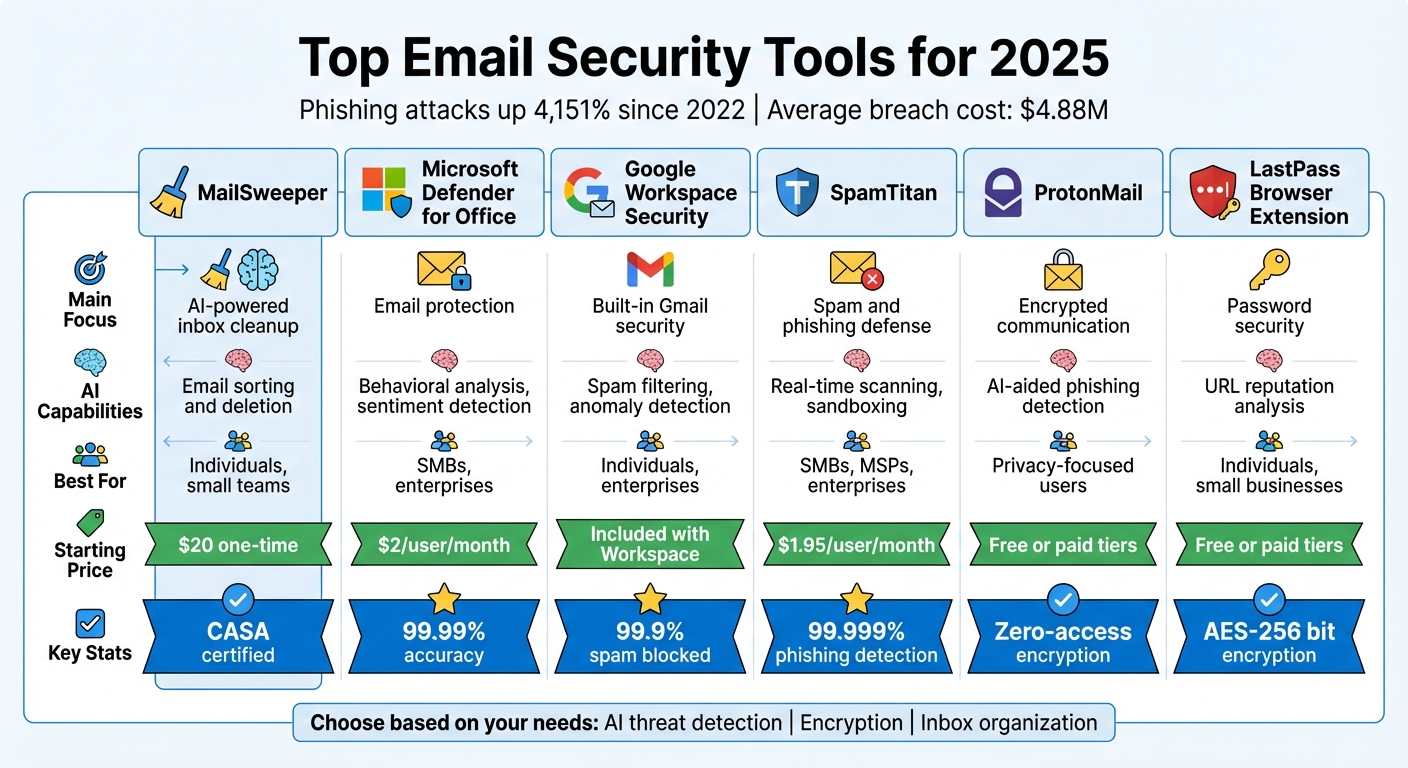
Top 6 Email Security Tools Comparison Chart 2025
Is Your Business Email ACTUALLY Secure in 2025?
How We Selected These Email Security Tools
Selecting the right email security tool requires a close look at what matters most to professionals dealing with today’s advanced threats. We evaluated each solution using five key criteria to ensure they meet the rigorous security needs of U.S. users.
Threat detection accuracy was our top priority. Tools with high detection rates stood out - for instance, Check Point Harmony boasts a 99.7% phishing catch rate, while TitanHQ achieves a 99.99% spam catch rate with an impressively low 0.0003% false positive rate. These stats are crucial because missing even a small percentage of threats can lead to serious breaches, while too many false positives disrupt legitimate communications.
Next, we looked at AI and machine learning capabilities. Modern threats, like Business Email Compromise (BEC), often don’t include obvious red flags such as malicious links or attachments. Tools that leverage techniques like natural language processing (NLP), behavioral analysis, and relationship mapping earned higher marks, as they can identify subtle anomalies more quickly than traditional methods.
Privacy certifications and compliance support were equally important, particularly for industries with strict regulations. We checked for adherence to standards like HIPAA, PCI DSS, CCPA, and SEC/FINRA. Tools with strong Data Loss Prevention (DLP) features also scored well, as these help prevent sensitive information from leaving an organization.
We also considered deployment flexibility and usability. Solutions that integrate easily with Microsoft 365 and Google Workspace via APIs were favored because they can be set up in minutes without complicated MX record changes. Features like user-friendly dashboards, one-click phishing reporting, and automated "clawback" tools - capable of removing malicious emails from all inboxes at once - added significant value.
Here’s a quick comparison of the tools we reviewed based on these criteria:
| Tool | Main Focus | AI Capabilities | Target User Type |
|---|---|---|---|
| MailSweeper | AI-powered inbox cleanup | Automated email identification & deletion | Individuals & Small Teams |
| Microsoft Defender | Native M365 protection | Multi-engine detection, sentiment analysis | M365 Users & SMBs |
| Google Workspace Security | Built-in Gmail protection | Machine learning spam filtering | Google Workspace Users |
| SpamTitan | High-volume spam filtering | Real-time scanning, heuristic analysis | SMBs, MSPs & Resellers |
| ProtonMail | End-to-end encryption | Zero-access encryption architecture | Privacy-focused Users |
| LastPass Browser Extension | Anti-phishing alerts | URL reputation analysis | Individual Browser Users |
1. MailSweeper
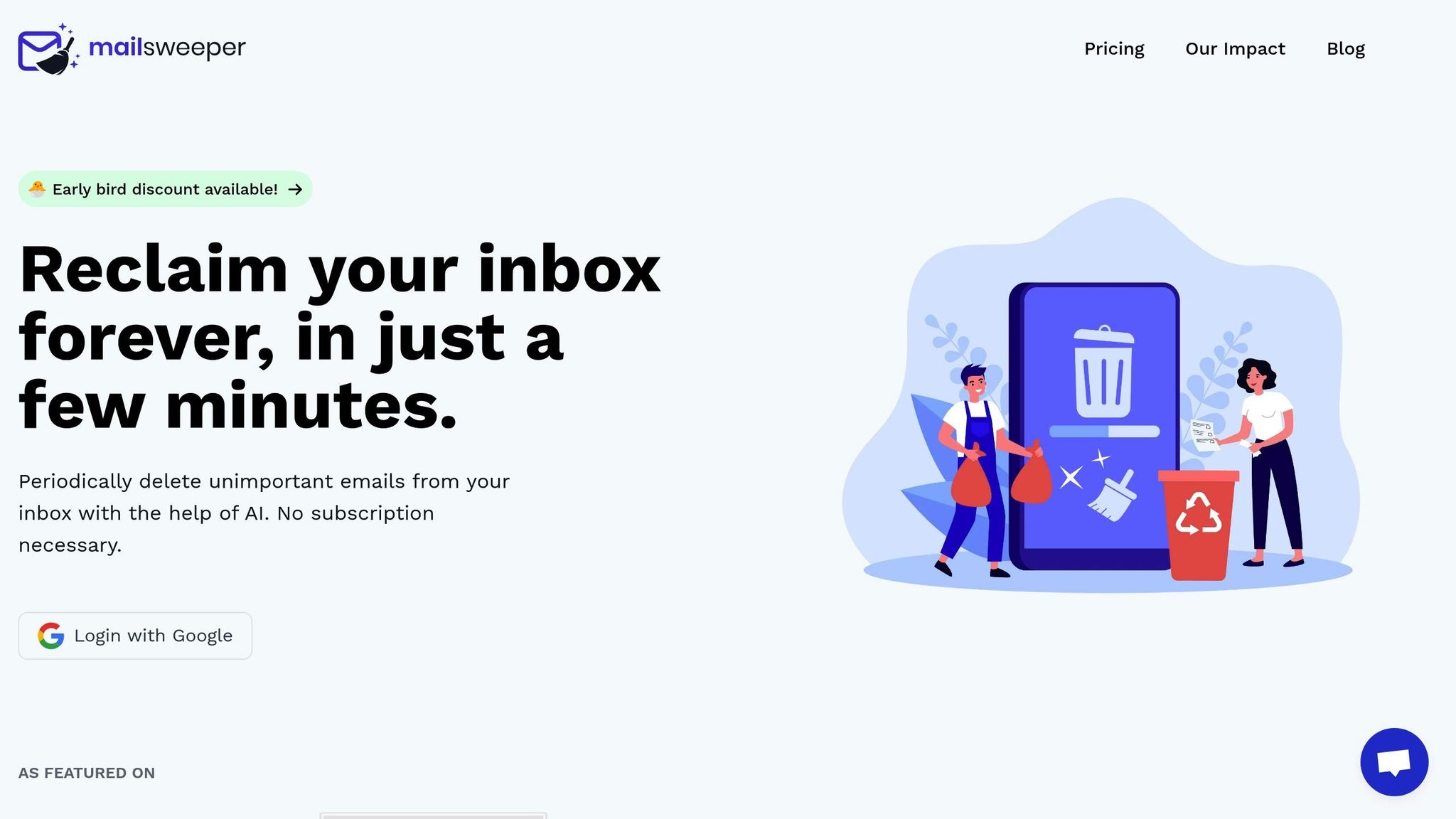
MailSweeper has earned a spot on our list of top tools thanks to its clever AI-powered approach. It tackles the headache of email overload by sorting out unnecessary messages after they land in your inbox, leaving the important ones easy to find while minimizing clutter. Here’s a closer look at what it offers.
Smart AI Features for Email Cleanup
MailSweeper’s standout feature is called "The Dustpan". This intelligent label automatically gathers low-priority emails, keeping them out of your primary inbox. It carefully avoids touching starred messages or anything you’ve marked as important. Using machine learning, it identifies and organizes less critical emails, ensuring you can focus on meaningful conversations. You can even schedule periodic cleanups - every 30 or 90 days - to delete older emails from the Dustpan folder.
Privacy and Security You Can Trust
When it comes to privacy, MailSweeper doesn’t cut corners. It’s CASA certified, which guarantees a high level of data protection, especially when integrated with your Google account. This certification reflects its dedication to keeping your information secure.
Who Will Benefit Most?
If you’re a Gmail user drowning in emails, MailSweeper is a game changer. It’s perfect for individuals and small teams, particularly freelancers, consultants, and small business owners. With a one-time payment starting at just $20 (no subscription required), it’s a budget-friendly way to keep your inbox organized while trimming email storage costs.
2. Microsoft Defender for Office
Microsoft Defender for Office offers a powerful solution for email security, tailored to meet the needs of businesses of all sizes. With two distinct plans, this tool focuses on using AI to enhance email protection and guard against cyber threats.
Phishing and Malware Protection
Microsoft Defender for Office uses a four-step process to screen every incoming email. It starts with Edge Protection, which evaluates IP and domain reputations. Then, Sender Intelligence identifies impersonation attempts. Content Filtering steps in with antivirus scans and sandboxing to detect malware. Finally, Post-Delivery Protection adds an extra layer by using Safe Links for real-time link verification and Zero-Hour Auto Purge (ZAP) to remove malicious emails after delivery. This system achieves a spam detection rate exceeding 99% - a critical benchmark for email security.
AI Capabilities for Anomaly Detection
This isn't just about routine scanning. Microsoft Defender for Office leverages AI to analyze user behavior and detect threats more intelligently. Advanced language models evaluate email sentiment and patterns, pinpointing malicious intent with an impressive 99.99% accuracy. The system learns how each user communicates, flagging emails that attempt to impersonate trusted contacts. If a business email compromise is detected, AI tools spring into action - disabling compromised accounts and isolating affected devices. This rapid response is essential, considering that cyberattacks can spread across an organization in just 72 minutes.
David Finkelstein, Chief Information Security Officer at St. Luke's University Health Network, highlighted the potential of these tools:
"I believe that Microsoft is likely the first company on the cusp of creating the predictive model that will take us past threat detection and enable threat prevention".
Best-Fit User Type
Microsoft Defender for Office offers two plans to suit different needs:
- Plan 1: At $2.00 per user/month, this option is ideal for small to medium-sized businesses seeking essential protection without the need for advanced automation.
- Plan 2: Priced at $5.00 per user/month, this plan caters to enterprise organizations with dedicated security teams. It includes automated investigation and response, advanced threat hunting, and attack simulation training.
With these tailored options, businesses can choose the level of protection that aligns with their security requirements and budget.
3. Google Workspace Security Features
Google Workspace offers top-tier email security, powered by advanced AI technology designed to handle evolving threats. Gmail, for instance, filters out over 99.9% of spam, phishing attempts, and malware, processing nearly 10 million spam emails every minute. On top of that, Gmail detects roughly twice as much malware as typical third-party antivirus tools.
Phishing and Malware Protection
Google employs multiple layers of defense to tackle security threats. The Safe Browsing feature actively identifies harmful links in real time, while the Security Sandbox scans email attachments in a virtual environment to detect previously unknown malware. Administrators can also activate spoofing controls in the Admin console using SPF and DKIM settings, which help quarantine emails that mimic company domains.
The City of Dearborn experienced a dramatic drop in spam, phishing, and malware incidents by reducing email clutter after transitioning to Gmail. This success story highlights the broader issue: phishing and credential theft account for 37% of successful cyber intrusions.
These protective measures set the stage for AI-driven anomaly detection.
AI Capabilities for Anomaly Detection
Google takes its defenses a step further with AI-powered tools designed to uncover emerging threats. The Security Investigation Tool helps administrators identify, assess, and respond to potential security risks. Meanwhile, Security Advisor offers tailored recommendations, and integration with Google Security Operations ensures comprehensive threat monitoring.
One standout example comes from Snap Inc., which has reported zero account takeovers for over two years. This success is attributed to the use of FIDO2 security keys and shorter login sessions. As Nick Reva, Snap Inc.'s Head of Corporate Security Engineering, explained, these measures have been crucial in maintaining robust security.
Privacy and Data Security Certifications
In addition to its threat detection capabilities, Google adheres to strict privacy and security standards, undergoing regular independent audits to meet global requirements. All messages are encrypted both at rest and in transit, with Transport Layer Security (TLS) ensuring secure communication with third-party providers. For organizations in regulated industries, Google offers Assured Controls and Client-side encryption, giving businesses more control over data storage and access.
JK Krug, Vice President of Digital Employee Experience at Equifax, shared:
"Equifax is in a highly regulated industry and security is top of our mind. Using Gemini for Workspace, we found that it meets all of our security criteria where we can safely deploy generative AI to our enterprise".
Best-Fit User Type
Google Workspace is designed to meet the needs of everyone - from individuals to large enterprises.
- Individuals benefit from features like Confidential Mode and Advanced Protection for high-risk accounts.
- Small businesses gain access to built-in threat defenses and simple policy deployment.
- Enterprises can take advantage of data regionalization, large-scale AI-powered classification, and zero-trust controls.
Tim Ehrhart, CISO at Roche, emphasized the value of these tools, noting that with 100,000 users and billions of files stored in Google Drive, AI-powered classification delivered immediate security benefits at a scale that manual efforts simply couldn't match.
sbb-itb-34b9fd2
4. SpamTitan Email Security
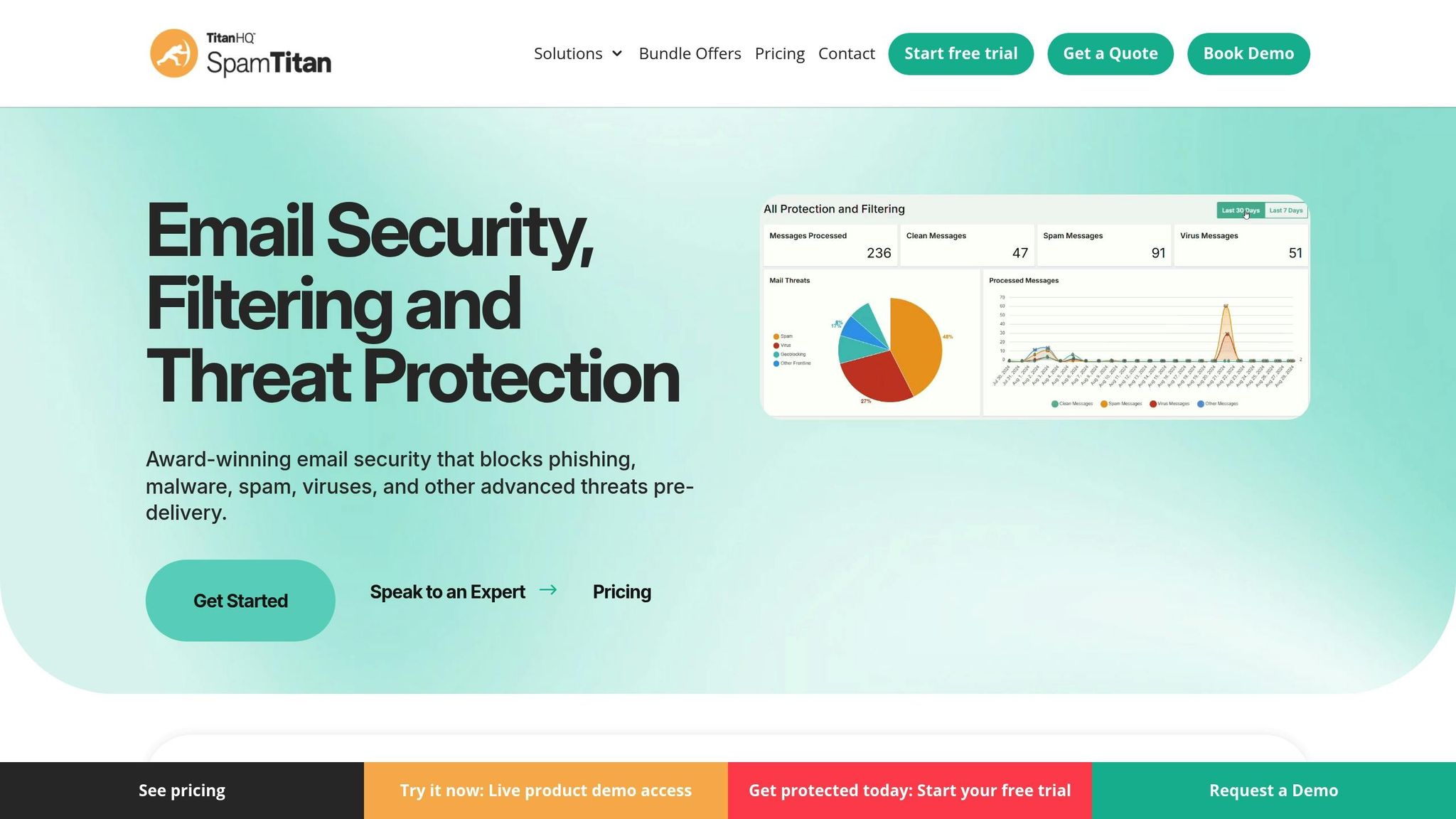
SpamTitan takes email security to the next level with its multi-layered defense system designed to tackle spam, phishing, and malware threats effectively.
SpamTitan combines real-time blackhole lists, Bayesian analysis, heuristic filters, and dual antivirus engines (Bitdefender and Clam AV) to deliver highly accurate spam and phishing detection rates .
Phishing and Malware Protection
SpamTitan’s advanced sandboxing technology, powered by machine learning, ensures that suspicious attachments are safely analyzed in isolation. Meanwhile, its time-of-click protection scrutinizes URLs in real time, blocking access to malicious sites before any harm is done . In the Q1 2025 Virus Bulletin test, SpamTitan achieved an impressive 99.999% phishing detection rate with zero false positives. The platform also strengthens email authenticity by verifying sender identities through DMARC, SPF, and DKIM protocols. Outbound email scanning adds another layer of security, helping prevent data leaks and safeguarding brand reputation .
Privacy and Data Security Certifications
SpamTitan is equipped to help organizations meet stringent regulatory requirements thanks to features like data leak prevention and encrypted archiving. These tools support compliance with GDPR, HIPAA, PCI DSS, and CAN-SPAM . In June 2024, SpamTitan excelled in an independent Virus Bulletin assessment, earning its second consecutive VBSpam+ award and outperforming competitors in a field of twelve email security solutions .
Best-Fit User Type
SpamTitan is designed to meet the needs of businesses of all sizes. Pricing starts at $1.95 per user per month for a 250-user deployment. Small businesses benefit from quick setup - often completed in under an hour - and minimal maintenance requirements . For larger enterprises, SpamTitan offers granular policy controls, data leak prevention rules, and advanced sandboxing for detailed behavioral analysis. Managed service providers (MSPs) can take advantage of the TitanShield program, which includes multi-tenant management and detailed reporting tools .
Andy Arnone, President of Direct One, shared his experience:
"We researched several solutions and SpamTitan stood out for its price and features".
For those interested in exploring SpamTitan, a free 14-day trial with full functionality and technical support is available .
5. ProtonMail with End-to-End Encryption
As email threats become more sophisticated, ProtonMail stands out in 2025 as a top choice for secure communication. Its advanced encryption and proactive threat detection make it a reliable tool for safeguarding sensitive information.
ProtonMail encrypts emails directly on your device, ensuring that only you and your recipient can access the content. Even emails sent to non-ProtonMail users are encrypted using the recipient's public key. With a zero-access design and protection under Switzerland's strict privacy laws, ProtonMail offers a strong defense against prying eyes, staying outside major intelligence-sharing networks. These features form the backbone of its layered phishing and anomaly detection systems.
Phishing and Malware Protection
ProtonMail employs several tools to combat phishing and malware. Its PhishGuard feature flags spoofed email addresses, while Link Protection reveals full URLs before you click, helping you avoid malicious redirects. For mobile users, link confirmation prevents tap-jacking attempts. Additionally, ProtonMail supports SPF, DKIM, and DMARC protocols to ensure sender authenticity and prevent email spoofing.
AI Capabilities for Anomaly Detection
ProtonMail goes beyond basic threat filtering by integrating intelligent detection systems.
Proton Sentinel combines machine learning with 24/7 human oversight to identify complex infiltration patterns that automated systems might overlook. As Proton explains:
"By combining AI with human expertise, Proton Sentinel ensures a level of security for people at higher risk of attacks that exceeds what is possible with automated systems alone."
This hybrid approach offers enhanced protection for those who face elevated risks, such as journalists or activists.
Privacy and Data Security Certifications
ProtonMail emphasizes transparency and security. All its apps are open source and undergo regular third-party audits. The Key Transparency feature automatically validates public keys, reducing the risk of man-in-the-middle attacks. Furthermore, ProtonMail complies with GDPR, HIPAA, and PCI DSS standards. Its servers, housed in Swiss data centers, are protected with biometric access controls, adding another layer of security.
Best-Fit User Type
ProtonMail caters to a wide range of users. Its free tier provides essential encryption and phishing protection, while paid options like "Mail for Business" and Password-protected Emails extend encryption to external clients. For those at higher risk, Proton Sentinel offers an extra level of security. With a 4.5/5 rating from over 3,300 reviews, ProtonMail combines robust security features with user-friendly functionality, making it a trusted choice for secure communication.
6. LastPass Browser Extension for Anti-Phishing
The LastPass browser extension provides an extra layer of security when dealing with email links, working hand-in-hand with inbox filters to guard against phishing attempts. By verifying website authenticity before you enter your credentials, it acts as a valuable tool in your overall email security plan.
Phishing and Malware Protection
LastPass uses URL verification to ensure your credentials are only entered on legitimate websites. For instance, if a phishing email redirects you to a fake site like "amaz0n.com" instead of the real "amazon.com", LastPass won't recognize the spoofed URL and won't autofill your login details. This simple yet effective measure helps block credential theft at its source.
The extension also enforces the use of strong, unique passwords for your accounts. This way, even if one password is compromised, your other accounts remain secure. Additionally, LastPass includes breach monitoring, which alerts you if any of your stored credentials surface in known data breaches. With this feature, you can quickly update your passwords before they are exploited.
Privacy and Data Security Certifications
LastPass operates on a zero-knowledge model, meaning your master password and encryption keys never leave your device. All data is encrypted and decrypted locally, ensuring maximum privacy. The extension uses AES-256 bit encryption with PBKDF2 SHA-256 and salted hashes to keep your information secure in the cloud.
The Security Dashboard provides a centralized way to monitor your passwords. It flags weak, reused, or compromised credentials, helping you maintain strong security practices across your accounts.
These privacy and security measures make LastPass a powerful addition to any email security toolkit.
Best-Fit User Type
LastPass is ideal for individuals and small businesses looking for straightforward protection against phishing attacks. It becomes especially useful in the aftermath of a data breach, as password managers are a critical step in regaining control of compromised accounts. For even stronger protection, you can pair LastPass with multi-factor authentication (MFA), adding another layer of identity verification beyond just your username and password.
How AI-Powered Inbox Management Improves Privacy
A cluttered inbox isn't just annoying - it’s a potential security risk. Each old email sitting in your inbox increases the chances of sensitive information being exposed if your account is ever breached. AI-powered inbox management tools tackle this issue by identifying and removing emails that are no longer useful, reducing the amount of data that could be compromised.
Take MailSweeper as an example. Its "Dustpan" feature automates the cleanup process by collecting low-priority emails and permanently deleting them after a specified time. Think of it as a digital decluttering assistant that clears out old newsletters, notifications, and promotional emails - types of messages that unnecessarily expand your vulnerability to attacks.
But these tools don’t stop at decluttering. They also scan your inbox for sensitive information like tax documents, contracts, or personally identifiable information (PII). Once flagged, AI tools can enforce extra security measures or securely archive the data. This means that even in the unfortunate event of a breach, attackers will have access to far less historical data, limiting the potential damage.
Here’s a sobering statistic: 94% of organizations reported an email security incident last year, with 1 in 4 emails being either malicious or spam. By using AI to maintain a streamlined inbox, you’re not just saving on storage costs - you’re actively reducing the chances of data theft. In fact, AI-based security tools can help organizations detect and neutralize threats 13 days faster than traditional methods. This highlights why setting rules for managing older emails is crucial for protecting your privacy.
For example, you can implement age-based rules to automatically archive or delete newsletters and notifications older than 30 to 90 days. The payoff? A cleaner, more organized inbox, reduced storage expenses, and a stronger defense against unauthorized access to your email history.
Conclusion
Email security is more important than ever. With 90% of cyberattacks starting in your inbox and phishing attempts surging by 61% in 2024 alone, safeguarding your email has become a critical priority. The tools we've discussed tackle various challenges, from AI-driven threat detection to end-to-end encryption, offering solutions tailored to different needs.
The key to effective email security lies in choosing tools that align with your specific vulnerabilities. For instance, AI-powered threat detection is ideal for combating sophisticated business email compromise (BEC) attacks, while robust encryption ensures privacy. Automated cleanup tools can help uncover phishing emails hidden in a cluttered inbox.
A strong defense requires more than just technology - it’s about layering technical measures with human awareness. Combine features like multi-factor authentication and regular audits of email rules with ongoing security awareness training. Don’t forget essential protocols like DMARC, SPF, and DKIM authentication, which remain crucial in 2025.
As attackers increasingly leverage generative AI to create convincing phishing emails that evade traditional red flags, a well-rounded approach can make all the difference. By integrating the right tools and strategies, you can turn your inbox from a weak point into a secure and reliable communication hub.
FAQs
How is AI improving email security in 2025?
AI is transforming email security in 2025 by detecting and stopping threats with unmatched speed and precision. Through advanced machine learning, it examines email content, sender reputation, metadata, and user behavior to identify phishing attacks, malicious attachments, and impersonation attempts in real time. Harmful emails are automatically blocked or quarantined before they ever hit your inbox.
Beyond prevention, AI simplifies response efforts by isolating compromised accounts, implementing containment measures, and offering clear, actionable guidance for administrators. These tools also adjust to individual workflows, cutting down on unnecessary alerts and zeroing in on real threats. The result? A safer email experience without constant interruptions. This blend of efficiency, accuracy, and user-friendly design makes AI a cornerstone of email security in 2025.
What features should I prioritize in an email security tool?
When selecting an email security tool, prioritize solutions equipped with AI-driven threat detection. This technology helps spot phishing attempts, malware, and other cyber risks as they happen, providing a proactive layer of defense. Features like phishing and ransomware protection are also critical, as they block deceptive emails and dangerous attachments before they ever land in your inbox.
It's also important to look for tools that include end-to-end encryption to safeguard sensitive communications, along with multi-factor authentication (MFA) to add an extra layer of security during logins. Another must-have is real-time threat response, which can quickly identify and isolate risks, minimizing potential damage. For businesses, tools that seamlessly integrate with platforms like Microsoft 365 or Google Workspace and can adapt to your organization's growth are especially valuable.
By focusing on these capabilities, you can enhance your defenses against the constantly evolving threats targeting email systems while keeping your operations secure and efficient.
Why is email encryption crucial for security?
Encryption plays a key role in keeping your email communications secure. It works by making your messages and attachments inaccessible to anyone without proper authorization, protecting sensitive information from prying eyes, potential data breaches, and unauthorized tampering.
Whether you're sending personal details or managing important business correspondence, encrypting your emails significantly lowers the risk of exposing private data. In a world where digital threats are ever-present, this extra layer of protection is crucial for maintaining confidentiality and peace of mind.
More free Gmail tools.
Pair these together for a full inbox reset.
Bulk Unsubscribe from Gmail
See the senders flooding your inbox, ranked by volume — your shortlist for unsubscribes.
Open toolMass Delete Gmail Emails
Build a deletion plan by sender, date, label, or all-unread — with the exact Gmail search to run.
Open toolFind Large Emails in Gmail
Pick a size and we build the exact Gmail search to find your biggest emails — then open it in one click.
Open toolGmail Storage Cleanup
Move the slider to your current Gmail usage to see exactly what to delete to free space.
Open toolInbox Zero Score
Rate your inbox health on a 0–100 scale and see the weekly hours your inbox is costing you.
Open tool