
Email Management
Top AI Tools for Error-Free Email Cleanup
Compare AI tools that safely clean and organize your inbox, preventing accidental deletions while matching different workflows and budgets.

Top AI Tools for Error-Free Email Cleanup
Tired of an overflowing inbox? Managing thousands of emails can be overwhelming and risky - you might accidentally delete something important. Luckily, AI tools can help you clean up efficiently while safeguarding critical messages.
Here’s a quick rundown of the best AI-powered email cleanup tools:
- MailSweeper: Moves low-priority emails to a "Dustpan" folder for review before deletion. One-time cost: $20.
- Clean Email: Groups emails into categories for safe bulk actions. Subscription: $9.99/month.
- SaneBox: Filters emails into smart folders like "SaneLater" for better organization. Starts at $7/month.
- Shortwave: Gmail-specific tool with AI-powered prioritization and summaries. Free and paid plans ($9/month).
- Canary Mail: Privacy-focused, with end-to-end encryption and AI summaries. Free personal use; premium starts at $36/year.
- Superhuman Mail: High-speed email triage with split inboxes and shortcuts. $25/month.
- BlueMail: Unified inbox with smart clustering for easy management. Free with optional upgrades.
- Astro (discontinued): Influential AI email assistant, now integrated into Slack.
Quick Comparison
| Tool | Error Prevention | Best For | Price |
|---|---|---|---|
| MailSweeper | "Dustpan" folder, no auto-deletion | Simple, one-time purchase | $20 (one-time) |
| Clean Email | Bulk actions with undo options | Multi-account cleanup | $9.99/month |
| SaneBox | Smart folders (e.g., "SaneLater") | Organizing email clutter | From $7/month |
| Shortwave | AI prioritization, Gmail-only | Gmail users | Free or $9/month |
| Canary Mail | AI summaries, encryption | Privacy-conscious users | Free or $36/year |
| Superhuman Mail | Split inbox, shortcuts | Professionals handling high email volumes | $25/month |
| BlueMail | Unified inbox, clustering | Managing multiple accounts | Free (optional upgrades) |
| Astro (legacy) | Smart categorization, AI assistant | Historical influence | Discontinued |
Whether you need a tool for Gmail, privacy, or multi-account management, there’s an option for everyone. Choose the one that matches your workflow and email habits to save time and reduce stress.
Best AI Tools for Email Management
1. MailSweeper
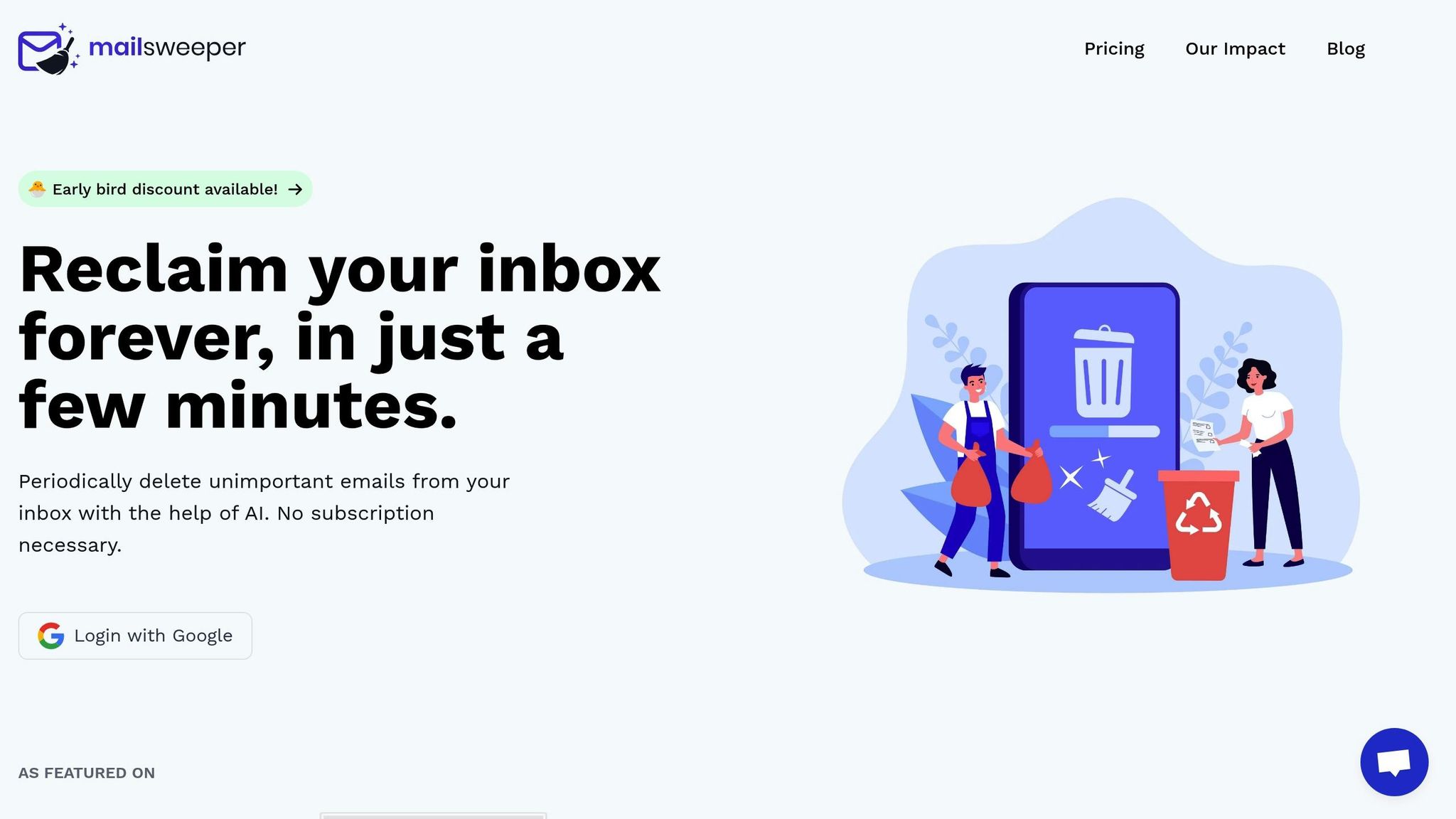
MailSweeper uses AI automation and a layered protection system to keep your important emails safe. Its standout feature is the "Dustpan" approach, which doesn’t immediately delete emails. Instead, it moves them to a designated folder for 30–90 days before deletion. This gives you plenty of time to review and restore any emails that may have been flagged by mistake.
Error Prevention Mechanisms
One of MailSweeper’s key strengths is its built-in exclusion system. By default, it safeguards emails that are starred, marked as important, or stored in your primary inbox. Its AI goes a step further by evaluating factors like sender reputation, subject content, email frequency, and your past interactions. Emails such as receipts, password resets, and messages from trusted contacts are preserved, while bulk marketing emails and repetitive notifications are marked as low priority.
MailSweeper puts you in control. If an email is incorrectly flagged, you can remove the Dustpan label or create custom rules like "keep always" or "delete always." For new users, the tool offers a preview mode where deletions are only suggested, allowing you to build trust in its accuracy before enabling full automation.
To further enhance its functionality, MailSweeper allows you to customize its automation settings to fit your preferences.
Automation and Customization Capabilities
MailSweeper makes email management easy with customizable rules. For instance, you can set rules to delete promotional emails after 14 days or archive newsletters after 90 days. You can also schedule cleanups during off-hours, ensuring changes sync seamlessly across all your devices. The tool organizes your inbox by categories, helping you manage promotions, social updates, shipping confirmations, travel notifications, and finance-related emails with ease.
For added peace of mind, MailSweeper allows you to exempt critical senders and domains, such as banks, healthcare providers, government agencies, and utility companies. These exemptions ensure that important correspondence is never lost. Since MailSweeper connects directly to your email account via standard protocols, all changes are applied at the server level and automatically synced across your devices.
Learning and Adaptation to User Behavior
MailSweeper gets smarter the more you use it. It tracks which deletion suggestions you accept or undo and learns from your manual actions, like starring or moving messages. Over time, it adjusts its importance scores for senders and topics to better align with your habits. For example, during tax season, emails from the IRS or your accountant may temporarily receive higher priority based on increased interactions.
You can also use the "keep always" or "delete always" options for specific contacts - such as banks or government agencies - before fully relying on automated rules. This adaptability ensures MailSweeper evolves alongside your changing needs.
Pricing Model and Value for Money
MailSweeper offers a straightforward, one-time payment model with no recurring fees. Pricing tiers include Very Early Bird at $13 (sold out), Early Bird at $16 (limited availability), and Personal at $20. This lifetime access model provides excellent value by minimizing storage costs and saving you 1–3 hours of inbox management every week.
If you’ve accumulated years’ worth of promotional emails, confirmations, and notifications, MailSweeper can quickly declutter your inbox. It helps you maintain a clean, organized email environment while ensuring that important messages are always preserved.
2. Clean Email
Clean Email takes a different approach to inbox management by focusing on category-based organization rather than relying solely on AI predictions. It groups your emails into categories like Unread, Promotions, Social, Travel, Finance, Notifications, Subscriptions, Large Emails, and Old Emails. This method makes it easier to spot patterns in your inbox clutter and resolve them efficiently. Beyond categorization, Clean Email also incorporates advanced error prevention and automation features, offering a practical way to manage email overload.
Error Prevention Mechanisms
Clean Email prioritizes safety by giving you full control over bulk actions. Its smart folders group emails by sender, subject, date, or size, allowing you to review similar messages before taking action. Instead of jumping straight to permanent deletion, bulk actions default to archiving, with confirmation prompts and undo options to minimize mistakes. This ensures you can clean up confidently without the fear of losing important emails.
Automation and Customization Capabilities
Automation is where Clean Email shines. You can create custom rules to handle emails automatically based on your preferences. For example, you might set a rule to delete newsletters older than 14 days or archive promotional emails after 30 days. It also simplifies the unsubscribe process by blocking and auto-deleting future emails when unsubscribe links are unavailable or ineffective. A "Keep Newest" rule ensures important recent emails - like purchase receipts - are preserved while older ones are cleared away.
Clean Email also offers flexible options for handling messages. You can move, archive, label, star, mark as read, or delete emails as needed. The scheduled cleanup feature allows you to automate these actions at specific times, reducing the need for constant manual intervention. This thoughtful automation strikes a balance between efficiency and precision.
Learning and Adaptation to User Behavior
Unlike tools that rely heavily on AI to learn from your behavior, Clean Email puts the power in your hands. It works best when you set up your own rules and filters to organize emails the way you prefer. Training folders help refine sorting preferences, but some initial effort is required to establish your system. This approach ensures you maintain full control over how your inbox is managed.
Pricing Model and Value for Money
Clean Email operates on a subscription basis, priced at $9.99 per month (USD). This includes features like smart folders, automation rules, and batch actions, and it supports all major email providers. Higher-tier plans are available for managing multiple accounts, with options tailored for families or businesses. Discounts are offered for annual subscriptions, making it a cost-effective choice for long-term use.
The tool also provides an analytics dashboard to track your progress. You’ll see how many emails you’ve cleaned, identify your top senders, and monitor your journey toward a clutter-free inbox. Its batch processing capabilities are especially helpful for tackling large email backlogs, and the intuitive interface makes it accessible even for those who aren’t tech-savvy. For anyone juggling multiple accounts or years of email buildup, Clean Email offers a straightforward and time-saving solution.
3. SaneBox
SaneBox is all about smart email filtering. Instead of outright deleting emails, it organizes them into different folders based on their priority and type. For instance, newsletters, notifications, and CC'd emails are automatically moved to folders like SaneLater, SaneNews, and SaneCC. This keeps your primary inbox focused on the emails that truly matter - those from key contacts or important senders.
It works seamlessly with any IMAP-based email service by analyzing headers and metadata, so your actual email content remains private. This approach ensures that nothing gets deleted by mistake and that all emails are still accessible if you need them.
Error Prevention Mechanisms
SaneBox takes a cautious approach to email management, ensuring you don’t lose important messages. When it moves low-priority emails to folders like SaneLater, those emails are simply archived, not deleted. This means you can review them anytime and rescue anything that might’ve been misclassified.
The Email Deep Clean feature is a handy tool for tackling inbox clutter. It identifies older or larger emails and organizes them for bulk cleanup. However, SaneBox doesn’t delete anything without your approval. Emails are first moved to a separate folder so you can review them and decide which ones to keep or delete. This process ensures you won’t accidentally lose valuable emails during a cleanup session.
You’re also in full control of how SaneBox handles your emails. If it places an important message in the wrong folder, you can manually override its decision. The system will remember your correction and adjust its sorting rules for the future. The SaneBlackHole feature allows you to permanently block unwanted senders or domains, but only when you explicitly choose to do so - nothing happens automatically without your input.
Automation and Customization Capabilities
SaneBox goes beyond basic filtering by offering powerful automation and customization options. You can create rules to decide where specific senders or domains should go, ensuring that your inbox stays organized the way you want. For example, you can automatically unsubscribe from newsletters you no longer want or send annoying senders straight to the SaneBlackHole.
Additional features like reminders, follow-up tracking, and snoozing give you even more control over your inbox. These options can be customized based on sender, domain, or even keywords, making it easier to manage your email flow.
The tool supports multiple accounts, so you can handle both personal and professional emails from one dashboard. You can even apply consistent or unique rules to each account. Plus, SaneBox works offline, so your inbox stays organized even when you’re not connected to the internet.
Learning and Adaptation to User Behavior
SaneBox gets smarter the more you use it. During its initial setup, it observes how you handle your emails - whether you open, reply to, archive, or delete them. Over time, it learns which emails are important and adjusts its sorting to match your behavior. For instance, if you frequently reply to emails from a specific client, SaneBox will make sure those emails land in your main inbox.
The system also learns from your manual adjustments. If you move an email from SaneLater back to your inbox, SaneBox takes note and updates its filtering rules accordingly. This ongoing learning process ensures that the tool becomes more accurate over time, so you don’t miss critical messages.
Pricing Model and Value for Money
SaneBox offers subscription plans starting at $7 per month (USD) when billed annually. For teams and larger organizations, higher-tier plans include additional features and support for managing multiple accounts.
What makes SaneBox worth the cost is its focus on filtering, prioritization, and automated unsubscribe tools. By reducing inbox clutter and simplifying email management, it saves you time and minimizes the risk of errors. It’s compatible with all major email providers, so you don’t need to switch to a new email client or change your workflow.
For professionals like consultants, sales teams, or executives who deal with a flood of daily emails, SaneBox offers a practical solution. The time saved and the peace of mind from its accurate filtering make the subscription a solid investment. Its adaptive features and user-focused design ensure it delivers excellent value for anyone looking to regain control over their inbox.
4. Shortwave

Shortwave takes Gmail management to a new level with an AI-driven approach to organization and a sleek interface. Instead of just sorting emails into folders, it uses artificial intelligence to understand the context, prioritize messages, and automate repetitive tasks. The goal? To help you keep your inbox clean and ensure no important emails get overlooked.
Its AI assistant can draft replies, summarize email threads, and perform natural language searches. For instance, you can ask, "What did Sarah say about the Q4 budget?" and get an instant answer without having to sift through countless messages. With features like keyboard shortcuts and quick actions, processing emails becomes faster and more efficient than with traditional email clients. This smart organization also makes inbox cleanup both secure and straightforward.
Error Prevention Mechanisms
Shortwave takes a cautious approach to email management, ensuring nothing gets lost. Emails are never deleted automatically. Instead, similar messages - like newsletters or receipts - are grouped together for batch review, giving you the chance to decide what to archive or delete.
The snooze feature is another handy tool that keeps your inbox tidy without risking permanent loss. For example, if you get an event invitation for next month, you can snooze it until a week before the event. The email temporarily disappears but reappears at the right time, keeping your inbox clutter-free and ensuring you don’t forget about it.
Even during large cleanup sessions, the AI-powered search function acts as a safety net. Whether you’re looking for an email by sender, date, or keywords - or even based on a vague memory of its content - you can quickly locate it. This ensures you always have access to important information, no matter how much you archive.
Automation and Customization Capabilities
Shortwave doesn’t just help you manage emails - it optimizes your workflow. The Pin feature, for example, lets you keep critical emails at the top of your inbox, so they don’t get buried under new messages. Whether it’s an ongoing project or a conversation with a key client, pinned emails stay front and center.
The AI assistant also learns your style, drafting replies based on your past communications. You can even give it specific instructions like "make this more formal" or "keep it short", and it adjusts accordingly. This not only saves time but also ensures your messages maintain a personal touch.
For those who rely on shortcuts, Shortwave offers customizable keyboard commands. You can set up shortcuts for actions like archiving, marking emails as read, moving messages to folders, or generating AI summaries. If you deal with a high volume of emails, these shortcuts can significantly speed up your workflow.
The tool also includes team collaboration features for professional accounts. You can share email threads with colleagues, add internal notes that recipients won’t see, and assign emails to team members. These features make it easier to keep everyone on the same page and ensure important messages don’t slip through the cracks.
Learning and Adaptation to User Behavior
Shortwave’s AI gets smarter the more you use it. If you frequently archive emails from certain senders or domains, it recognizes these patterns and starts bundling similar messages or moving them out of your main inbox automatically. This reduces the time you spend manually sorting emails.
It also learns which emails you tend to respond to quickly and which ones you save for later. This helps it prioritize your inbox, highlighting urgent messages while keeping less critical ones accessible but out of the way.
Over time, even the thread summaries become more tailored to your needs. If you often expand summaries for more details, Shortwave adjusts by offering more comprehensive summaries for similar emails. On the other hand, if you rarely need detailed summaries for routine updates, it keeps them brief to save you time. Essentially, the system evolves to match your preferences, making inbox management easier and more intuitive.
Pricing Model and Value for Money
Shortwave is designed specifically for Gmail users and follows a freemium pricing model. The free version includes essentials like AI-powered search, email bundling, and basic organization features, making it a great starting point for individuals. Paid plans begin at $9 per month (USD) when billed annually, unlocking advanced features like unlimited AI-generated replies, enhanced search tools, and priority support.
For teams, business plans start at $15 per user per month (USD) and include collaboration tools, shared inboxes, and administrative controls. These options provide a range of features that cater to both individual users and organizations.
The platform offers the most value to Gmail users who spend a significant amount of time managing their inboxes. Since it’s built exclusively for Gmail, there’s no need to switch email providers or learn an entirely new system. Features like automated replies, smart search, and intelligent bundling can save hours for professionals handling dozens - or even hundreds - of emails daily.
For freelancers, consultants, and small business owners, the Pro plan strikes a balance between free tools and more expensive enterprise solutions. The AI-powered features reduce the mental effort involved in managing emails, while error prevention tools ensure you don’t lose track of important client communications. The time saved and efficiency gained make it a worthwhile investment for anyone looking to streamline their email management process.
5. Canary Mail
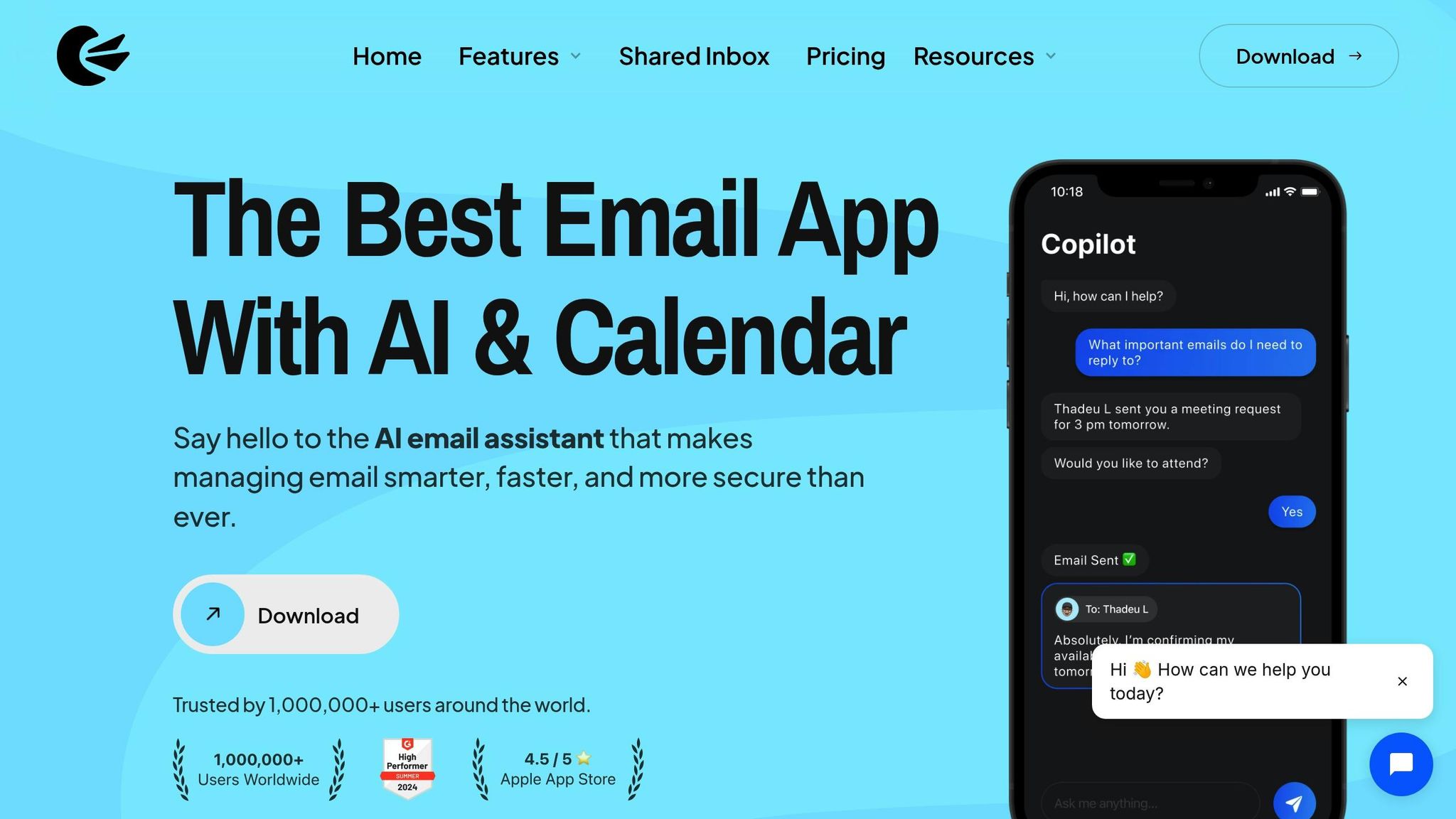
Canary Mail is a privacy-first, AI-powered email client available on Windows, Mac, iOS, and Android. It blends advanced AI features with practical tools to help you manage your inbox effectively. With end-to-end encryption and compliance with standards like HIPAA and GDPR, it’s designed for both personal and professional use, ensuring your data stays secure.
The platform takes a unique approach to inbox management. Its AI tools create priority lists, summarize lengthy email threads, and suggest quick replies, giving you a clear overview of your inbox before you decide what to archive or delete. The Bulk Cleaner feature allows you to filter emails by sender, date range, or category (like newsletters or promotions) and review them in groups before taking action. Plus, you can block specific senders or entire domains to keep unwanted emails from piling up.
Error Prevention Mechanisms
Canary Mail is built with safeguards to ensure you don’t accidentally delete important emails. The AI-powered priority list highlights key messages at the top of your inbox, making sure crucial correspondence gets your attention. Summaries generated by AI help you quickly decide whether a thread can be archived, giving you confidence in your cleanup decisions.
Automation and Customization Capabilities
This email client balances manual controls with smart automation. The Bulk Cleaner feature is perfect for tackling large volumes of emails, such as newsletters or promotional offers, in one go. AI quick replies save time by suggesting responses tailored to incoming messages, while AI-generated summaries let you process emails faster without reading every detail. Canary Mail works with major email providers using standard protocols, ensuring a smooth experience across all your accounts. Its design supports both daily email tasks and long-term inbox organization.
Learning and Adaptation to User Behavior
Canary Mail focuses on providing consistent, reliable assistance without requiring the AI to adapt over time. Features like priority lists, summaries, quick replies, and Bulk Cleaner filters are ready to use right away, offering predictable and straightforward inbox management. Users can easily set up blocks for specific senders and customize filters, maintaining full control over how their inbox is organized.
Pricing Model and Value for Money
One of Canary Mail’s standout features is its "forever free for personal use" plan, which includes essential tools like the email client, Bulk Cleaner, AI prioritization, summaries, and encryption. This makes it an excellent choice for personal email management across multiple devices without any cost. For users needing professional-grade features, paid plans start at around $36 per year (about $3 per month when paid annually). While it doesn’t offer a monthly billing option, this flat yearly rate can be appealing for U.S. users who prefer predictable, budget-friendly pricing. Once set up, Canary Mail functions as both a daily email app and a powerful tool for maintaining a clean, organized inbox over the long term.
sbb-itb-34b9fd2
6. Superhuman Mail
Superhuman Mail is a high-end email client tailored for busy professionals who need to handle large volumes of email with speed and precision. Designed to work seamlessly with Gmail and Outlook, it offers tools like keyboard shortcuts, split inbox views, and AI-assisted workflows to enhance productivity. While it’s not specifically built for bulk email cleanup, its features help U.S. professionals - particularly founders, executives, and sales leaders - keep their inboxes organized without the risk of losing or overlooking important messages.
With a combination of AI-generated replies, message templates, and rapid shortcuts, users can draft emails quickly while maintaining control over their inbox. This balance of efficiency and safeguards ensures smoother, error-free email management.
Error Prevention Mechanisms
Superhuman’s approach to error prevention revolves around rapid email triage backed by built-in safety measures. Its keyboard shortcuts allow users to process emails swiftly, with default actions like archiving, snoozing, or marking as done - avoiding the risk of accidentally deleting important messages.
The platform’s thread-centric view and clear separation of unread and priority emails ensure users can see the full context before making decisions. Split inboxes further help by isolating low-priority messages from critical communications, minimizing the chance of unintentionally archiving or deleting vital information.
Since Superhuman integrates with Gmail and Google Workspace, users in the U.S. also benefit from Gmail’s 30-day Trash retention period, giving them ample time to recover any mistakenly deleted emails.
Automation and Customization Capabilities
Superhuman prioritizes workflow customization over aggressive automation. Users can create tailored workflows using splits, labels, and shortcuts that guide emails into designated sections without relying on risky auto-deletion. This approach ensures full control over inbox management, allowing professionals to handle newsletters, notifications, and internal updates through focused processes rather than opaque machine-learning filters.
Templates and message snippets further optimize responses, enabling users to achieve inbox zero through deliberate actions like archiving and replying, rather than resorting to potentially unreliable bulk deletion.
Learning and Adaptation to User Behavior
Superhuman’s AI-assisted drafting and user-defined workflows create a predictable, transparent system. Its standout feature is the integration of AI with message templates and quick keyboard shortcuts, allowing users to design their own workflow structures using splits, labels, and other settings. AI plays a supportive role in crafting responses and maintaining consistency, without independently hiding or deleting emails. Over time, this system helps users respond faster and more consistently, reducing inbox clutter while ensuring critical threads remain intact.
Pricing Model and Value for Money
Superhuman is priced at $25 per user per month, with no free tier available. The value lies in the time saved and the reduced risk of costly email management errors. For U.S. professionals, it offers a strong return on investment by enabling rapid, precise inbox triage and safeguarding important messages. However, for those primarily seeking automated cleanup or mass unsubscribing, simpler built-in email tools might be a more economical choice.
7. BlueMail
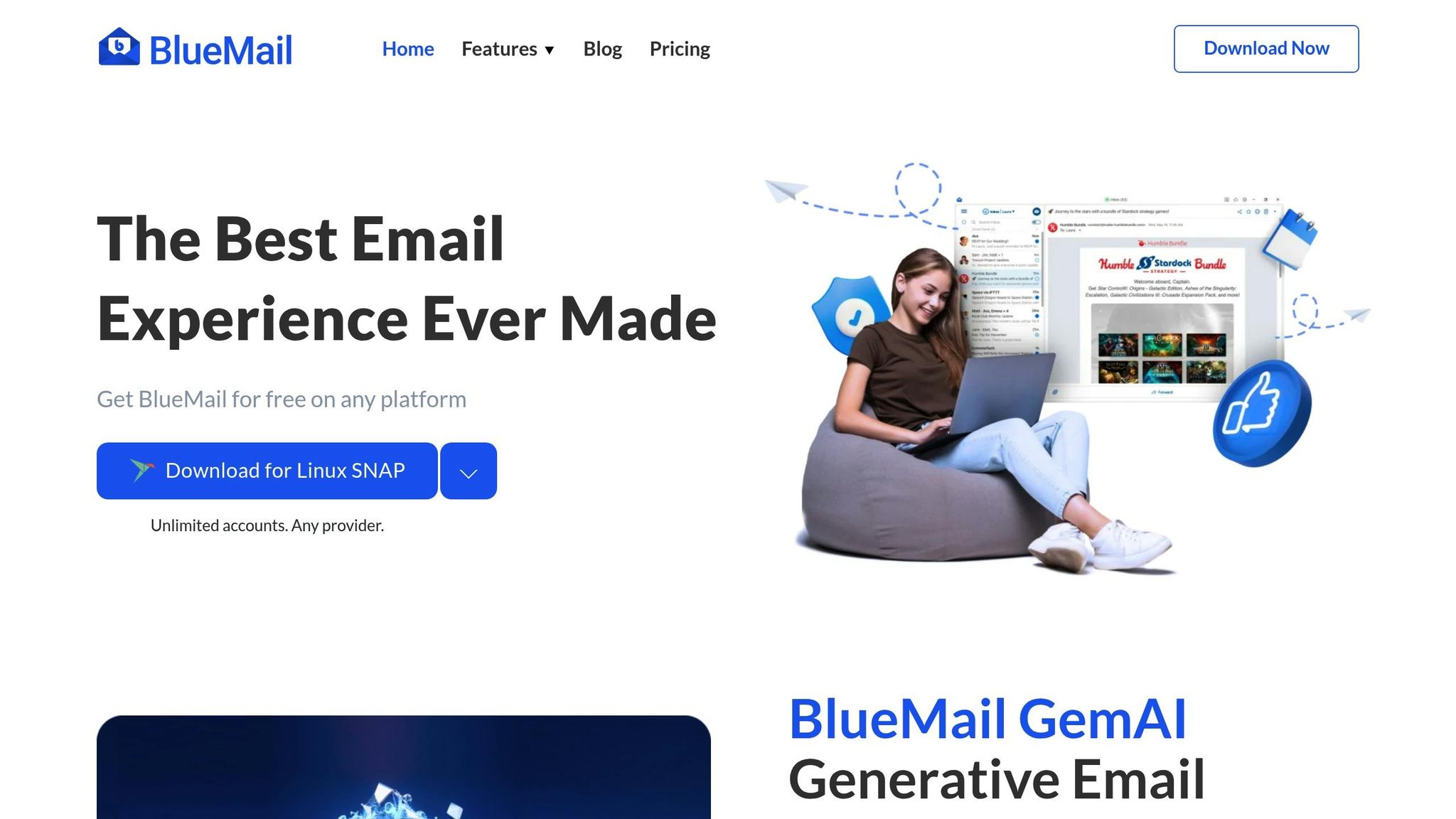
BlueMail is a versatile email client that brings Gmail, Outlook, Yahoo, and other accounts together into one streamlined inbox. For users in the U.S. juggling personal and work emails, this unified approach simplifies inbox management, saving time and reducing the hassle of switching between multiple apps or browser tabs. Its standout feature? User-friendly automation tools like smart filters, clustered conversations, and customizable swipe actions, all designed to give you control over what stays and what goes.
BlueMail has earned high ratings on major platforms, thanks to its reliable syncing and organizational features. Unlike some tools that aggressively auto-delete emails, BlueMail prioritizes transparency, allowing users to manually review messages. This ensures you can tidy up your inbox without worrying about losing something important.
Error Prevention Mechanisms
BlueMail helps prevent mistakes by grouping related emails together for easier review. For instance, newsletters or service alerts are clustered, so you can quickly spot important messages before taking bulk actions like archiving or deleting.
Another handy feature is its built-in task management. You can turn key emails into tasks with deadlines, keeping them safe from accidental deletion while reducing inbox clutter. Plus, the app’s configurable swipe actions give you even more control. For example, you could set a left swipe to archive emails and a right swipe to move them to a "Read Later" folder, making cleanup both efficient and reversible.
Automation and Customization Capabilities
BlueMail’s smart clustering groups similar emails for faster review and action. It also organizes messages into categories like "People", "Services", and "Travel", helping you sort emails based on content and sender type. While it doesn’t offer advanced automation rules or comprehensive unsubscribe tools, BlueMail’s emphasis on manual review and user control reduces the chances of accidentally deleting something important. This makes it especially appealing to freelancers or small-business owners managing multiple email accounts.
Learning and Adaptation to User Behavior
BlueMail includes an AI assistant that learns from your habits to improve how emails are grouped and prioritized. By observing which senders you interact with, how you organize messages, and which accounts you focus on most, it gradually refines its clustering to highlight the emails that matter most. While it doesn’t have the advanced machine-learning filters found in some competitors, its straightforward system allows you to adjust your workflow as needed, keeping the process transparent and flexible.
Pricing Model and Value for Money
BlueMail offers a pricing structure that caters to a variety of users. For personal use, it’s completely free, providing essential features like a unified inbox, clustering, swipe actions, and smart notifications without any subscription cost. This is especially useful for individuals managing multiple accounts - whether it’s a personal Gmail, a work Outlook, or a side-business Yahoo account.
For teams and businesses, BlueMail offers premium plans on a per-user, per-month basis (priced in USD), which come with additional collaboration tools. Its cross-platform compatibility - spanning Windows, macOS, Linux, Android, iOS, and even some smartwatches - ensures you can maintain a consistent and synchronized inbox cleanup process across all your devices.
8. Astro
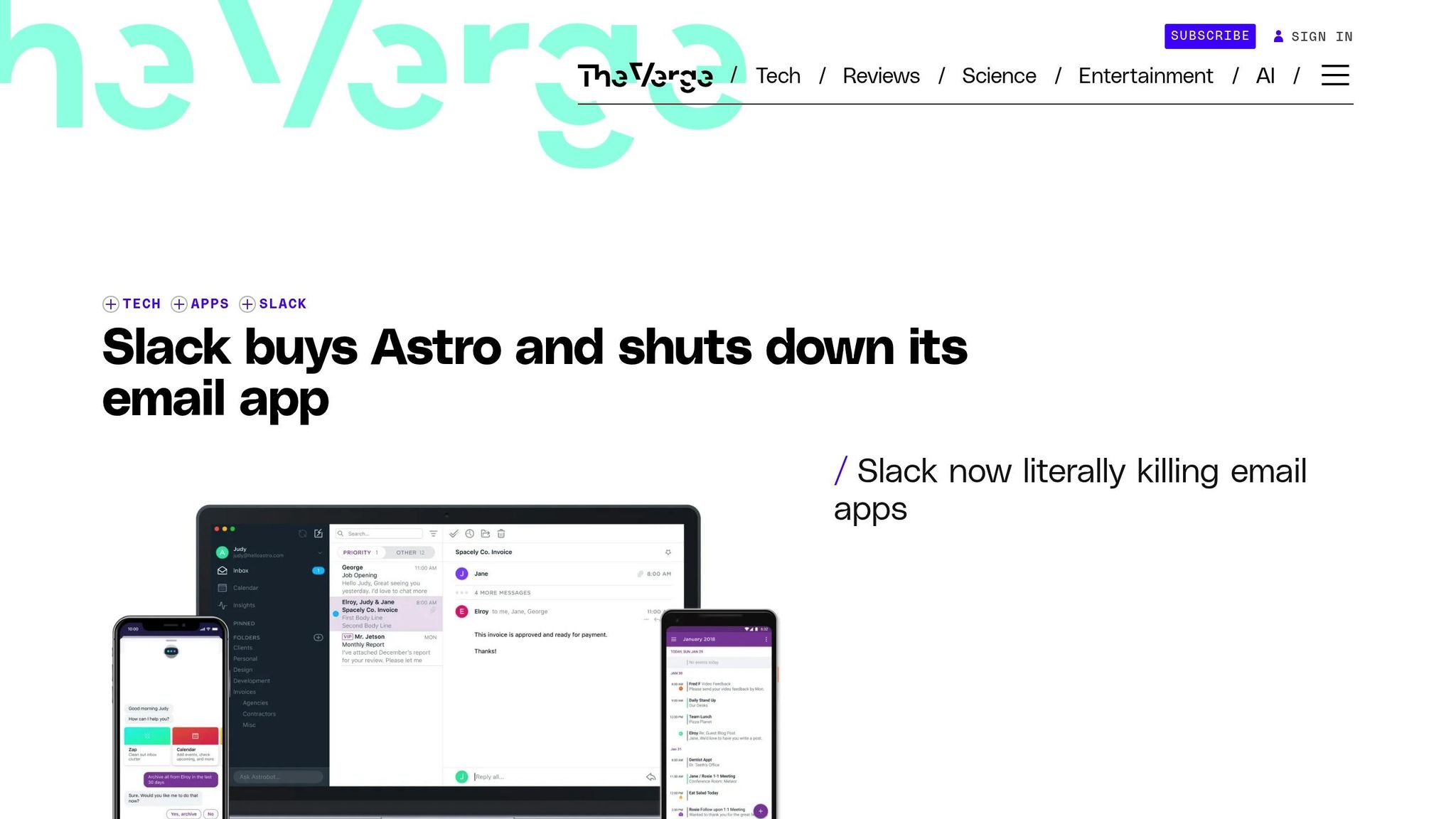
Important Note: Astro was an AI-powered email client that focused on providing a user-friendly, error-conscious approach to managing inboxes. Although the app is no longer available - Slack acquired Astro in September 2018 and discontinued it - the features it introduced continue to influence modern email management tools.
Astro stood out for its emphasis on smart prioritization, automatic categorization, and giving users control over their inbox. Instead of aggressively deleting emails based on broad rules, it allowed users to archive or snooze messages with precision. Its AI assistant, Astrobot, made managing emails even easier by responding to natural-language commands, letting users quickly handle tasks like archiving or unsubscribing.
For those juggling multiple email accounts, Astro offered a unified interface that highlighted high-priority messages while pushing less critical content, like newsletters and routine notifications, into the background. This approach helped ensure that essential emails stayed visible and secure during cleanup processes. Astro’s careful, user-first design set a benchmark for many of today’s email tools.
Error Prevention Mechanisms
Astro excelled at minimizing errors through smart categorization and intuitive design. Emails were organized into a focused inbox and separate categories for less urgent content, like newsletters. This system kept important messages - such as those from frequent contacts or time-sensitive threads - front and center, reducing the risk of accidentally deleting them during bulk cleanup.
Astrobot played a key role in error prevention by learning your email habits. For example, it could identify which senders you typically responded to and which messages you ignored, using this knowledge to make smarter recommendations for archiving or deletion. To further safeguard against mistakes, Astro included confirmation prompts and an undo feature before applying bulk actions.
Automation and Customization Capabilities
Astro combined AI-driven automation with customizable rules, giving users the flexibility to manage their inbox effectively. You could set filters based on sender, subject, keywords, or dates to automatically sort, archive, or snooze messages. For instance, users could create rules to archive promotional emails while ensuring important messages from specific senders were untouched.
What set Astro apart was Astrobot’s natural-language interface. Instead of navigating through complex menus, you could simply type commands like “archive all emails older than 6 months from this sender” or “unsubscribe me from this newsletter.” These automation tools could also be fine-tuned to exclude key senders or domains, ensuring that critical emails weren’t accidentally removed. For example, a project manager could archive old project updates while keeping emails from key stakeholders in the main inbox.
Learning and Adaptation to User Behavior
Astro’s AI continuously improved by learning from your email habits. It tracked how you interacted with messages - whether you opened, replied to, or archived them - and used this data to better distinguish between important and low-priority emails. Over time, this made the system more accurate at recommending actions.
For instance, if you regularly replied to emails from a specific colleague, Astro would prioritize those messages and exclude them from cleanup suggestions. On the flip side, emails you often ignored, like promotional notifications, would be flagged for archiving. This adaptive approach ensured that relevant emails stayed accessible while reducing inbox clutter.
Pricing Model and Value for Money
Astro was available as a free email client, with no subscription fees or tiered pricing. It was designed as a productivity tool to help users achieve "inbox zero" and manage email overload without additional costs. With support for multiple platforms - including iOS, Android, Mac, and integrations with Slack and Alexa - Astro provided an all-in-one solution for streamlining email management.
Although Astro is no longer around, its influence can still be seen in many modern email tools. Features like focused inboxes that adapt to user behavior, AI assistants for bulk actions, and voice-based command interfaces owe much to Astro’s legacy. If you’re looking for similar functionality today, seek out tools that offer behavioral learning, conversational interfaces, and error-prevention features like undo options and preview modes. Astro’s thoughtful approach to email management continues to shape the way we handle our inboxes today.
Feature Comparison Table
The table below provides a detailed look at eight AI-powered email cleanup tools, focusing on their error prevention methods, AI capabilities, automation features, platform compatibility, and pricing.
| Tool | Primary Error-Prevention Features | AI Learning Capabilities | Automation Options | Supported Email Platforms | Pricing (USD) |
|---|---|---|---|---|---|
| MailSweeper | Avoids deleting starred, important, or primary inbox emails; uses a "Dustpan" label for unimportant emails | Analyzes sender, content type, and user inputs to identify unimportant emails | Scheduled cleanups (30/90 days); safety thresholds; whitelist options | Gmail/Google accounts | $20 (one-time, no subscription) |
| Clean Email | Suggests actions instead of auto-deleting; bulk actions with preview/undo; Auto Clean rules archive or label | Learns behavior to generate personalized suggestions that improve with user input | Auto Clean by sender, age, size, or keyword; Email Deep Clean; auto-unsubscribe | All IMAP accounts (Gmail, iCloud, Yahoo, Hotmail, AOL, Outlook) | Subscription-based; free trial |
| SaneBox | Moves low-priority emails to folders (e.g., SaneLater, SaneNews); includes SaneBlackHole for blocking senders | Machine learning refines accuracy by observing how users sort messages | Smart folder sorting; auto-unsubscribe; scheduled folder processing; SaneBlackHole | Any IMAP service (Gmail, Outlook, Yahoo, iCloud, Exchange) | From $24/year (~$0.07/day); free trial |
| Shortwave | Reorganizes emails with Inbox Splits and bundles; defers messages with delivery schedules | Learns from reply and organization habits to adapt splits and bundles | Automated Inbox Splits; smart bundles; delivery schedules; AI summaries | Gmail only | Freemium (free tier; paid plans) |
| Canary Mail | Requires manual selection for bulk cleanup; prioritizes important messages; blocks specific senders/domains | Improves prioritization based on user interactions | Bulk Cleaner; sender/domain blocking; AI-powered quick replies and summaries | Gmail, Outlook, Yahoo, iCloud, other IMAP (Windows, Mac, Android, iOS) | Free personal use; paid plans from $36/year |
| Superhuman | Features inbox splits, keyboard shortcuts, and granular triage tools | Limited AI uses behavior signals (opens, replies, snoozes) to enhance workflows | Triage workflows; split inboxes; reminders and follow-ups | Gmail and Outlook (Mac, iOS, Android, web/Chrome) | From $25/user/month |
| BlueMail | Offers unified inbox views and sender-based clustering for bulk actions | Clustering and AI assistant learn from user behavior | Clustering email groups; unified inbox rules; limited automation | Most IMAP, SMTP, Exchange, POP3 (Windows, Mac, Linux, Android, iOS) | Free (optional paid tiers available) |
| Astro | Filters priority emails with assistant suggestions; focuses on snoozing and archiving | Tracks interactions (opens, replies, archives) to differentiate important from low-priority emails | Natural-language commands via Astrobot; filters by sender, subject, keywords, dates | Office 365, Gmail, other providers (iOS, Android, Mac) | Free (discontinued in 2018) |
Key Takeaways
Email safety first:
Tools like MailSweeper and SaneBox excel in safeguarding your important emails by labeling or sorting low-priority messages instead of deleting them outright. Clean Email and Canary Mail, on the other hand, focus on manual review, while Shortwave and Superhuman aim to reorganize your inbox for better clarity.
Platform compatibility:
While many tools support multiple IMAP services, some are more restrictive. For instance, Shortwave is designed exclusively for Gmail users.
Pricing differences:
The pricing models vary significantly. MailSweeper offers a one-time $20 payment, making it a standout option compared to subscription-based tools like SaneBox ($24/year) and Superhuman ($25/month). Canary Mail provides a free personal tier with paid plans starting at $36/year, while BlueMail offers its core features for free.
AI capabilities:
The depth of AI learning varies across tools. SaneBox and Clean Email use machine learning to adapt based on user actions, while Shortwave and Canary Mail focus on prioritization and summaries. Superhuman and BlueMail provide lighter AI features aimed at enhancing workflow efficiency.
When choosing the right tool, think about what matters most to you - whether it's avoiding accidental deletions, handling multiple accounts, reducing long-term costs, or automating tedious tasks. Each tool has its own strengths, so the best fit depends on your specific needs.
Conclusion
When selecting an AI email cleanup tool, the goal is to strike a balance between decluttering your inbox and safeguarding important messages. A mix of automation and manual oversight ensures you choose a solution that fits your workflow without compromising essential communications.
For those prioritizing message safety, SaneBox and MailSweeper stand out. SaneBox organizes low-priority emails into folders for later review, while MailSweeper’s "Dustpan" feature protects starred and primary messages from accidental deletion. If manual control is your preference, tools like Clean Email and Canary Mail allow for thorough reviews before bulk actions, though this approach may require more time. Alternatively, Shortwave and Superhuman emphasize email reorganization through bundling and triage workflows, making them ideal for professionals managing high email volumes without focusing on deletion.
Looking for a middle ground? BlueMail combines unified inbox views with smart clustering, simplifying bulk management without risking important emails. And while Astro - a pioneering AI email client now integrated into Slack - may no longer be available, its features have influenced many of today’s tools.
Pricing also plays a big role. MailSweeper’s one-time $20 fee eliminates recurring payments, while SaneBox starts at $24 annually. Canary Mail offers free personal use with premium plans at $36 per year. On the higher end, Superhuman charges $25 per user per month, appealing to high-volume email users. For those juggling multiple accounts, BlueMail’s unified inbox or Clean Email’s multi-provider support can be a practical choice. Gmail users, meanwhile, may find optimization through Shortwave or SaneBox. Privacy-conscious users should explore Canary Mail’s encryption-focused features.
To make the most of your chosen tool, start by archiving promotional emails older than 60 days. Always review bulk actions before confirming, and avoid targeting sensitive senders - like clients, HR, or financial institutions - when setting up filters. Enable review digests, if available, to catch any misfiled messages. After a week or two of monitoring, you can gradually increase automation as you gain confidence.
Considering that the average professional spends over three hours daily on email, even saving 30 minutes can make a big difference. Whether you prefer a subscription-based service or a one-time purchase like MailSweeper, pick a tool that aligns with your email habits, platform, and comfort with automation. The right choice will help you streamline your inbox while keeping critical communications intact.
FAQs
How can AI tools help prevent accidentally deleting important emails during inbox cleanup?
AI tools, like MailSweeper, rely on advanced algorithms to sort through your emails, distinguishing between what’s crucial and what’s not. By examining patterns in your email habits - such as who the sender is, the subject line, and the content - these tools make smarter choices when cleaning up your inbox.
This approach reduces the chances of mistakes, saves you time, and keeps your inbox tidy while ensuring important messages remain intact.
What should I look for in an AI tool to effectively manage and clean up my email inbox?
When choosing an AI email cleanup tool, the key is to find one that effectively organizes your inbox and cuts down on unnecessary clutter. The right tool should be able to automatically spot and remove unimportant emails, saving you time and helping you avoid extra storage costs.
Take MailSweeper, for example. It keeps your inbox tidy by routinely clearing out non-essential messages. This means your email stays organized and manageable without you having to put in constant manual effort. It’s a simple way to keep digital clutter under control while making inbox management a breeze.
How can I make sure important emails are not deleted when using AI tools for inbox cleanup?
To keep your important emails safe, make sure to either mark them as important or move them to a specific folder before turning on automated cleanup features. This way, the system knows which emails to leave untouched. It's also a good idea to periodically check your settings to ensure no crucial messages are mistakenly marked for deletion.
More free Gmail tools.
Pair these together for a full inbox reset.
Bulk Unsubscribe from Gmail
See the senders flooding your inbox, ranked by volume — your shortlist for unsubscribes.
Open toolMass Delete Gmail Emails
Build a deletion plan by sender, date, label, or all-unread — with the exact Gmail search to run.
Open toolFind Large Emails in Gmail
Pick a size and we build the exact Gmail search to find your biggest emails — then open it in one click.
Open toolGmail Storage Cleanup
Move the slider to your current Gmail usage to see exactly what to delete to free space.
Open toolInbox Zero Score
Rate your inbox health on a 0–100 scale and see the weekly hours your inbox is costing you.
Open tool