
Email Management
10 Free AI Tools for Email Cleanup
Compare 10 free AI tools that clean, sort, and unsubscribe unwanted emails. Includes features, compatibility, privacy notes, and pricing.

10 Free AI Tools for Email Cleanup
Managing your inbox doesn’t have to feel like an impossible task. AI-powered email cleanup tools can help you organize, delete, and prioritize emails, saving you hours every week. Whether you're overwhelmed by newsletters, promotions, or notifications, these tools offer free solutions to declutter your inbox while saving storage space and avoiding unnecessary costs.
Here’s what you need to know:
- MailSweeper: Automatically filters unimportant emails into a "Dustpan" folder and offers lifetime access for a one-time fee.
- Clean Email: Groups emails into categories like newsletters and promotions, featuring bulk actions and unsubscribe tools.
- SaneBox: Filters less important emails into folders like "SaneLater" and includes follow-up reminders.
- Cleanfox: Focuses on newsletters and promotional emails with one-click unsubscribe and bulk delete options.
- Triage: A mobile-first app that lets you swipe through emails to delete, archive, or save them.
- Astro: No longer available, but its AI-driven prioritization influenced many current tools.
- NewMail: Sorts emails into smart folders and offers bulk cleanup for promotions and social updates.
- Inbox Zero: Focuses on simple automation, like auto-archiving newsletters and deleting old emails.
- Missive: Combines email cleanup with team collaboration features like shared inboxes and task assignments.
- Inbox Zapper: Periodic cleanup tool for Gmail and Yahoo Mail, grouping similar emails for bulk actions.
Key Takeaways
- These tools are compatible with major providers like Gmail, Outlook, Yahoo, and IMAP.
- Many offer free tiers, while some require subscriptions or one-time payments for advanced features.
- Privacy and security are prioritized with secure authentication methods like OAuth.
Quick Tip: Start with tools like MailSweeper or Cleanfox for quick decluttering, then explore advanced options like SaneBox or Missive for ongoing management.
Best AI Tools for Email Management
1. MailSweeper
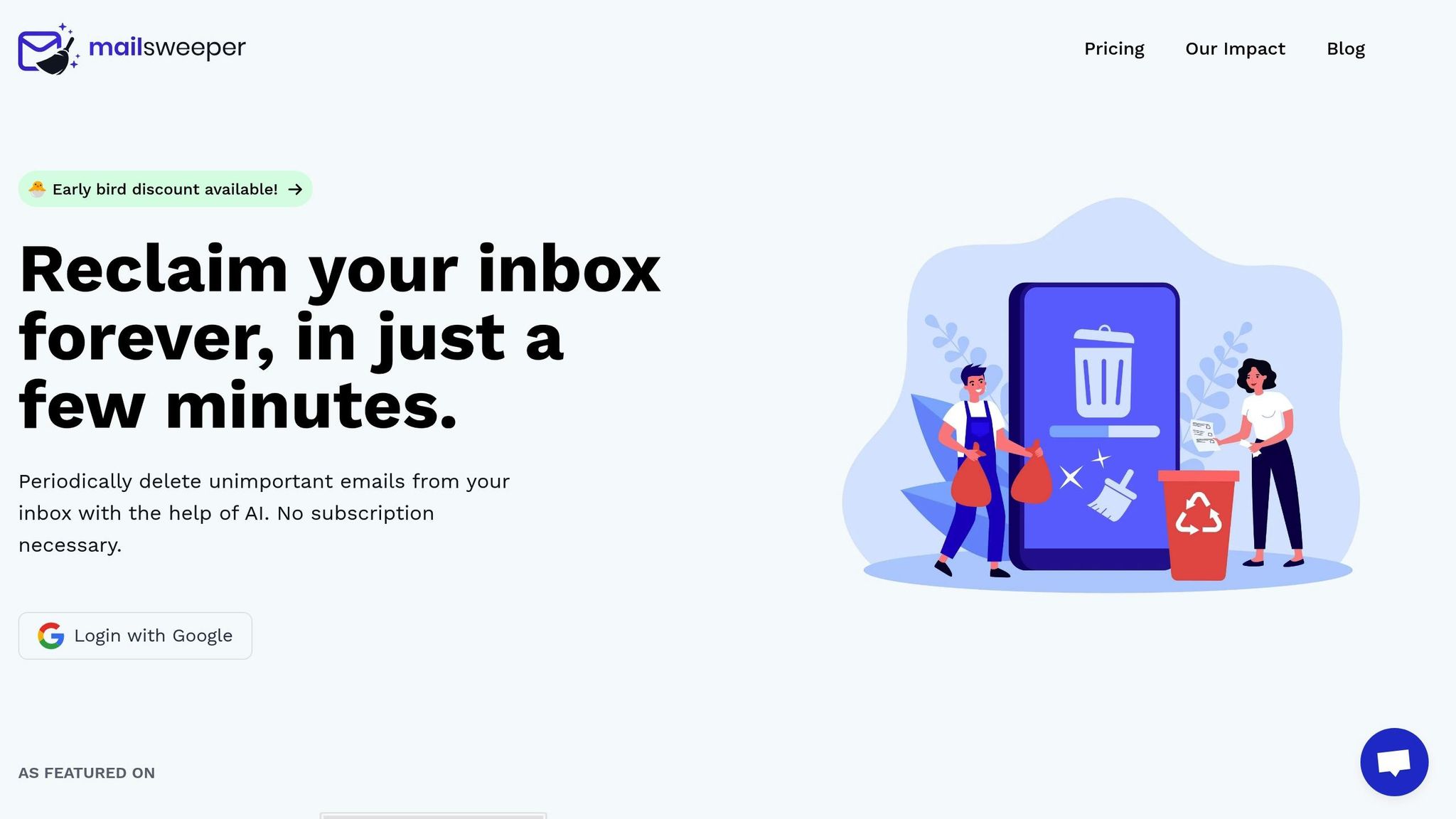
MailSweeper is a tool designed to simplify email management by seamlessly integrating with your Gmail account. Once you log in with your Google credentials - a process that takes just five minutes - the tool gets to work immediately. It analyzes both your existing emails and new ones as they arrive, using AI to learn from your habits. By observing which emails you open, delete, or ignore, it starts recognizing patterns to sort your inbox more effectively.
One standout feature of MailSweeper is the Dustpan, a smart folder for low-priority emails. Messages like promotional offers, occasional newsletters, and automated notifications are automatically redirected here, keeping your primary inbox clutter-free. You can choose how long emails stay in the Dustpan - 7, 14, or 30 days - before they are automatically deleted. This gives you a safety net to review and recover any emails that may have been mistakenly flagged.
The AI is particularly skilled at identifying mass marketing campaigns, low-engagement newsletters, and auto-generated messages from apps or social platforms. For a typical professional in the U.S. who receives hundreds of emails weekly, this can mean archiving or deleting thousands of unnecessary messages each month.
MailSweeper connects to Gmail using OAuth, ensuring you don’t have to share your password. It operates with permissions to read, label, move, and delete emails, all while maintaining secure HTTPS connections. You can revoke access anytime through your Google Account's Security settings. Importantly, MailSweeper never touches starred emails, important messages, or emails in your primary inbox.
One of the biggest perks of MailSweeper is its pricing model. Instead of recurring subscriptions, it offers lifetime access for a one-time fee: $16 for the Early Bird plan and $20 for the Personal plan. This makes it a great option for freelancers and small business owners looking to save on email management costs in the long run.
The tool also lets you customize its behavior by creating whitelists for trusted senders and blacklists for unwanted ones. Over time, this feedback helps the AI refine what qualifies as "unimportant" based on your preferences. The dashboard is user-friendly, featuring familiar 12-hour time formats (e.g., 9:00 AM, 5:00 PM) and straightforward settings tailored for U.S. users.
MailSweeper is particularly helpful for long-time Gmail users with years of accumulated emails. Instead of a one-time cleanup, it provides ongoing management to keep your inbox tidy. To date, MailSweeper has processed 2,962,250 emails, saved 213 GB of storage space, and reduced carbon emissions by 97.05 kgCO₂e. With its efficient automation, MailSweeper sets a strong benchmark as we delve into other free AI-powered email cleanup tools.
2. Clean Email
Clean Email works with a variety of email providers - including Gmail, Outlook, Yahoo, iCloud, AOL, Fastmail, or any IMAP-based service - and helps organize your inbox by sorting messages into Smart Views. It scans your email and groups messages into categories like newsletters, social updates, finance, and large attachments. This makes it simple to identify where the clutter is coming from and take action to clean it up quickly.
One of Clean Email's standout features is its bulk action capability. You can group emails together and perform actions like deleting, archiving, or moving them with just a few clicks. For example, if your inbox is flooded with promotional emails, you can delete thousands of categorized messages in one go, saving you time and effort.
The Unsubscriber tool is another game-changer. It identifies mailing lists and lets you unsubscribe from unwanted newsletters with a single click. You can also create custom rules to automatically delete or move future emails from specific senders. Imagine being overwhelmed by Black Friday sales emails - Clean Email allows you to filter out "sales/discounts", delete last year’s promotions in bulk, and unsubscribe from retailers you no longer care about.
For ongoing inbox management, Clean Email offers Auto Clean rules. These rules automate tasks, like archiving newsletters after 30 days or moving social notifications into a specific folder, so you don’t have to handle them manually. The Quick Clean feature provides a simple, weekly one-click option to remove newly accumulated clutter from common categories. Together, these automation tools make managing your inbox much easier over time.
Privacy is a top priority for Clean Email. The tool includes Privacy Guard, which blocks tracking pixels, and it ensures your data is never sold or misused. It uses encrypted authentication and secure sign-in options like OAuth, so you never have to share your email password directly.
For those just getting started, the free tier offers essential cleanup tools, such as Smart Views and basic bulk actions - perfect for an initial deep clean. However, if you want to maintain an organized inbox with automation or manage multiple accounts (like personal and work emails), upgrading to a paid plan is often necessary. Pricing is available in U.S. dollars.
Since Clean Email is cloud-based, there’s no need to install a desktop client. You can access it easily through web or mobile interfaces, making it a practical option for busy professionals or students managing multiple accounts. Whether it’s grouping course announcements, retail promotions, or app notifications, Clean Email helps you focus on the emails that actually matter.
3. SaneBox
SaneBox works effortlessly with your current email account - whether you use Gmail, Outlook, iCloud, Yahoo, or any IMAP-based provider. It analyzes your email habits to figure out which messages are most important, helping you manage your inbox more effectively.
One standout feature is SaneLater, a folder created right on your email server. It automatically filters out less urgent emails - like newsletters, notifications, and promotions - keeping your main inbox focused on high-priority messages. And because SaneBox operates directly at the server level, these filters sync across all your devices, whether you’re checking email on your phone, desktop, or browser.
For unwanted senders, SaneBlackHole offers a simple fix. Just drag an email into the SaneBlackHole folder, and future messages from that sender will go straight to the trash.
Tracking follow-ups becomes much easier with SaneReminders. BCC a SaneReminders address, and if the recipient doesn’t reply, the email will resurface automatically. Additionally, SaneNoReplies compiles a list of emails you’ve sent that haven’t received a response, so you can follow up without losing track of important conversations. Over time, SaneBox refines its filtering based on your adjustments, improving accuracy.
The Daily Digest feature sends a summary of emails from secondary folders once or twice a day, letting you quickly review less urgent messages. You can delete unnecessary emails, move important ones back to your primary inbox, or leave them where they are.
For uninterrupted focus, Do Not Disturb mode temporarily pauses incoming emails, making it easier to concentrate during meetings or deep work. You can also snooze emails by moving them to folders like "Tomorrow" or "Next Week." These emails will reappear in your inbox at the scheduled time, helping you manage non-urgent tasks without forgetting them.
SaneBox offers a free trial period, typically lasting 14 days. During this time, you can connect your email accounts and test features like SaneLater, SaneBlackHole, Daily Digest, reminders, and snoozing. The system learns from your corrections, and as it adapts, misfiled emails become less frequent. After the trial, you’ll need to choose a paid subscription (priced in U.S. dollars) to keep using the service.
Since SaneBox integrates directly with Gmail, Outlook, and other email clients, it doesn’t change how your email looks or works. This ensures a seamless experience across all your devices and platforms.
4. Cleanfox
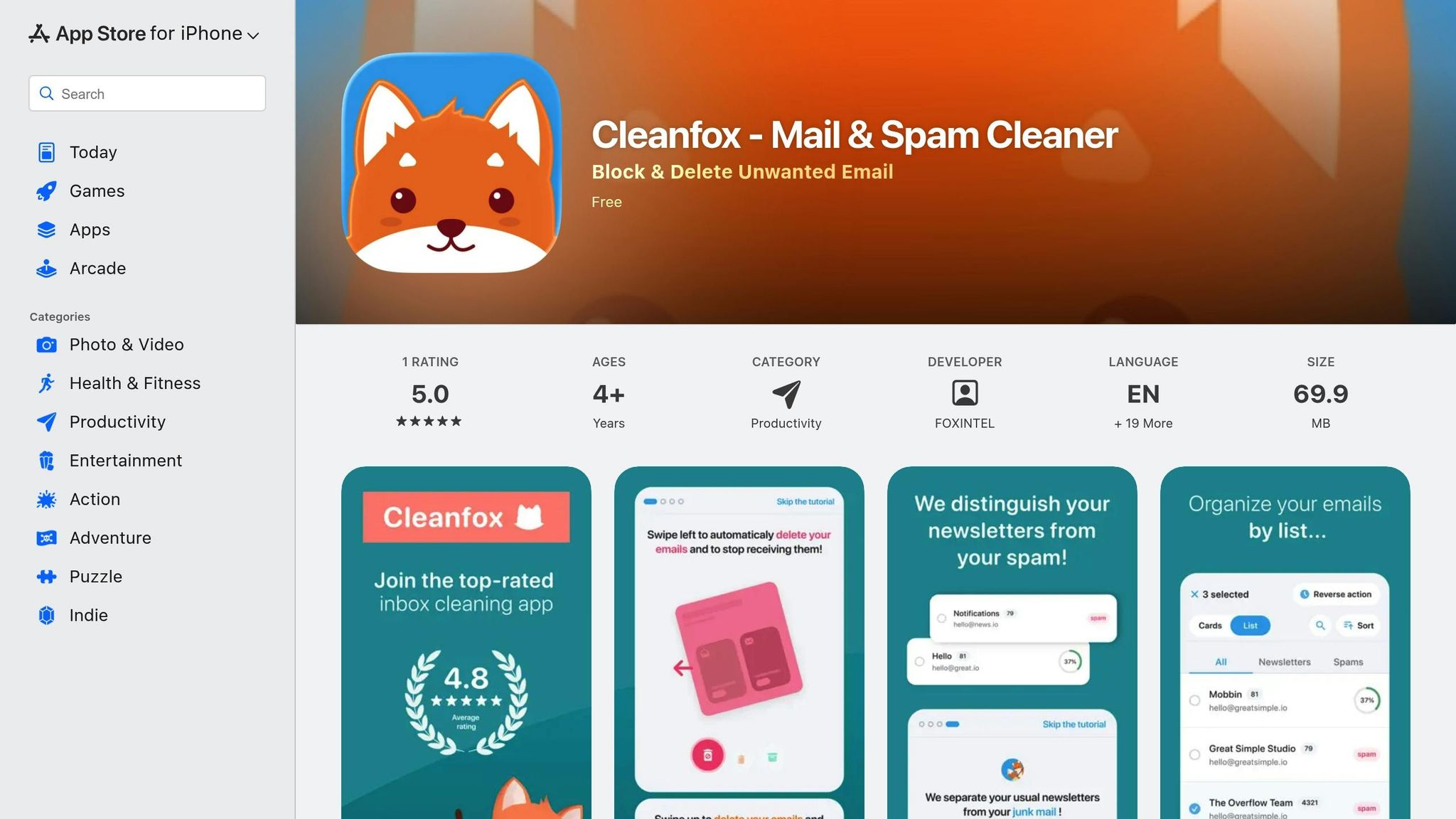
Cleanfox is a tool with a clear focus: tackling newsletters and promotional emails that clutter your inbox. If you're overwhelmed by marketing messages and subscription updates, this free service offers a simple way to clear them out.
The process is straightforward. Once you securely link your email account through Cleanfox's web interface, the tool scans your inbox and organizes messages by sender. There's no need to download additional software, and setup takes just a few minutes.
After scanning, Cleanfox provides an overview of your subscriptions, showing how often you receive emails from each sender and how frequently you open them. This makes it easy to spot subscriptions you’ve been ignoring. For instance, if you’ve only opened 2% of emails from a particular retailer, Cleanfox lets you unsubscribe and delete all past messages with a single click.
The cleanup options are flexible. For each sender, you can choose to:
- Keep the subscription
- Unsubscribe and delete all past emails
- Delete older messages while staying subscribed
If you’re dealing with dozens of senders, the bulk unsubscribe and delete feature can save you a ton of time. Cleanfox can process multiple senders in one session, clearing out thousands of emails in minutes while freeing up storage space.
For environmentally conscious users, Cleanfox includes an environmental dashboard. This feature estimates the carbon footprint reduction achieved by deleting unnecessary emails. It displays metrics like the number of emails deleted, storage space freed up, and energy savings - adding an eco-friendly twist to inbox management.
However, Cleanfox does have some limitations. It focuses almost entirely on newsletters and promotional emails, so it lacks advanced features like AI-based prioritization, snoozing, or smart tagging. Additionally, its unsubscribe detection isn’t flawless - some users have reported that it occasionally fails to fully unsubscribe or moves emails to the trash without stopping them from arriving in the future.
For privacy-conscious users, it’s worth reviewing Cleanfox’s privacy policy to understand how metadata is processed and whether any data is shared with third parties.
Cleanfox works best as a periodic tool for decluttering your inbox. For example, a Gmail user with over 30,000 emails - mostly from years of signups and promotional offers - might find that only a small percentage of these messages are ever opened. Using Cleanfox’s bulk actions, thousands of unnecessary emails can be deleted in one go, while important communications like banking or healthcare updates remain untouched.
This focused approach helps keep your inbox manageable, making it easier to explore other tools for maintaining a clean and organized email experience.
5. Triage
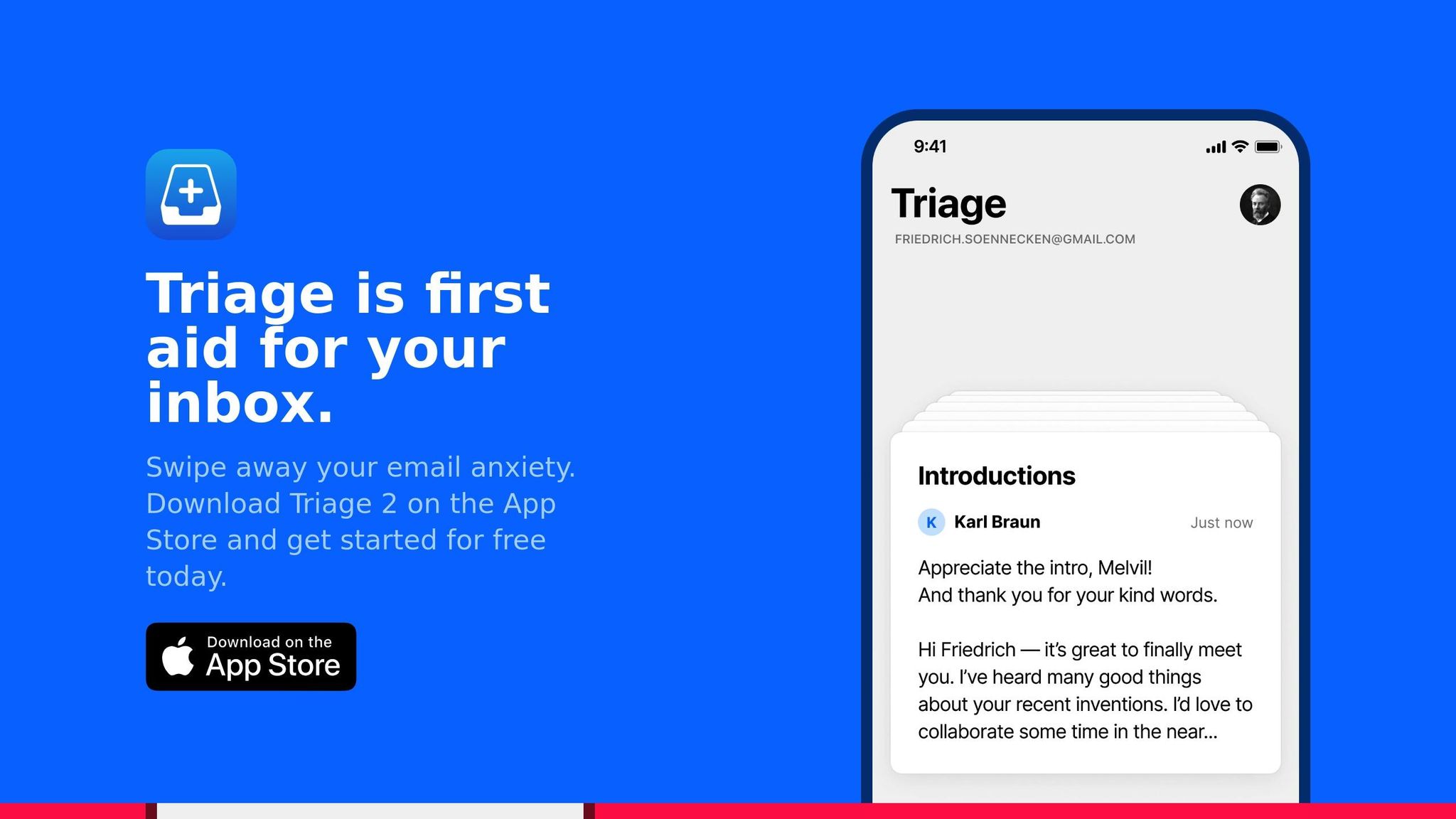
If you’re glued to your phone for most of the day, Triage offers a mobile-first way to clean up your inbox that feels more like flipping through cards than scrolling endlessly. The app displays each email as a card on your screen, allowing you to quickly swipe up to archive or delete it, or swipe down to save it for later.
This card-based design is perfect for one-handed use, making it ideal for tackling emails during short breaks - whether you’re on your commute, standing in line, or taking a breather between meetings. By showing one email at a time, Triage helps cut down on the stress of seeing a long, overwhelming list of unread messages. It’s a great companion to more robust desktop tools, giving you a fast, mobile-friendly option for managing emails on the go.
Triage works with all major email providers and uses secure OAuth methods, making it a safe choice for quick email sorting. However, it’s not designed to replace your main email client. Instead, it serves as a helpful layer for deciding, at a glance, which emails need your attention and which can be archived right away.
While it doesn’t offer advanced AI features or automation, Triage’s hands-on approach ensures you stay in control. The free version provides the essential swipe-to-clean functionality, supports multiple accounts, and lets you manually process as many emails as you need. This manual method means you won’t risk missing anything important due to an algorithm’s mistake.
To get the most out of Triage, consider setting aside 5–10 minutes twice a day to manage your inbox. Start with older unread messages or emails from less critical senders, and mark messages you want to revisit as unread or star them. This routine can help keep your inbox from spiraling out of control.
Triage also fits well into a broader email management strategy. While it shines at quick cleanups, you can pair it with filters in your primary email client (like Gmail) to automatically organize certain types of emails. This combination of manual review and automated sorting can help you stay on top of your inbox without feeling overwhelmed.
Keep in mind that Triage is primarily for iOS users and focuses on speedy processing rather than features like email composition or advanced search. Be sure to review its privacy policy before connecting sensitive accounts. If your goal is to achieve “inbox zero” by clearing out emails daily, Triage is a simple, effective tool to add to your arsenal.
6. Astro
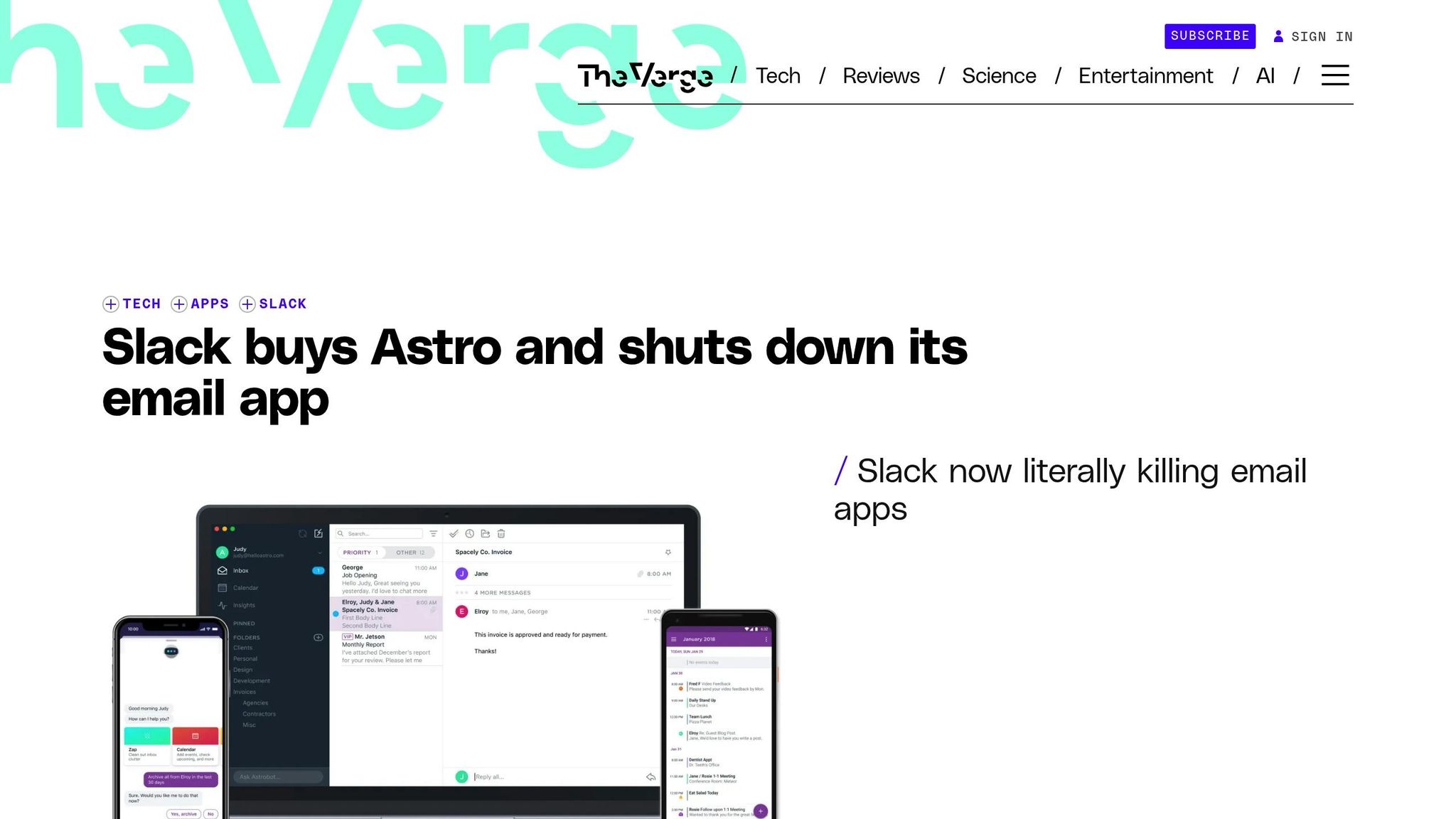
Important note: Astro was acquired by Slack in 2018 and is no longer available as a standalone email tool. However, its approach to AI-driven email management significantly influenced how modern inbox cleanup tools function. Its innovative features laid the groundwork for many of the tools we use today.
When Astro was operational, it featured an AI chatbot called Astrobot that allowed users to manage their inbox naturally through conversational commands. For example, you could say, “show me unread emails from this week” or “archive all newsletters from last month,” and Astrobot would handle the task instantly.
One of Astro’s standout features was its AI-powered priority inbox. By analyzing your behavior - like which emails you opened, replied to, or ignored - it automatically ranked messages by importance. Critical emails were highlighted in a dedicated view, while less important ones, like newsletters or promotions, were tucked away. This system made it easier to keep your inbox organized without having to set up manual filters.
Astro also excelled at minimizing distractions with its smart notifications. It considered factors like sender relevance, message urgency, and your past interactions to decide which emails deserved an alert. You could customize these settings, such as opting to receive notifications only for direct messages while ignoring CCs, helping you stay focused on what mattered most.
Astro worked seamlessly with Gmail and Office 365 through secure OAuth integration. It didn’t replace your existing email provider but acted as an intelligent layer on top, allowing you to continue using Gmail or Outlook apps while Astro handled sorting and prioritization in the background. This setup was particularly helpful for those managing both personal and work email accounts.
The platform’s machine learning capabilities allowed it to automatically sort emails into categories without requiring complex rules. For instance, if you started engaging with a specific newsletter regularly, Astro would adjust and stop marking it as low priority. This adaptive approach was a game-changer for users overwhelmed by thousands of emails.
Astrobot’s conversational interface also simplified bulk actions. Instead of manually selecting emails, you could use commands like “archive all newsletters older than 30 days” or “show me unread emails from our agency this week.” These features turned tedious inbox cleanup into a quick and efficient process, influencing the development of modern email tools.
While Astro was free during its active period, it’s worth noting that corporate environments might require IT approval before integrating third-party tools.
One limitation of Astro’s AI-based system was occasional misclassification of emails. Regularly reviewing your inbox helped fine-tune its prioritization.
Astro’s forward-thinking features - like behavioral learning, conversational commands, and smart notifications - continue to inspire today’s AI-powered email management tools.
sbb-itb-34b9fd2
7. NewMail
NewMail is an AI-powered inbox assistant designed to work alongside your existing email account rather than replacing your email app. It integrates seamlessly with major providers like Gmail, Yahoo Mail, and Outlook.com, prioritizing inbox decluttering through smart categorization and bulk actions.
After a quick sign-in to grant access, NewMail scans your inbox and organizes emails into categories such as promotions, social updates, bills, and notifications. This process, which may take a few minutes for larger inboxes, also suggests one-click actions like archiving, unsubscribing, or deleting emails in bulk, making inbox management faster and easier.
One standout feature is NewMail's Smart Folders, which automatically group similar types of emails. For instance, if your inbox is overwhelmed with old sale alerts or shipping notifications, you can head to the Promotions category, sort messages by sender, and use bulk delete to clear out older emails while keeping the most recent ones. What might normally take hours of manual sorting can be reduced to just a few clicks.
The system also adapts to your preferences by analyzing sender details and your interaction history. You can fine-tune its recommendations by re-categorizing emails or marking certain senders as important. Over time, NewMail learns from these adjustments to improve its accuracy and make future suggestions more relevant.
The free version of NewMail includes essential inbox management tools. These features include filters based on sender or date, bulk deletion and archiving for selected groups, and unsubscribe prompts for repetitive newsletters and marketing emails. It also offers an Unsubscriber Tool to help you leave mailing lists effortlessly and a Screener that temporarily holds emails from unknown senders until you decide whether to allow or block them. While the free tier has limits on the number of processed messages and connected accounts, it focuses on user-approved bulk actions and interactive categorization.
NewMail is especially useful for U.S. users dealing with common inbox clutter like retail promotions in USD, coupon alerts, holiday deals, shipping notifications, and recurring bills. By grouping these types of emails into distinct categories, it allows you to quickly archive or delete hundreds of low-priority messages in one go.
For security-conscious users, NewMail employs secure OAuth authentication and encrypts data. It also provides transparency about its data practices and allows you to revoke access through your email provider's security settings if needed.
To make the most of NewMail, consider scheduling short daily reviews. Start with high-priority messages in your Primary or Important category, then move on to bulk actions for lower-priority groups. By consistently following its suggestions and unsubscribing from low-value senders, you can maintain a cleaner, more organized inbox.
NewMail is completely free to use, with no upfront costs or recurring fees. While privacy-conscious users should review its data policies, its interactive and efficient approach to email cleanup makes it a valuable tool for anyone looking to stay on top of their inbox.
8. Inbox Zero
Inbox Zero, like MailSweeper and Clean Email, uses AI to tackle digital clutter, but its focused simplicity and targeted automation make it stand out. Designed with busy U.S. professionals in mind, this tool prioritizes essential features over extensive productivity add-ons.
This AI-driven email management tool integrates seamlessly with Gmail or Outlook accounts. Once you authorize access through a secure OAuth process, Inbox Zero scans your inbox and organizes emails by sender or category - think newsletters, promotions, social updates, and notifications.
The tool adapts to your preferences, learning from your actions to fine-tune its sorting rules. While similar to other email cleaners, Inbox Zero sets itself apart by focusing on a core set of features rather than overwhelming users with too many options.
Key features include automatic foldering and labeling, which ensures newsletters, notifications, and promotions skip your primary inbox entirely. Bulk cleanup lets you archive or delete hundreds of emails - grouped by sender, subject, or category - with a single click. You can also set time-based rules to auto-archive or delete emails, such as newsletters older than 30 days or shipping updates once a delivery is complete. These timeframes are customizable to standard U.S. formats like 30, 60, or 90 days.
The tool's priority detection ensures critical emails - like work-related messages, bills, or personal conversations - stay in your main inbox, while less important content is moved elsewhere. This focus on simplifying email management makes Inbox Zero ideal for users who need effective sorting and cleanup without the complexity of advanced integrations or task management.
The free tier provides essential cleanup tools and basic reports, showing how many emails you’ve archived or deleted and how much storage space you’ve reclaimed (measured in GB). However, it has limitations compared to paid options, such as fewer automation rules, no hourly scan scheduling, and a restricted ability to clean older emails - typically limited to the last three to six months. Upgrade options are clearly priced in USD, with both monthly and yearly billing plans available.
When you first run Inbox Zero, you can preview suggested actions - such as archiving or unsubscribing - before confirming them. This lets you double-check that no important emails are accidentally removed. Once approved, the tool automates these rules for ongoing use, requiring only occasional reviews.
Another standout feature is its one-click unsubscribe option, which allows you to quickly opt out of newsletters, promotions, and notification emails. By analyzing email headers and patterns, Inbox Zero compiles a list of recurring senders, letting you decide which to keep or eliminate. You can even pair this with auto-archive or delete rules, ensuring unwanted emails never clutter your inbox again.
For heavy email users in the U.S., this tool significantly reduces inbox volume while safeguarding essential emails like receipts and transactional updates. For example, a freelance designer with 15,000+ unread emails could connect Inbox Zero, approve suggested rules, and clear out thousands of low-priority messages in one session, reclaiming valuable inbox space.
Security is a priority for Inbox Zero. Using OAuth, it never stores your raw password, and all data is encrypted during transit via HTTPS/TLS. You can disconnect your email account anytime through your Google or Microsoft account settings, immediately halting all scanning and actions. Privacy-conscious users should review Inbox Zero’s privacy policy and periodically check their connected apps in Gmail or Outlook’s security dashboard.
With automated rules in place for newsletters, order confirmations, social alerts, and attachments, Inbox Zero runs quietly in the background, requiring only a brief weekly review to keep your inbox under control. It’s an excellent choice for individuals managing a single Gmail or Outlook account who are overwhelmed by clutter. Whether you’re a professional, freelancer, student, or small-business owner, Inbox Zero offers a simple yet powerful way to maintain a tidy inbox and free up storage space.
9. Missive
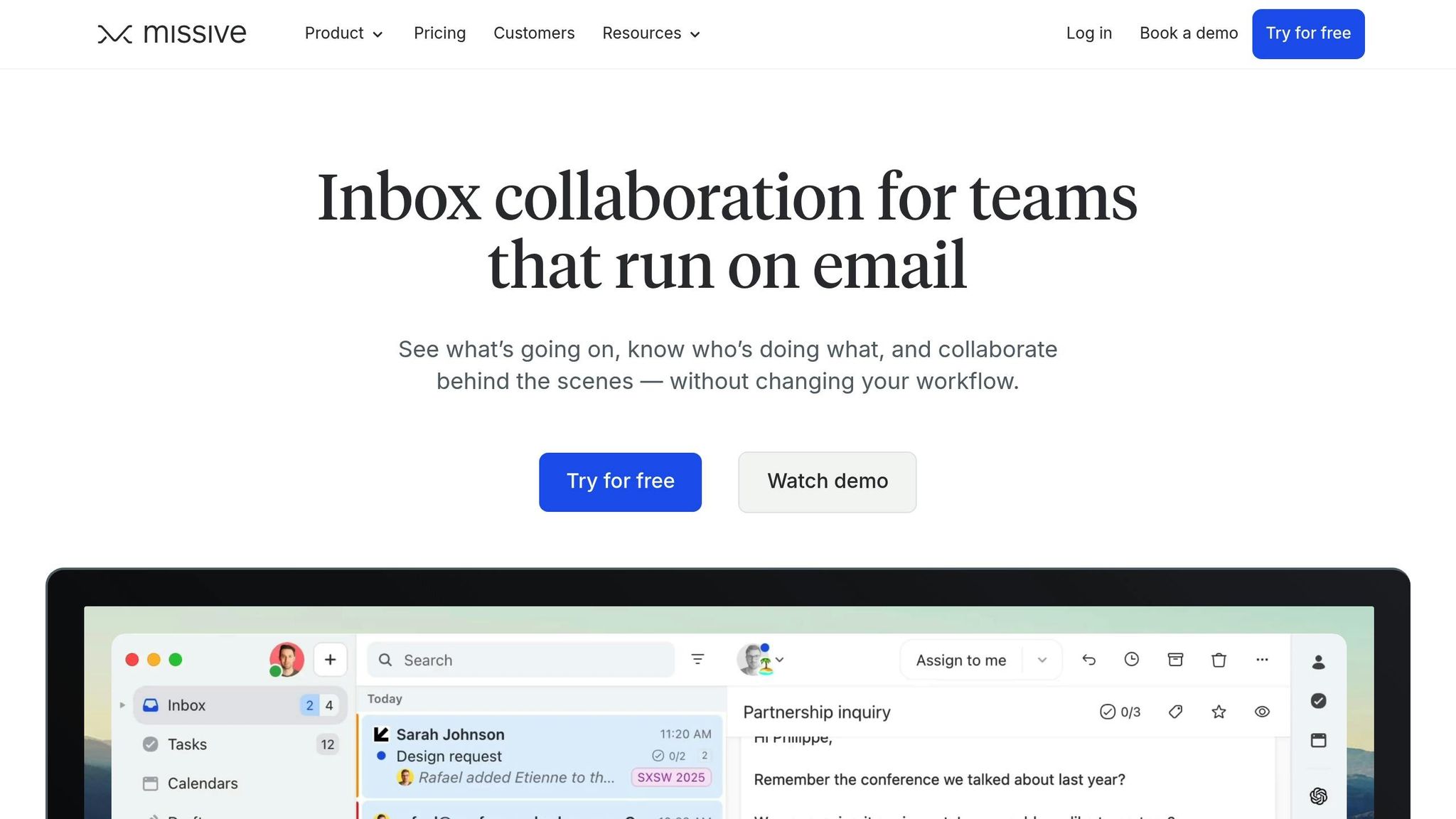
Missive offers a fresh take on email cleanup by blending inbox management with team collaboration tools. Instead of simply focusing on deleting or archiving old messages, it transforms your email into a shared workspace where you can chat, assign tasks, and manage messages with your team.
Missive works seamlessly with Gmail, Google Workspace, Outlook/Office 365, and iCloud (via IMAP) across multiple platforms, including web, Windows, macOS, iOS, and Android. This makes it easy for U.S. users to combine their personal and work accounts in one place.
Once you connect your account through a secure OAuth or IMAP process, Missive syncs your emails and allows you to set up automated rules. These rules can label, archive, assign, or move emails based on sender, subject, or keywords. For example, newsletters, promotions, and notifications can be automatically routed out of your main inbox, thanks to AI-assisted tools that also summarize messages, draft replies, and rewrite content to streamline long threads and improve response times.
For individual users focused on decluttering, the process is simple. After linking your Gmail or Outlook account, you can create folders or labels for categories like Promotions, Newsletters, Receipts, and Social. Missive’s bulk archive and search features help you quickly clear out large volumes of old emails, starting with the biggest senders, so you can free up storage space in no time.
This approach naturally leads to a sustainable routine. By dedicating a few minutes each day to inbox triage, you can keep your primary inbox clean while letting automation handle repetitive clutter. It’s a workflow that aligns with the Inbox Zero method often recommended by productivity experts.
Missive truly shines when it comes to team collaboration. For shared email addresses like support@, info@, or sales@, it provides shared inboxes that allow multiple team members to manage the same account. Conversations can be assigned to specific teammates, and internal comments allow for discussions without endless reply-all chains. Teams can also apply shared rules to organize emails, automatically archiving low-priority messages and ensuring no single inbox becomes overwhelmed.
Additionally, Missive lets you turn emails into actionable tasks with deadlines and status tracking. This means you can archive the original email while keeping track of follow-ups in a dedicated task view - keeping your inbox clear and your workflow efficient.
The free tier is ideal for individuals or small teams, offering core inbox features, basic rules, and limited collaboration tools. For U.S.-based users, this plan is often sufficient to manage a few accounts - like a personal Gmail and a work Outlook - without the need for a subscription. However, for more advanced features like extended shared inbox history, a higher number of active rules, or deeper integrations, you’ll need to upgrade to a paid plan, which generally costs $14–$19 per user per month.
Here’s how professionals in the U.S. might use Missive’s free tier:
- Freelance Consultant (Gmail + iCloud): By connecting both accounts, the consultant can set rules to automatically file newsletters and receipts into specific labels. Bulk actions make it easy to archive years of promotional emails, reducing an inbox with tens of thousands of messages to just a few hundred important threads - making client emails and updates easier to spot.
- Small Agency with a Shared Support Inbox (Outlook): The team uses Missive’s shared inbox to assign customer emails to the right person and auto-archive notifications. This reduces inbox clutter and highlights customer issues, while the internal chat feature eliminates the need for reply-all emails.
In both examples, Missive’s automation and shared rules provide cleanup capabilities similar to other leading email tools, but with the added benefit of collaboration, chat, and task management.
That said, Missive may not be the best fit if your main goal is to quickly delete tens of thousands of emails in one go - a dedicated email cleaner might be faster for that task. But for ongoing organization and team workflows, its combination of features offers a well-rounded solution.
Missive is highly rated on platforms like G2 and Capterra, scoring around 4.7/5 to 4.8/5. Users appreciate its shared inbox and assignment features, which help reduce internal email chaos, as well as the ability to chat directly within email threads. Its support for multiple accounts across devices is another highlight. However, some users note that advanced rules and integrations require a paid plan, and there’s a slight learning curve for those less familiar with tech.
For teams managing customer support or sales, Missive’s multi-channel capabilities - extending to SMS and WhatsApp - ensure that your cleanup and organization strategies cover all communication platforms. Whether you’re a freelancer juggling multiple accounts, a small business managing a shared inbox, or a professional looking to combine email cleanup with task management, Missive offers a versatile solution that grows with your needs.
10. Inbox Zapper
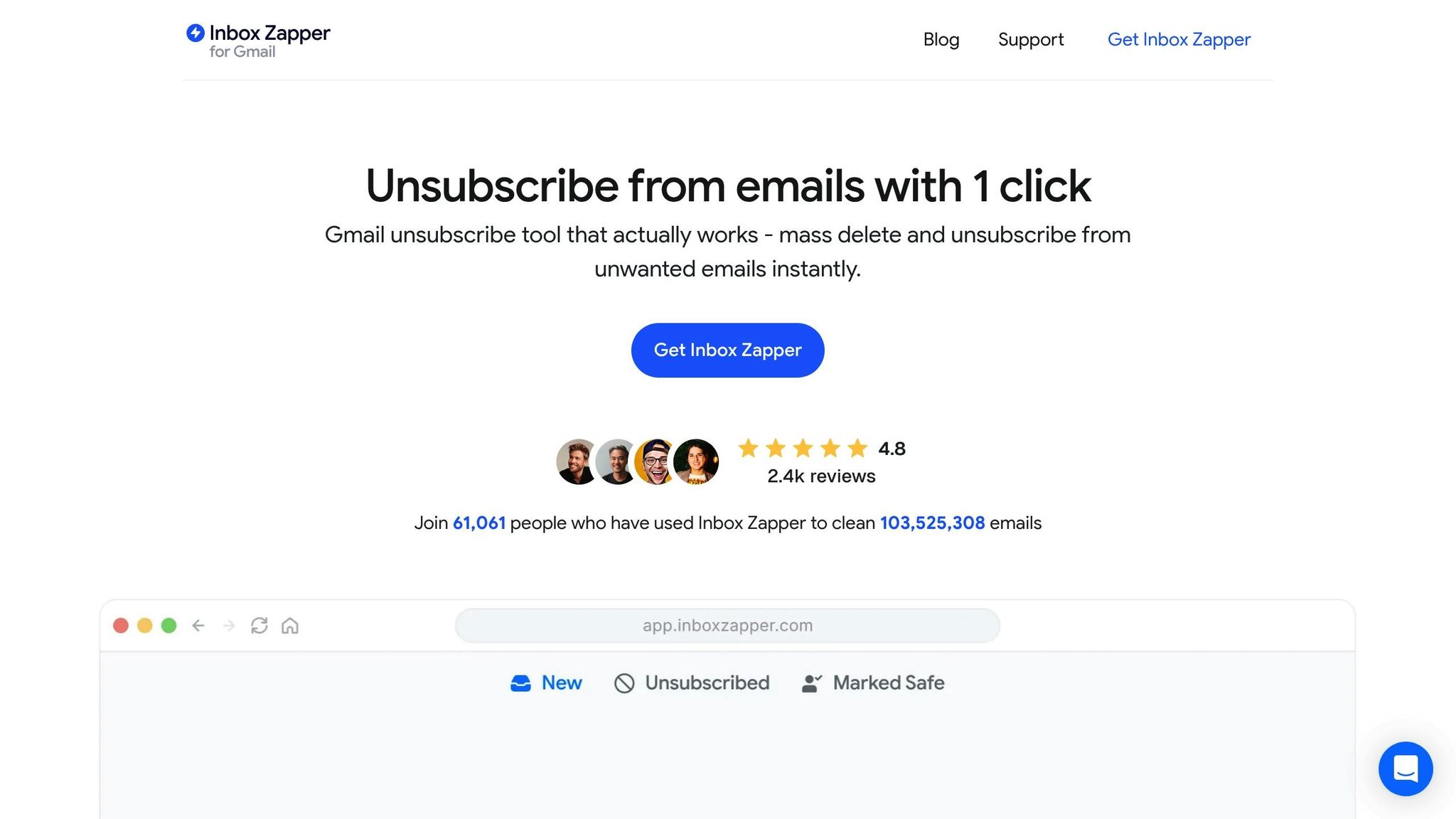
Inbox Zapper is a handy, AI-driven email cleanup tool tailored for Gmail and Yahoo Mail users. It’s designed to help you tackle the clutter by grouping similar emails - like newsletters, promotions, and other nonessential notifications - so you can review and delete them in bulk.
The tool works on a simple process: you securely connect your email account, let it scan your inbox, and then decide which email groups to delete or unsubscribe from. Unlike tools that continuously filter emails, Inbox Zapper is more about periodic cleanups, giving you control over when and how you organize your inbox. This makes it a straightforward, no-frills option for anyone looking to manage their emails efficiently without committing to a subscription.
Since it’s built specifically for Gmail and Yahoo Mail, you’ll need to log in securely to use it. Make sure to check its privacy policy and security measures for peace of mind. If you’re using a different email provider, you might need to explore other options.
Feature Comparison
Here’s a side-by-side look at 10 email cleanup tools, helping you match the right one to your needs - whether you’re a Gmail expert craving automation, a privacy-conscious professional, or juggling multiple accounts across platforms.
| Tool | Key AI Features | Best For | Email Provider Compatibility | Platform Support | Free Plan Availability | Paid Pricing (USD) | Privacy Highlights |
|---|---|---|---|---|---|---|---|
| MailSweeper | Auto-detects unimportant emails; periodic cleanup with "Dustpan" system; customizable deletion schedules (30 or 90 days) | Managing newsletter-heavy inboxes with hands-free cleanup | Gmail / Google Workspace | Web | No free tier | $16–$20 one-time (lifetime access) | CASA certified; avoids reading, storing, or selling email data |
| Clean Email | Cleaning Suggestions, Auto Clean rules, bulk actions, spam blocking, unsubscribe automation, inbox analytics | Power users seeking automation and multi-account management | Gmail, Outlook/Office 365, iCloud, Yahoo, IMAP | Web, iOS, Android, macOS | Free trial only | Starts at $10/month | Cloud-based processing with standard security protocols |
| SaneBox | Automatic priority sorting, smart folders (SaneLater, BlackHole), Daily Digest, follow-up reminders | Professionals needing AI to filter distractions and prioritize key emails | Works with any inbox (Gmail, Outlook, iCloud, Yahoo, IMAP) | Web (integrates with email clients) | Free trial only | Starts at $7/month; full plan at $36/month | Processes headers/metadata only, not full email content |
| Cleanfox | Detects newsletters with open-rate stats, one-click unsubscribe, bulk delete | Users overwhelmed by newsletters looking for quick cleanup | Gmail, Outlook, Yahoo, IMAP | Web, iOS, Android | Free forever (core features) | Optional paid features | Cloud-based processing |
| Triage | Swipe-based interface for quick actions (keep, archive, delete), smart sorting | Mobile-first users preferring manual triage on the go | Gmail, iCloud, Outlook/Exchange | iOS, Android | Free tier with limits | Paid plans for advanced features | Minimal data storage; focuses on client-side actions |
| Astro | AI prioritization, smart inbox, follow-up reminders, email snoozing, Slack integration | Teams and individuals needing cross-platform notifications and reminders | Gmail, Outlook/Office 365, iCloud, Yahoo | iOS, Android, Web, Slack bot | Free trial only (discontinued in 2019) | Was $10/month before shutdown | N/A (service no longer active) |
| NewMail | AI spam filtering, auto-categorization (primary, social, promotions), smart folders | Users wanting automatic sorting with minimal setup | Gmail, Outlook, Yahoo, IMAP | Web, iOS, Android | Free tier available | Premium plans start at $5/month | Standard cloud security |
| Inbox Zero | Summarizes long threads, quick-reply suggestions, task detection, priority inbox | Professionals managing high email volumes and complex threads | Gmail, Outlook/Office 365 | Web, browser extension | Free tier with limits | Starts at $8/month | Processes email content for AI features; standard encryption |
| Missive | Shared inbox collaboration, internal comments, assignments, email templates, task manager integrations | Small teams managing shared inboxes | Gmail, Outlook/Office 365, IMAP | Web, Windows, macOS, iOS, Android | Free trial only | Starts at $14/month per user | Team-focused security; stores messages for collaboration |
| Inbox Zapper | Groups similar emails (newsletters, promotions), bulk delete, unsubscribe, periodic scans | Gmail and Yahoo users seeking simple cleanup | Gmail, Yahoo Mail | Web | Free tier available | Optional paid features | Secure login required; check privacy policy for details |
Choosing the Right Tool for Your Needs
Automation vs. Manual Cleanup
Tools like MailSweeper, SaneBox, and Clean Email excel at automating recurring tasks, such as archiving or deleting low-priority emails, saving hours each week. On the other hand, Inbox Zapper and Cleanfox focus on manual bulk actions - perfect for quick, one-time cleanups but requiring regular upkeep.
Compatibility with Email Providers
All 10 tools support Gmail, but if you use Outlook/Office 365 or iCloud, consider Clean Email, SaneBox, Inbox Zero, or Missive. Yahoo Mail users can count on Cleanfox, NewMail, and Inbox Zapper, while generic IMAP accounts work well with Clean Email, SaneBox, Cleanfox, or Missive.
Platform Support
Most tools offer mobile apps for iOS and Android, with Triage standing out for its swipe-based, mobile-first design. Desktop users might prefer Missive or Clean Email’s macOS client. Web-based tools like MailSweeper, SaneBox, and Inbox Zero are accessible across any device with a browser.
Pricing Models
Most tools follow a freemium or subscription model, with prices ranging from $5 to $36 per month. MailSweeper offers a one-time payment option ($16–$20), ideal for those avoiding recurring fees. Budget-conscious users may also lean toward tools with free forever plans, like Cleanfox.
Privacy Considerations
If data security is a priority, SaneBox processes only email headers and metadata, avoiding full email content exposure. MailSweeper is CASA certified, ensuring it doesn’t read, store, or sell your email data. Triage emphasizes client-side actions with minimal cloud storage, while Inbox Zero and Missive require more trust due to their processing of full email content.
Advanced Features for Productivity
Some tools go beyond cleanup. Missive and Inbox Zero integrate with task managers like Trello or Asana, turning emails into actionable tasks. Clean Email and SaneBox provide multi-account dashboards and analytics, offering insights into email habits. Missive’s team collaboration features, such as internal comments and message assignments, make it a strong choice for businesses managing shared inboxes.
Conclusion
Managing an overflowing inbox doesn’t have to feel like an endless battle. With the right tools, you can turn this daily hassle into a streamlined, almost effortless process. AI-powered solutions now make it possible to sort, prioritize, and even delete low-value emails automatically, saving you both time and storage space. Whether your inbox is packed with years of unread newsletters, promotional offers, or important client emails buried in the chaos, these tools can help you regain control in just minutes.
Most of the tools mentioned here are compatible with major U.S. email providers, allowing you to clean up your primary account with ease. After an initial deep clean and setting up a few automation rules, maintaining an organized inbox typically takes no more than 10–15 minutes per week. That means more time for meaningful work and less stress from email overload.
On top of saving time, these tools can also help reduce storage costs. Options like SaneBox and Clean Email adapt to your habits, learning over time what’s important and what can be safely archived or deleted. If your inbox is overflowing with newsletters, specialized tools like Cleanfox and Inbox Zapper let you unsubscribe and bulk-delete, tackling clutter at its source.
For those who prefer a one-time payment over recurring subscriptions, MailSweeper offers a budget-friendly solution ($16–$20). Its "Dustpan" system handles periodic cleanups while respecting your privacy - it doesn’t read, store, or sell your email data. It’s a great choice for anyone seeking a set-it-and-forget-it option without compromising security.
FAQs
How do AI tools decide which emails to delete or archive?
AI-powered email cleanup tools, like MailSweeper, rely on sophisticated algorithms to sort through your inbox and pinpoint emails that may not need your attention. By examining factors like sender details, subject lines, and the content of the messages, these tools can figure out which emails are less important. Once flagged, these messages are either archived or sent to the trash automatically at set intervals. The result? A cleaner inbox and more time for what truly matters.
Are AI email cleanup tools safe to use, and how is my data protected?
MailSweeper puts privacy first. It leverages advanced AI to sift through your inbox, identifying and removing unnecessary emails while keeping your personal data safe. The system processes your emails solely for cleanup purposes, ensuring that no sensitive information is stored or shared.
By automating the tedious task of inbox management, MailSweeper helps you reclaim your time, cut down on digital clutter, and even reduce email storage expenses - all while maintaining the privacy you expect.
What are the advantages of choosing a one-time payment option for email cleanup tools instead of a subscription?
Choosing a one-time payment option for email cleanup tools comes with clear advantages. For starters, it removes the burden of recurring fees, potentially saving you money in the long run compared to subscription-based plans. This approach is ideal for those who prefer a straightforward, upfront expense without the hassle of monthly or yearly renewals.
On top of that, a single payment grants you long-term access to the tool, eliminating the need to keep track of ongoing payments. It’s a convenient and stress-free way to invest in maintaining an organized, clutter-free inbox.
More free Gmail tools.
Pair these together for a full inbox reset.
Bulk Unsubscribe from Gmail
See the senders flooding your inbox, ranked by volume — your shortlist for unsubscribes.
Open toolMass Delete Gmail Emails
Build a deletion plan by sender, date, label, or all-unread — with the exact Gmail search to run.
Open toolFind Large Emails in Gmail
Pick a size and we build the exact Gmail search to find your biggest emails — then open it in one click.
Open toolGmail Storage Cleanup
Move the slider to your current Gmail usage to see exactly what to delete to free space.
Open toolInbox Zero Score
Rate your inbox health on a 0–100 scale and see the weekly hours your inbox is costing you.
Open tool