
Email Management
Top 7 AI Tools for Email Categorization
A concise comparison of seven AI tools that sort, prioritize, and automate your inbox—features, pricing, and integrations to help you choose.
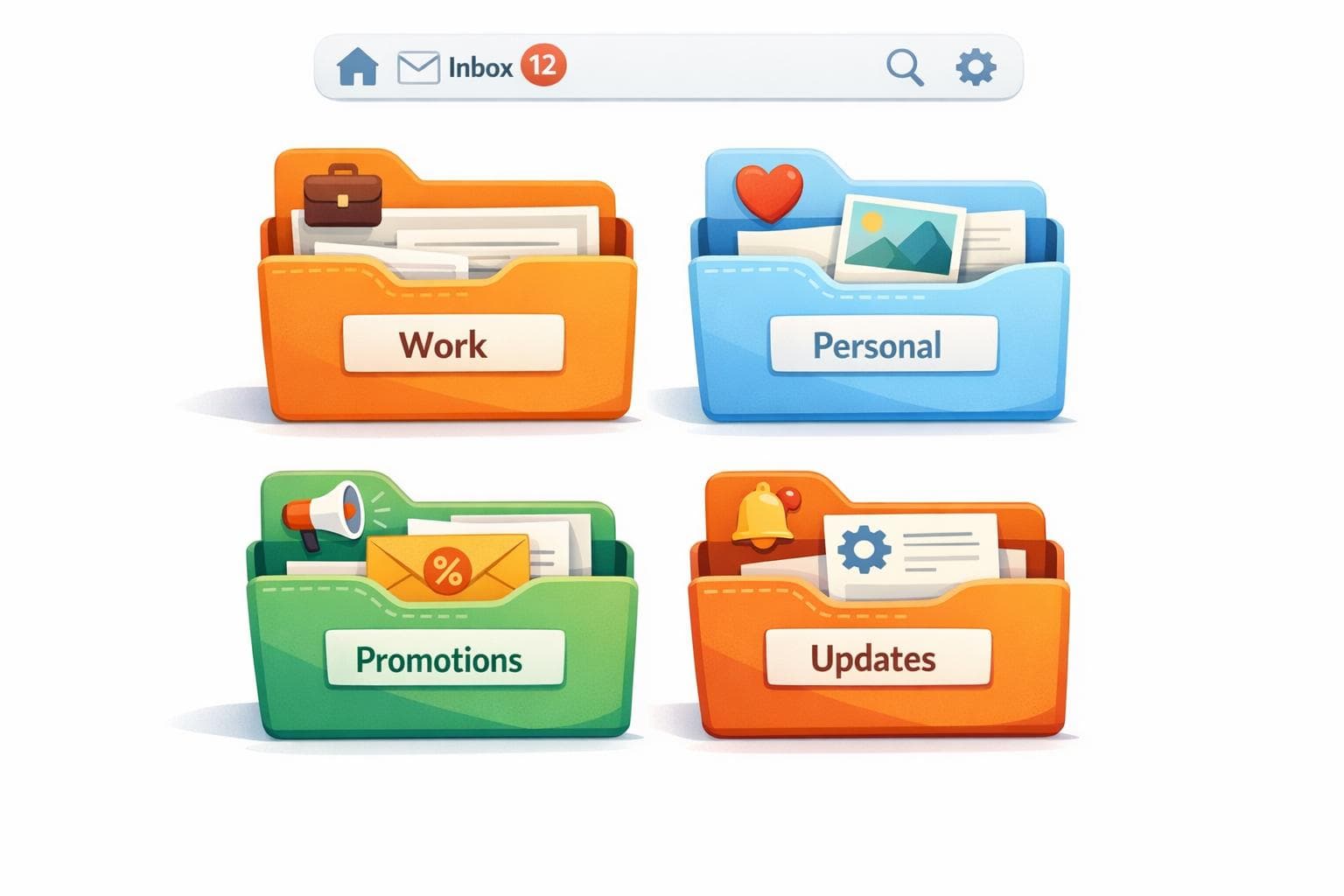
Top 7 AI Tools for Email Categorization
Every day, professionals deal with overflowing inboxes, often missing critical emails buried under clutter. AI tools can solve this by categorizing emails, prioritizing important messages, and automating inbox management. Here are seven AI-powered tools that simplify email organization and improve productivity:
- MailSweeper: Automatically moves unimportant emails to a "Dustpan" label, with a one-time cost of $20.
- SaneBox: Uses machine learning to filter emails into folders like "SaneLater" and offers tools like reminders and snooze, starting at $3.49/month.
- Shortwave: Designed for Gmail, it groups emails into categories and offers advanced search and automation features, starting at $7/month.
- Gemini for Gmail: Integrated into Google Workspace, it prioritizes emails and provides features like thread summaries for $20/month.
- Superhuman: Focused on speed, with tools like split inboxes and AI-powered replies, priced at $30/month.
- Microsoft Copilot Pro: Works with Outlook and Microsoft 365 to categorize emails and summarize threads, starting at $20/month.
- Notion Mail: Turns emails into database entries, offering advanced categorization and integration with Notion, available with a Notion AI add-on for $20/month.
These tools cater to different needs, from simple decluttering to advanced AI-driven workflows. Choose the one that fits your email habits and budget.
Best AI Email Assistants for 2025
1. MailSweeper
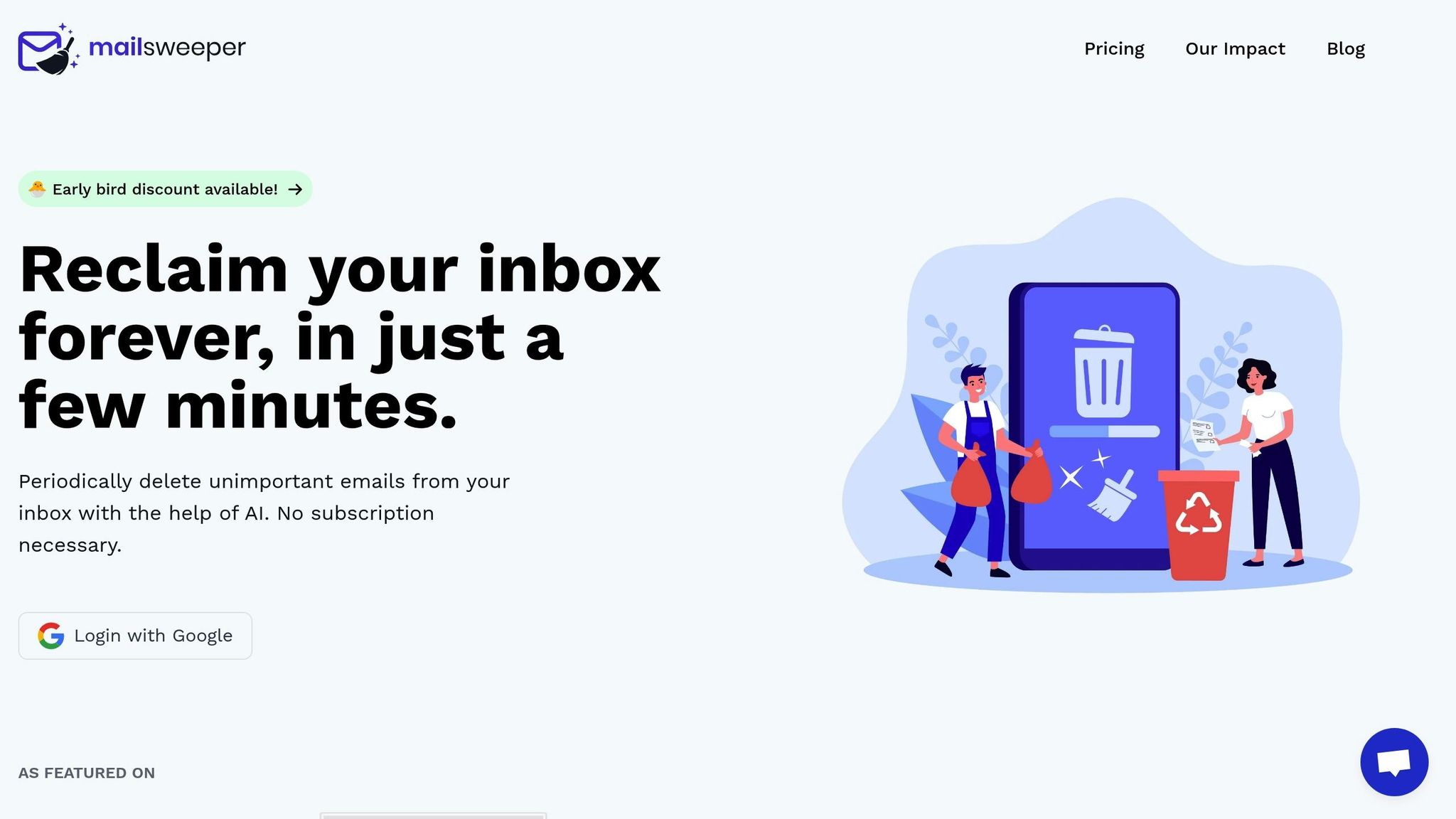
MailSweeper is an AI-driven tool designed to reduce email clutter automatically. It uses a single label - The Dustpan - to collect less important emails while keeping your primary, starred, and flagged messages untouched.
How it works
MailSweeper leverages artificial intelligence to identify emails that don't need to stick around. It skips over emails already in your primary inbox or marked as important, sending everything else to the Dustpan. Emails sitting in the Dustpan for 30 or 90 days are automatically deleted, clearing out outdated promotions, notifications, and other clutter without you lifting a finger.
Seamless Gmail integration
MailSweeper connects directly with Gmail through your Google account. Once set up, it adds the Dustpan label and gets to work immediately. Plus, it's CASA certified, so you can trust its data privacy and security measures for handling your email.
One-time pricing
MailSweeper offers lifetime access for a one-time payment of $20. No subscriptions, no hidden fees, and no storage caps. This simple pricing model is perfect for anyone looking to keep their inbox clean without worrying about ongoing costs. Up next, we’ll look at another AI tool that helps manage your emails.
2. SaneBox

After MailSweeper helps tidy up your inbox, SaneBox steps in to streamline your email experience by intelligently prioritizing messages.
SaneBox uses machine learning to focus on what matters, analyzing email metadata - like sender details and subject lines - while keeping your email content private.
AI-powered categorization
SaneBox organizes your inbox by automatically moving less important emails into a "SaneLater" folder. You can further refine its AI by dragging emails to the appropriate folders. It also creates specialized folders like "SaneCC" for carbon-copied emails and "SaneNews" for newsletters. Users report seeing 73% less clutter in their inboxes and an 89% accuracy rate in identifying important emails.
Works with your email platform
SaneBox is compatible with any email provider that supports IMAP, including Gmail, Microsoft 365, Outlook.com, Apple iCloud, Yahoo! Mail, and Fastmail. Setup is secure, using OAuth, and works effortlessly across all your devices.
Boosts productivity with extra tools
SaneBox doesn’t stop at organizing emails. It offers tools like:
- SaneBlackHole: Permanently block unwanted senders.
- SaneReminders: Get follow-up prompts for important messages.
- SaneSnooze: Temporarily defer non-urgent emails until you're ready.
- Daily Digest: Summarizes filtered messages for quick review.
"This is how email should be. Not a chaotic, overflowing Inbox" – Ryan Serhant, Founder and CEO, SERHANT
Pricing options
SaneBox offers three subscription plans to fit your needs:
- Snack Plan: $3.49/month
- Lunch Plan: $5.99/month
- Dinner Plan: $16.99/month
Educational, non-profit, and government organizations can enjoy a 25% discount, and there's a 14-day free trial - no credit card required. On average, users save 3–4 hours a week managing emails and process messages up to three times faster.
3. Shortwave
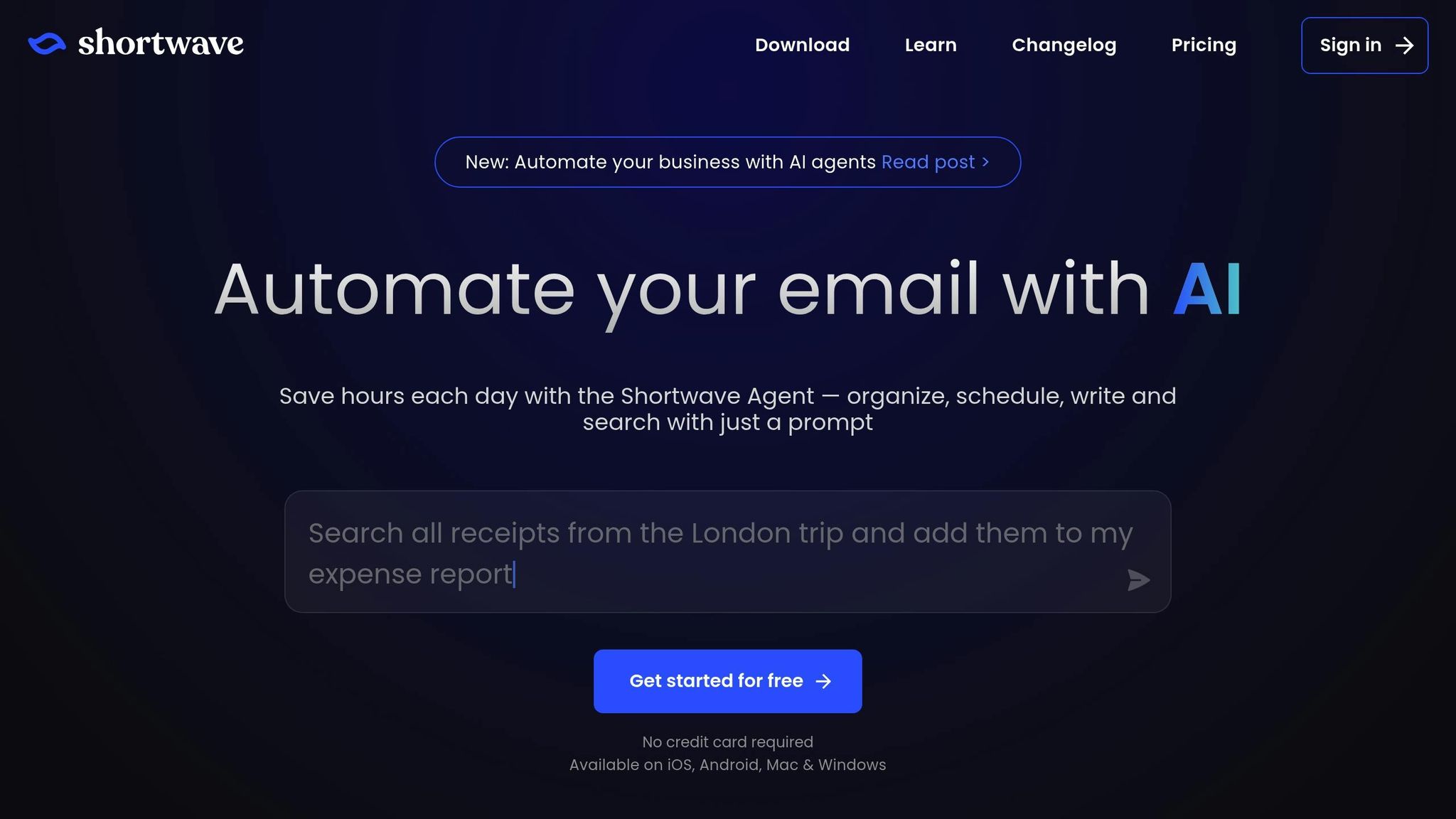
Shortwave takes Gmail productivity to the next level with AI-driven features that go beyond simple email filtering.
Developed by a team of former Google engineers, including members of the original Google Inbox team, Shortwave is tailor-made for Gmail and Google Workspace users. It works seamlessly in the background, syncing your labels, filters, and settings for a smooth experience.
AI-Powered Categorization
Shortwave’s Smart Bundles group similar emails - like newsletters, receipts, and promotions - so you can handle entire categories with just one swipe. On top of that, Inbox Splits let you organize your inbox into focused tabs. These tabs are based on natural language queries, such as "Urgent Clients" or "Team Projects", helping you zero in on what matters most.
The platform’s AI assistant, powered by Claude and OpenAI, uses advanced reasoning to identify priority emails with 94% accuracy. You can also create custom filters in plain English to automatically label, star, or archive emails. With these tools, users achieve Inbox Zero 45% faster than with standard Gmail, and teams spend 67% less time searching for emails. These features streamline your workflow, making email management quicker and more efficient.
"Shortwave is great at doing all the things you wish Gmail did. I love using bundles to sift through all the junk in my inbox." – Brett Bates, Demand Executive at Foursquare
Productivity-Boosting Features
Shortwave’s Ghostwriter analyzes your sent emails to learn your writing style and generates polished drafts, complete with accurate links. This feature cuts email composition time by 43%.
For even more efficiency, the Tasklet Automation tool lets you write automation scripts in plain English. You can connect your inbox with platforms like Slack, Notion, Asana, and HubSpot, simplifying your workflow.
Pricing Options
Shortwave offers four annual billing plans to fit different needs:
- Free: $0 (90-day search history, basic AI, includes "Sent with Shortwave" signature)
- Personal: $7/month (1-year search history, full AI, limited to gmail.com or .edu accounts)
- Pro: $14/month (3-year search history, Ghostwriter, up to 3 accounts)
- Business: $24/month (5-year search history, read receipts, link tracking, up to 10 accounts)
Shortwave has earned a 4.8/5 rating on the Apple App Store from 638 reviews. It also meets CASA Tier 2 security compliance standards and uses AES256 encryption to keep your data secure.
4. Gemini for Gmail

Gemini for Gmail brings Google's advanced AI straight into your inbox, making email management smoother and smarter. Fully integrated with Gmail, it’s easy to activate through your AI Settings. Once set up, Gemini introduces intelligent tools to streamline how you handle emails.
AI-Powered Categorization
Gemini uses advanced analysis to organize your emails based on key factors like frequent contacts, urgent keywords, and deadlines. Emails are divided into "Focused" for high-priority messages and "Other" for less pressing ones. It also applies contextual labels, automatically tagging recurring messages like weekly reports. Plus, its smart filters ensure that newsletters you regularly read don’t accidentally end up in your junk folder.
Additional Productivity Features
Gemini doesn’t just stop at organizing your inbox - it’s packed with tools to make you more productive. It can summarize long email threads, answer specific questions through a side panel, and even draft polished emails from simple prompts. The side panel Q&A feature lets you ask natural language questions to quickly pull out details from your inbox. Nina Farzin, CEO of Oogiebear, shared:
"I use Gemini in Gmail for writing to vendors and customers more effectively."
Another handy feature is the ability to use the "@" symbol in drafts to reference Google Drive files, seamlessly pulling relevant information into your emails. All of these features are available with a transparent pricing plan.
Pricing Structure
To access Gemini, you’ll need the Google One AI Premium plan, which costs $20 per month for personal use. It’s also included with Google Workspace for business users, while free Gmail accounts get access to basic smart features.
sbb-itb-34b9fd2
5. Superhuman
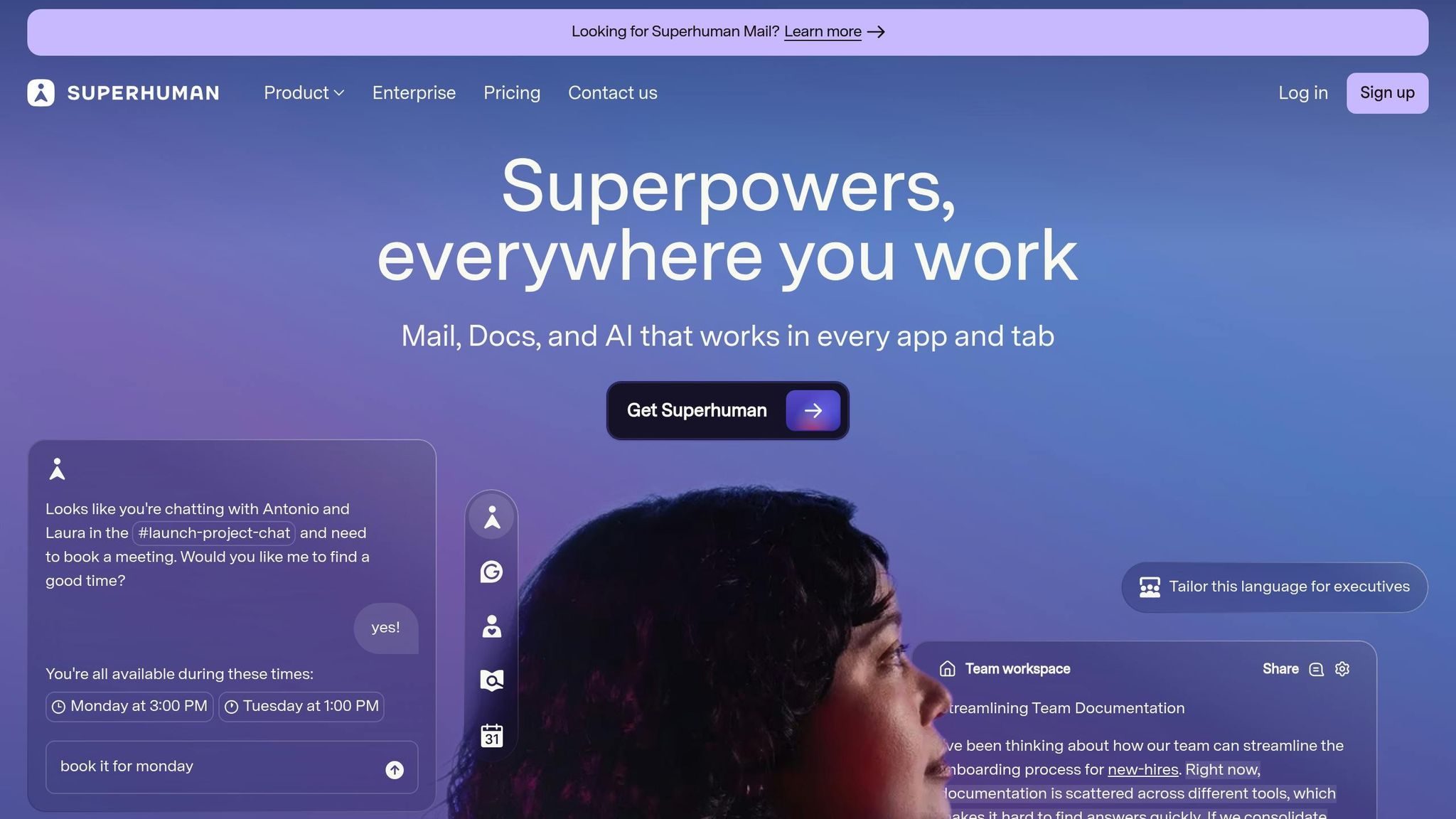
Superhuman is designed for professionals who need to handle large volumes of emails quickly. It integrates seamlessly with your existing Gmail or Outlook account, offering lightning-fast email load times of under 100 milliseconds.
AI-Powered Categorization
Superhuman allows you to create custom AI prompts by typing phrases like "job applications" or "requests to review work", teaching the platform to recognize specific email categories [26,33]. With the Split Inbox feature, emails are sorted into separate tabs, helping you focus on one type of message at a time [28,32]. For less urgent emails, the Auto Archive feature automatically filters out marketing and social updates, keeping your primary inbox clutter-free [26,33]. Rahul Vohra, CEO of Superhuman, shared the motivation behind this feature:
"One of the top things we heard from our customers over the last year is that there is an increasing amount of cold emails containing marketing and spam... we decided to take matters into our own hands for classification with this iteration of labels."
This smart categorization is further enhanced by integrations with email and CRM tools, simplifying workflows even more.
Integration with Email Platforms
Superhuman’s AI-driven tools connect effortlessly with business platforms like Salesforce, HubSpot, and Pipedrive. This allows users to access customer details and update CRM records directly from their inbox [30,32]. The platform’s native apps for Windows, Mac, iOS, and Android ensure your AI preferences are synchronized across all devices. Teams using Superhuman respond to emails an average of 12 hours faster and handle twice as many emails compared to traditional email clients [27,32].
Additional Productivity Features
Superhuman is packed with features aimed at saving time and boosting efficiency. Auto Summarize provides quick overviews of email threads, while Ask AI lets you search your inbox using natural language. The Instant Reply feature drafts responses that match your writing style, and Snippets allow you to create personalized email templates [26,30,32]. On average, Superhuman users save 4 hours per week and reply to 2.35 times more emails within 12–48 hours compared to their old tools [26,30,32]. The platform also includes Read Statuses, which notify you when your email is opened, helping you follow up at the right moment [29,30].
Pricing Structure
Superhuman offers four pricing tiers to suit different needs. The Starter plan is $30 per month (or $300 annually), while the Business plan costs $40 per month (or $396 annually) and includes features like Ask AI, Auto Drafts, Custom Auto Labels, and CRM integrations. For larger teams, the Enterprise plan offers tailored pricing and adds features such as single sign-on (SSO), advanced security, and team analytics. Students and faculty can take advantage of the Education plan for just $10 per month.
6. Microsoft Copilot Pro for Outlook
Microsoft Copilot Pro is redefining how users manage their emails in Outlook, leveraging GPT-5 technology to simplify and enhance email organization. With an estimated user base of 100 million by 2025, it stands out as one of the top tools for email productivity.
AI-Powered Categorization
Copilot Pro uses a feature called Work IQ to categorize emails intelligently. This system connects data from emails, files, meetings, and chats, analyzing your work habits to provide tailored organizational support. You can use conversational commands like, "Move emails from [name] to Invoices" or "Categorize emails sent last week by project" to streamline your inbox. It also prioritizes key messages, such as those from your manager or emails with critical deadlines, and offers quick, two-sentence summaries of missed communications. For example, you can ask it to summarize emails from your manager between specific dates to stay updated without sifting through a cluttered inbox.
Integration with Email Platforms
Copilot Pro works seamlessly within Outlook, whether you're on desktop, web, or mobile. It integrates fully with Microsoft 365 tools like Word, Excel, PowerPoint, Teams, and SharePoint, inheriting your existing permissions, sensitivity labels, and retention policies. This integration allows for powerful cross-platform functionality. For instance, you can ask Copilot, "Find the file [name] emailed me about last week," and avoid the hassle of searching manually across multiple apps.
Additional Productivity Features
Beyond categorization, Copilot Pro significantly boosts productivity by summarizing lengthy email threads into concise bullet points. It can generate full email drafts from brief prompts and even adjust the tone, length, or complexity of your writing to suit your needs. The "Coaching by Copilot" feature takes it a step further by suggesting ways to improve your communication style. On average, users save 24 minutes daily on writing tasks, translating to an estimated cost savings of $23.20 per day. Considering that professionals spend about 28% of their workweek - roughly 11.2 hours - managing email, Copilot Pro helps reclaim a significant chunk of that time.
Pricing Structure
Microsoft offers three pricing tiers to cater to different needs:
- Free Tier: Available through Bing and Edge as a web-based chat tool.
- Copilot Pro: Priced at $20 per user/month, ideal for individuals and freelancers.
- Microsoft 365 Copilot (Business/Enterprise): Costs $30 per user/month and requires an existing Microsoft 365 license. This tier includes additional features like Microsoft Teams integration, enhanced SharePoint context, and enterprise-grade security via Microsoft Purview.
Starting December 1, 2024, Microsoft introduced a monthly billing option for annual subscriptions, with a 5% premium over the upfront annual price.
Soraya Kintzel, Principal at MetricVerve, shared her perspective on the pricing:
"The $30 rate tracks with SaaS tools that embed AI into every workflow yet remove context-switch delays."
Next, let’s dive into the final AI tool designed to streamline your email workflow.
7. Notion Mail
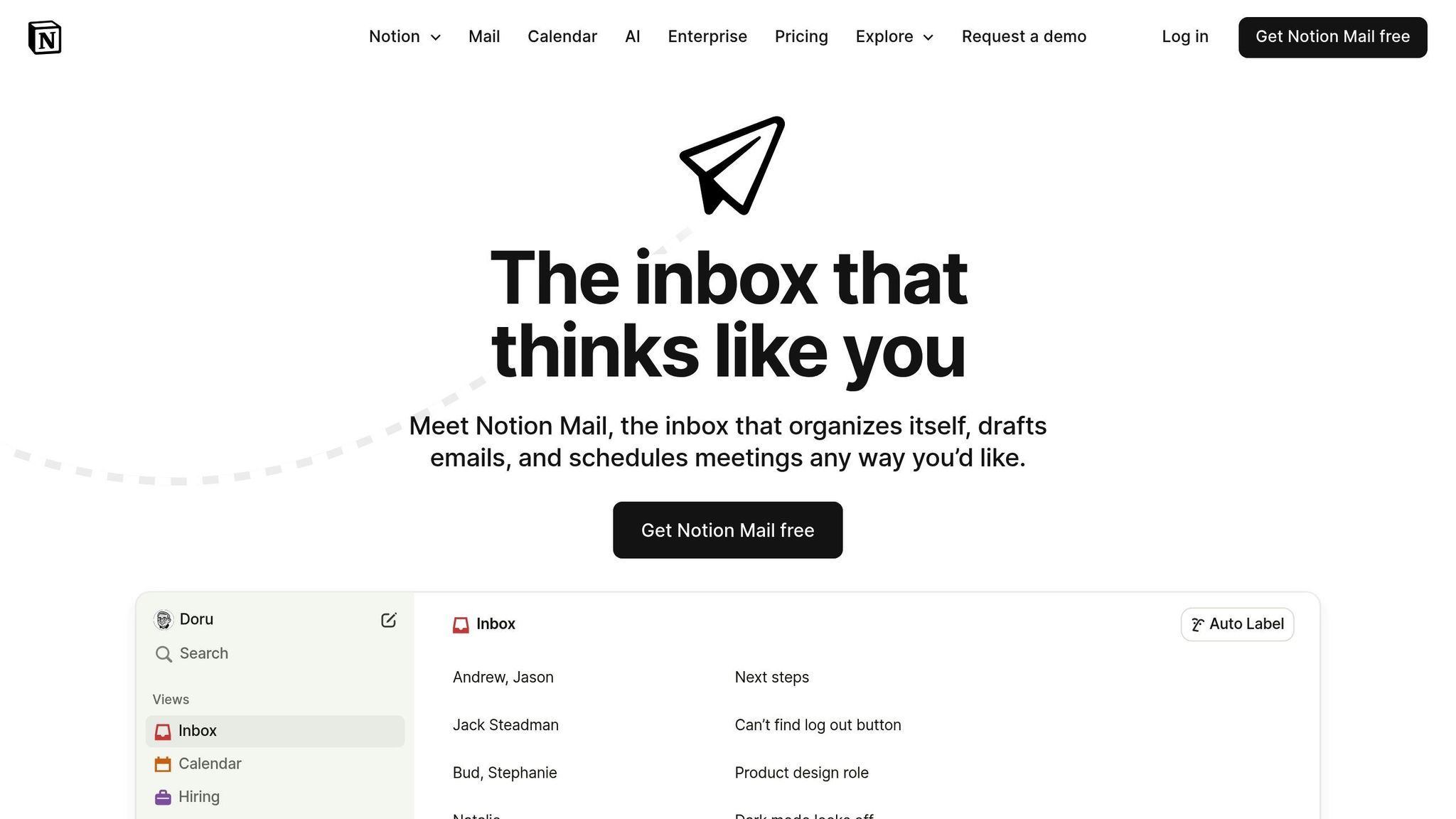
Notion Mail transforms your inbox into a flexible database, using Auto Label to organize emails with simple, natural language commands. For example, you can type something like "Label all emails from candidates applying to the Engineering role" or "Label all purchase-related emails as Purchases," and the AI takes care of the sorting for you. It also creates sidebar views for each label, letting you organize your inbox by project, priority, or update type - without overwhelming your main inbox view.
AI-Powered Categorization
The system’s categorization gets smarter over time by learning from your actions. With Auto Label Similar, you can create rules for sorting emails and refine the AI's accuracy by confirming or rejecting its suggestions. You also have full control over how these labels function - deciding whether emails remain in your main inbox or are filtered exclusively into their dedicated views.
Hunter Bohn explains it perfectly:
"Using @NotionMail is like building filtered views for your databases, but the properties are elements from your emails."
Integration with Email Platforms
Notion Mail is designed to work exclusively with Gmail and Google accounts. To unlock its AI features, your email address must be linked to a Notion workspace that has Notion AI enabled. This integration connects your inbox directly to your Notion productivity ecosystem, letting you @-mention specific Notion pages while drafting emails. This gives the AI additional context, making it even more effective at generating responses.
Additional Productivity Features
Notion Mail goes beyond organizing emails. It includes an AI Writing Assistant that can draft responses, fine-tune tone, and correct grammar. You can also use the /schedule command or built-in scheduling buttons (similar to Calendly) to book meetings directly from your inbox. The email composer uses Notion’s familiar editor, allowing you to work with blocks, bullet points, and callouts just as you would in your regular Notion workspace.
Pricing Structure
Basic email management with Notion Mail is free. However, access to unlimited AI-powered features like categorization and writing tools requires a Notion Business or Enterprise plan. The Notion AI add-on costs about $20 per month. Free trials are available, so you can explore these features before committing.
Next, we’ll compare these features and pricing with other tools.
Feature and Price Comparison
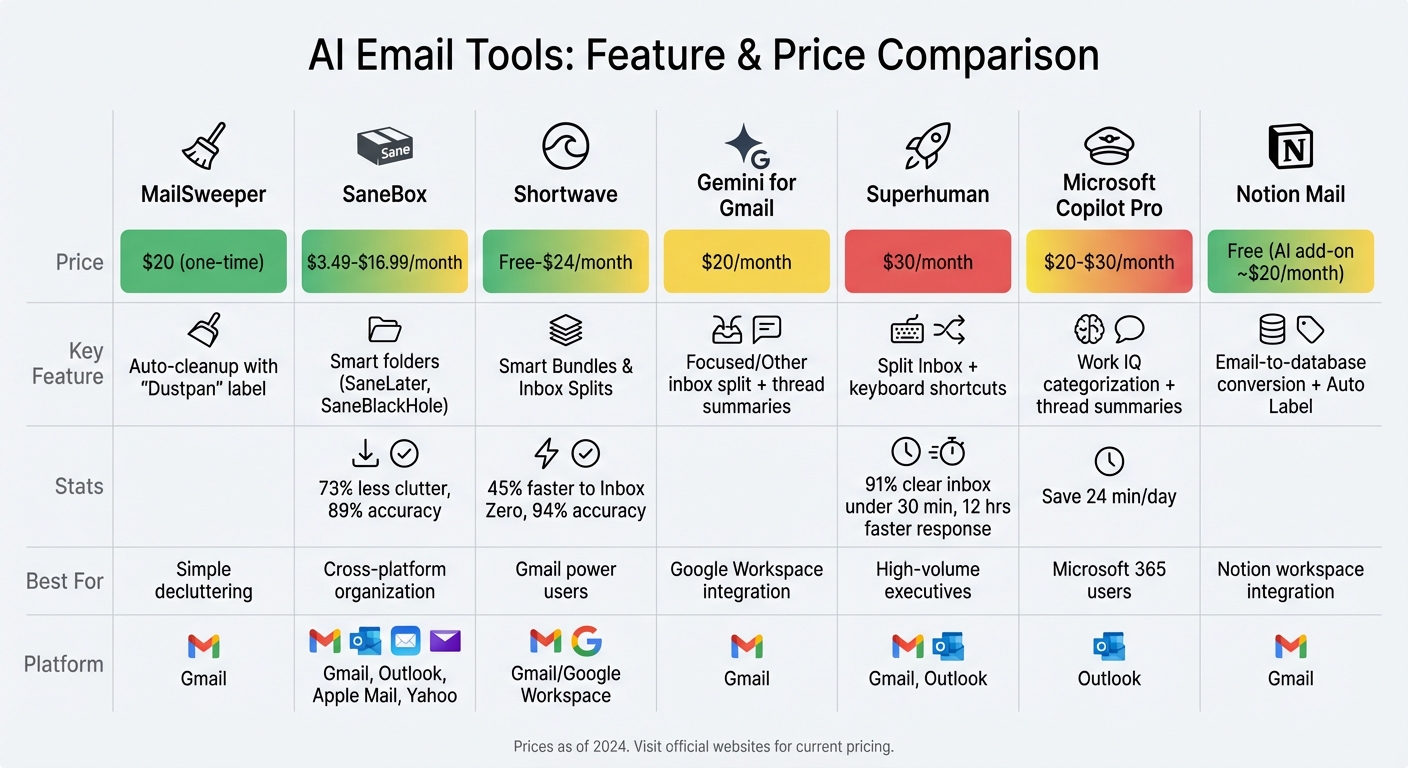
AI Email Tools Comparison: Features and Pricing Guide
Each tool stands out with its own set of benefits. Here's a breakdown to help you compare features and pricing, so you can choose the one that aligns with your email needs and budget.
MailSweeper offers a simple one-time payment of $20. It automatically cleans your inbox, helping to cut down storage costs without requiring a monthly subscription.
SaneBox is available at a subscription rate ranging from $3.49/month to $16.99/month. It organizes your emails into smart folders like @SaneLater and @SaneBlackHole, making it easier to manage your inbox. It works with Gmail, Outlook, and Apple Mail, and its SaneReminders feature ensures you never lose track of follow-ups.
Shortwave provides a free plan alongside paid options starting at $7/month for Personal and $24/month for Business. It’s particularly useful for Gmail users, offering natural language search and a Snippets view to condense lengthy threads. These features make it a strong choice for those who need advanced scheduling and contextual search tools.
Gemini for Gmail includes basic smart filters for free as part of Google Workspace. To unlock advanced AI-driven features, you’ll need to upgrade to a business tier at $20/month. It’s designed to summarize long threads and includes "Help me write" prompts directly in Gmail.
Superhuman is priced at $30/month and targets executives or users managing high email volumes. Its keyboard shortcuts and split inboxes are designed for speed, with 91% of users reportedly clearing their inbox in under 30 minutes.
Microsoft Copilot Pro is an add-on for Microsoft 365, costing $20/month for individual users or $30/month for businesses. It specializes in summarizing email threads into concise action items while pulling context from other Microsoft 365 apps like Teams and OneDrive.
Notion Mail is free for basic email tasks, but unlocking unlimited AI features requires upgrading to a Notion Business or Enterprise plan with the Notion AI add-on, priced at around $20/month. It converts emails into organized database entries that integrate seamlessly with your Notion workspace.
When choosing the right tool, consider your workflow and priorities. If you prefer simplicity, MailSweeper or SaneBox might be ideal. For those deeply integrated into Microsoft 365 or Google Workspace, Copilot Pro and Gemini offer smooth compatibility. Meanwhile, professionals managing heavy email loads may find Superhuman’s speed-focused features a game-changer.
Conclusion
Align the tool's features with how you work. If you're dealing with a high volume of emails, Superhuman offers a design tailored to help you stay on top of your inbox efficiently. On the other hand, SaneBox integrates directly with your existing email client, making it a seamless addition to your current setup.
Pricing is another important factor. For those looking for a one-time purchase, MailSweeper provides a budget-friendly option. However, subscription-based tools come with the benefit of continuous updates and support, which may appeal to users who want access to the latest features.
For users of Microsoft 365 or Google Workspace, integration is key. Tools like Copilot Pro and Gemini for Gmail leverage data from your files, meetings, and contacts, functioning as natural extensions of your existing ecosystem. These examples highlight the variety of approaches AI tools take, helping you narrow down your options.
Beyond the cost, think about how well a tool fits into your workflow. Whether your main challenge is decluttering a cluttered inbox or automating daily email sorting, pick a solution that addresses your specific needs and simplifies your process rather than complicating it.
FAQs
How can AI tools make managing emails faster and easier?
AI tools make managing your email inbox a lot easier by taking over those repetitive tasks like sorting, organizing, and cleaning. Using machine learning, these tools can analyze incoming emails, group them into categories (like Important, Promotions, or Action Required), and highlight what actually needs your attention. This means less time spent sifting through emails and more time focusing on things that matter.
Take MailSweeper, for instance. This tool uses AI to spot and regularly delete unimportant or duplicate emails, keeping your inbox tidy. At just $4 a month, it helps users in the U.S. cut down on storage costs, reduce digital clutter, and save precious time. By automating tasks like categorization and clean-ups, AI tools turn a messy inbox into an efficient and organized workspace.
What should I look for in an AI tool for organizing emails?
When selecting an AI tool to help manage your emails, it’s all about finding features that make your life easier and save you time. Here are a few key capabilities to keep in mind:
- Automatic categorization: Choose a tool that can neatly sort your emails into categories like work, personal, or promotions. It should use the email content and metadata to do this for you automatically.
- Customizable rules: Look for options that let you set up your own categories or train the AI to organize emails based on your unique preferences.
- Automation and integration: Make sure the tool integrates smoothly with your email platform, whether you use Gmail, Outlook, or another service. It should also support automated actions like archiving, flagging, or deleting emails to save you extra steps.
- Privacy and security: A reliable tool will prioritize protecting your data through encryption and compliance with privacy standards like GDPR or HIPAA, especially if you handle sensitive information.
By focusing on these features, you can take control of your inbox, eliminate unnecessary clutter, and simplify email management without breaking a sweat.
Are there affordable AI tools for organizing emails?
If you're looking for budget-friendly AI tools to keep your email inbox organized, there are several great options available. Take MailSweeper, for example. It uses AI to clean up your inbox and costs just $4 per month - a small price for a clutter-free email experience.
These tools rely on machine learning to automatically sort your emails into categories like "Important", "Promotions", or even custom folders you create. Most operate on a subscription model, ensuring you get regular updates and dependable cloud-based performance. With prices typically ranging from $4 to $10 per month, they offer an inexpensive way to simplify your email management without stretching your budget.
More free Gmail tools.
Pair these together for a full inbox reset.
Bulk Unsubscribe from Gmail
See the senders flooding your inbox, ranked by volume — your shortlist for unsubscribes.
Open toolMass Delete Gmail Emails
Build a deletion plan by sender, date, label, or all-unread — with the exact Gmail search to run.
Open toolFind Large Emails in Gmail
Pick a size and we build the exact Gmail search to find your biggest emails — then open it in one click.
Open toolGmail Storage Cleanup
Move the slider to your current Gmail usage to see exactly what to delete to free space.
Open toolInbox Zero Score
Rate your inbox health on a 0–100 scale and see the weekly hours your inbox is costing you.
Open tool